

How it runs: Scheduled. An automation runs every Monday, posts the questions reviewers answered and updates the library Table. You can also ask Hops any time.
What it does
- Matches each question to the library. Approved answers are reused word for word.
- Marks the rest for review. Questions with no match are flagged and Hops suggests who should answer.
- Never invents claims. Compliance and security statements come only from approved sources.
- Keeps a status table. Every question shows answered, in review or blocked, with its owner.
- Grows the library. Each Monday Hops lists reviewer answers so you can add them to the library.
Ask Hops
Copy a prompt into any chat with Hops, or mention@Hops in a Space.
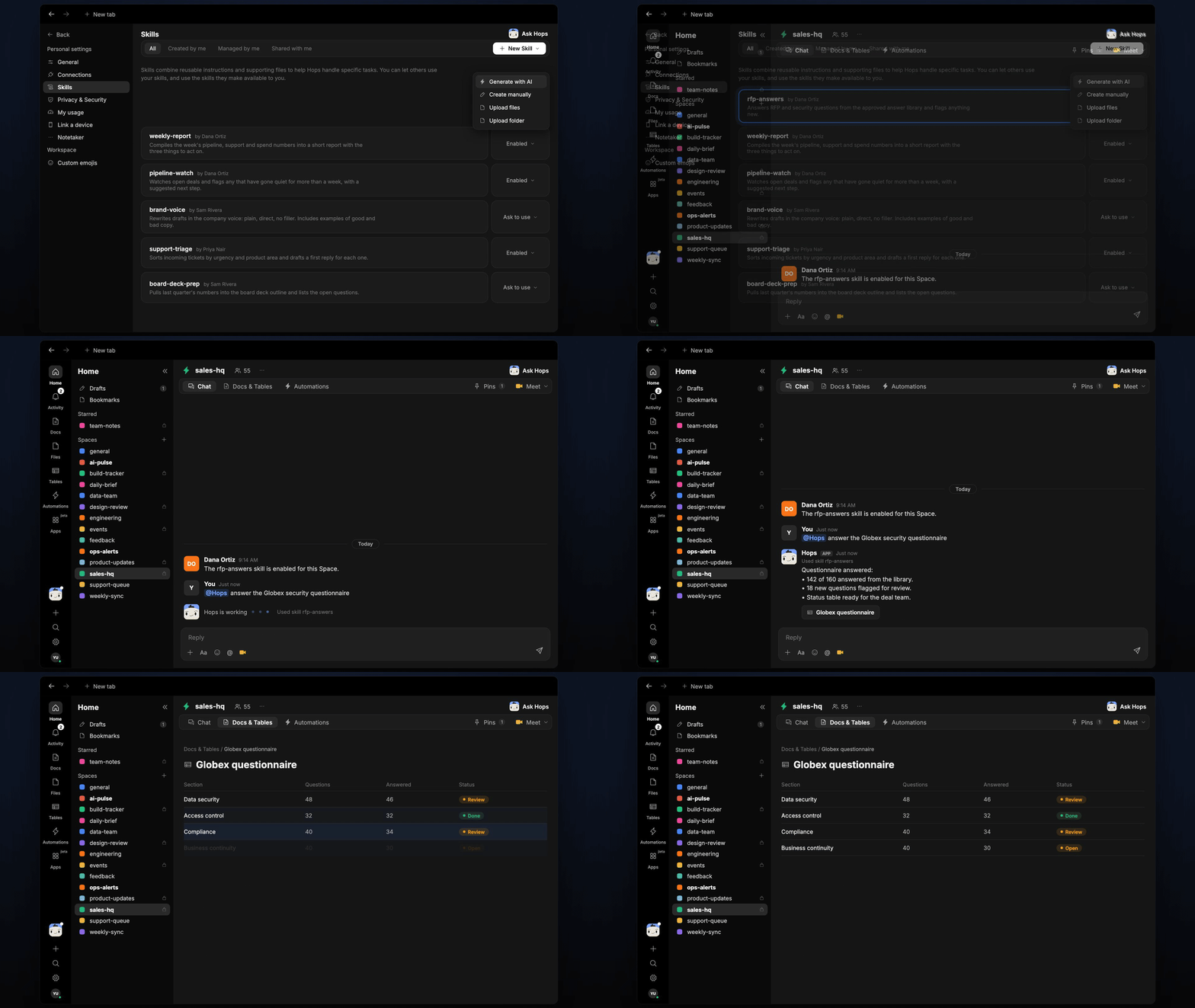
Questionnaire answered:
- 142 of 160 answered from the library.
- 18 new questions flagged for review.
- Status table ready for the deal team.
What you get
- An answer in chat, in the same thread, with the match rate and flagged questions.
- A status Table in Tables of the Space with every question, answer source and owner.
- A saved Doc in Docs with the completed questionnaire, when you ask for one.
- A weekly post every Monday in Slack or the Space chat listing new reviewer answers.
Connections needed
Connect these apps. Each card opens Connections in the app.Google Drive
Answer library and incoming questionnaires.
Slack
Posts review requests and weekly updates.
Set it up
1
Connect your apps
Connect Google Drive and Slack in Connections.See Connections.
2
Pin the library
Create a sales-hq Space and pin the approved answer library in Space context.See Spaces and Space context.
3
Add the skill
4
Schedule it
Every Monday Hops lists questions answered by reviewers, posts them to the Space and updates the library Table in Tables.See Automation.