

How it runs: Triggered. An automation runs when an event attendee list is uploaded to the Space, and you can also ask Hops directly.
What it does
- Scores every lead. Hops compares each attendee against the ICP pinned in the Space and ranks them.
- Matches to the CRM. Existing contacts and open opportunities are linked, so reps see who is already in a deal.
- Removes noise. Duplicates and existing customers are taken out of the follow-up list.
- Drafts a short follow-up. Each of the top leads gets a two-line email that mentions the event.
- Reminds reps. The next morning at 9am reps are reminded to review and send their drafts.
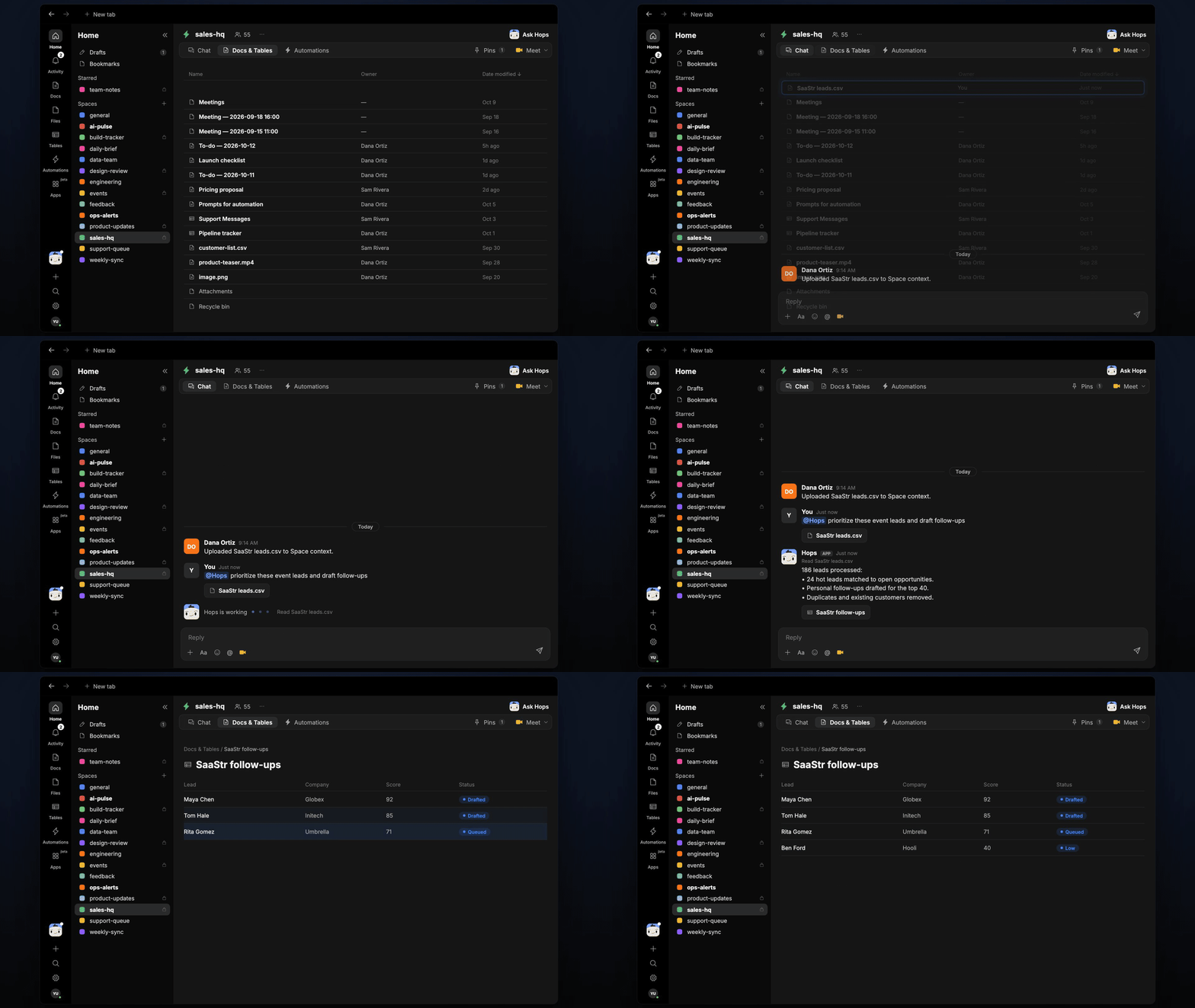
Ask Hops
Copy a prompt into any chat with Hops, or mention@Hops in a Space.
186 leads processed:
- 24 hot leads matched to open opportunities.
- Personal follow-ups drafted for the top 40.
- Duplicates and existing customers removed.
What you get
- A post when the list lands, in the Space chat or Slack, with the hot leads and who owns them.
- A scored lead Table in Tables of the Space with score, CRM match and owner.
- Email drafts in Gmail for the top leads.
- A reminder to reps at 9am the next morning to send their drafts.
Connections needed
Connect these apps. Each card opens Connections in the app.HubSpot
Matches leads and logs outreach (or Salesforce).
Gmail
Holds the follow-up drafts.
Set it up
1
Connect your apps
Connect your CRM (HubSpot or Salesforce) and Gmail in Connections.See Connections.
2
Pin your ICP
Create a sales-hq Space and pin your ICP in Space context.See Spaces and Space context.
3
Add the skill
4
Trigger it
Runs when an attendee list is uploaded. Hops posts the hot leads, saves the scored list in Tables and reminds reps at 9am the next day.See Automation.