

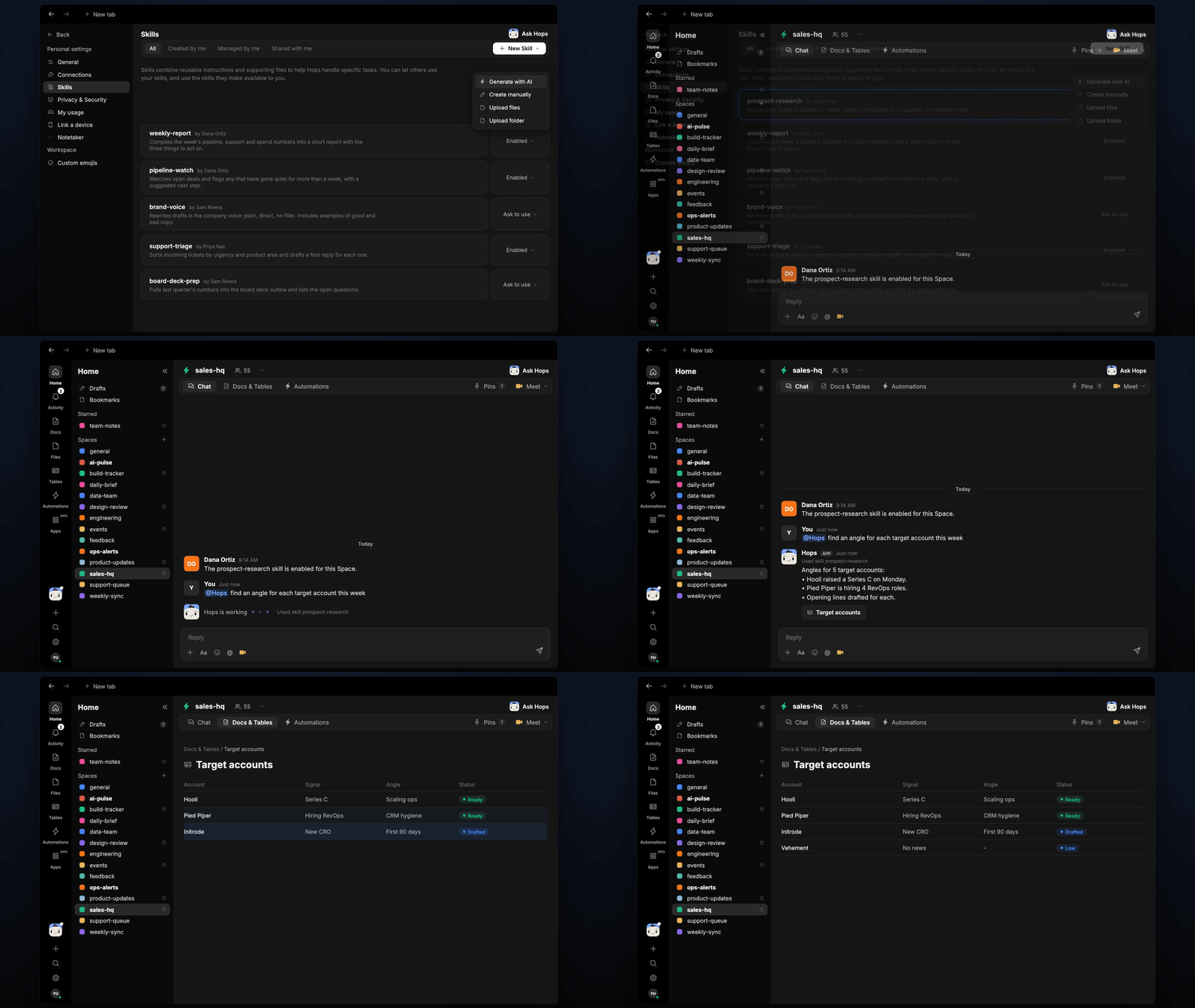
How it runs: Scheduled. An automation runs every Monday at 8am, posts the new angles and saves them to the target list Table. You can also ask Hops any time.
What it does
- Researches the last 30 days. Hops looks for funding, hiring, leadership changes and product news for each target account.
- Picks one angle per account. Each account gets a single reason to reach out, not a pile of facts.
- Writes a two-line opener. The opener refers to the news so it does not read like a template.
- Cites the source. Every angle links to the article or page, so reps can check it before sending.
- Skips stale news. Angles you already used are not repeated.
Ask Hops
Copy a prompt into any chat with Hops, or mention@Hops in a Space.
Angles for 5 target accounts:
- Hooli raised a Series C on Monday.
- Pied Piper is hiring 4 RevOps roles.
- Openers drafted for each, with sources.
What you get
- An answer in chat, in the same thread, with the angle, opener and source for each account.
- A weekly post every Monday in the Space chat or Slack with new angles.
- An updated Table in Tables of the Space with the current angle and opener per account.
- On-demand research. Ask about any account at any time.
Connections needed
Connect these apps. Each card opens Connections in the app.HubSpot
Reads the target account list and owners (or Salesforce).
Set it up
1
Connect your apps
Connect your CRM (HubSpot or Salesforce) in Connections. Hops uses web research for the news.See Connections.
2
Pin your list
Create a sales-hq Space and pin the target account list and ICP in Space context.See Spaces and Space context.
3
Add the skill
4
Schedule it
Every Monday at 8am Hops refreshes the angles, posts them to the Space and updates the target list in Tables.See Automation.