

How it runs: Ask Hops, with a skill so the output has the same format every time. An optional automation preps every call on the calendar each morning.
What it does
- Pulls the latest CRM record. Contacts, stage, open opportunities and recent activity from Salesforce or HubSpot.
- Reads the last two email threads. Hops summarizes what was said and what is still unanswered.
- Checks the Space. Notes, the account plan and earlier prep in the account Space are included.
- Writes a short note. One paragraph plus 3 bullets on what to focus on, with a source for every point.
- Flags risks. Likely objections and open commitments are listed so there are no surprises.
Ask Hops
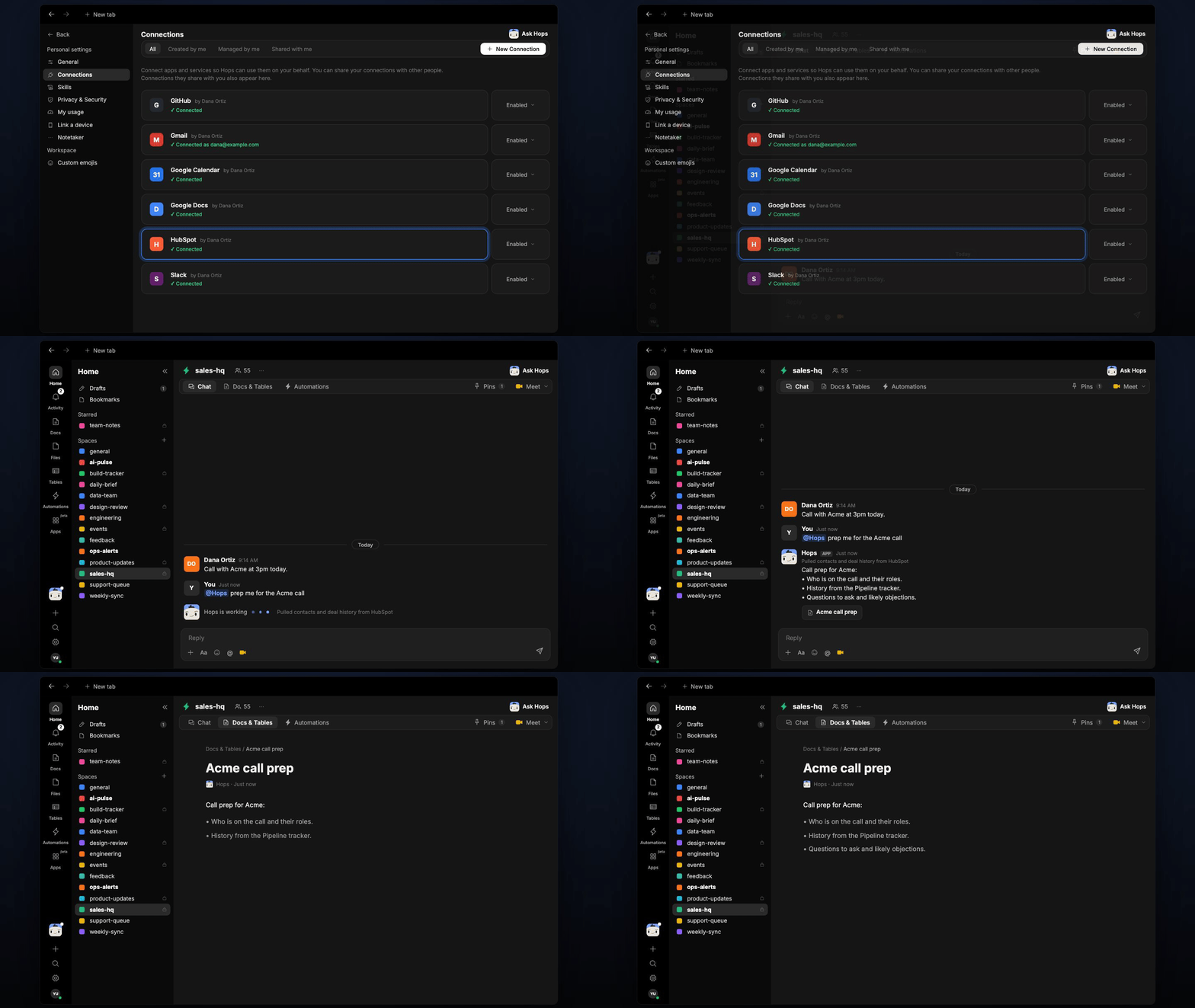
Copy a prompt into any chat with Hops, or mention@Hops in a Space.
Call prep for Acme:
- On the call: Dana Ortiz (VP Ops, champion), Lee Chen (security).
- History: demo on Oct 2, security review still open.
- Focus on SSO, 200-seat pricing, and the Q4 timeline.
- Likely objection: Net-60 payment terms.
What you get
- An answer in chat, in the same thread, with the prep note and sources.
- A saved Doc, when you ask for one. Say “save this as a doc” and Hops writes it to Docs in the account Space.
- An automatic prep note per call, if you turn on the optional morning automation, posted to the account Space.
Connections needed
Connect these apps. Each card opens Connections in the app.HubSpot
Deals and contacts (or Salesforce).
Gmail
Recent email threads (or Outlook).
Google Calendar
Finds the calls scheduled today.
Slack
Optional: posts the prep notes.
Set it up
1
Connect your apps
Connect your CRM, Gmail or Outlook, Google Calendar and Slack in Connections.See Connections.
2
Pin account context
Create a Space per major account and pin the ICP, deal brief and account plan in Space context.See Spaces and Space context.
3
Add the skill
4
Schedule it (optional)
Each weekday at 8am Hops scans that day’s scheduled calls and posts a prep note per meeting to the account Space, saved in Docs.See Automation.
5
Ask
Ask Hops in chat any time before a call.