

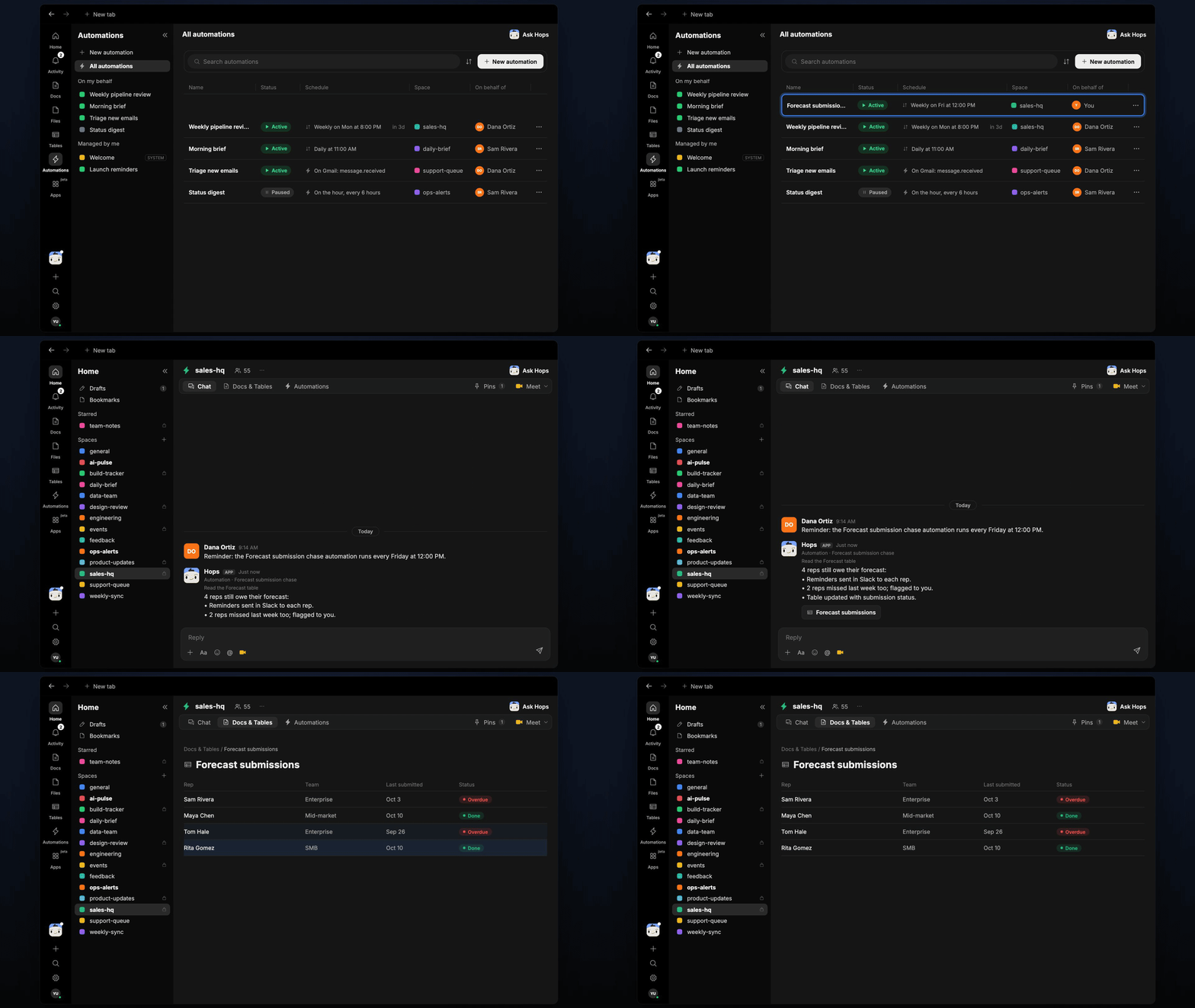
How it runs: Scheduled. An automation runs every Friday at 12:00 PM, posts the reminders in Slack and updates the submission table. You can also ask Hops any time.
What it does
- Checks who has not submitted. Hops reads the Forecast table and compares it with the reps in the CRM to find anyone who has not updated this week.
- Sends a short reminder. Each rep gets a friendly Slack message naming exactly what is missing.
- Escalates repeat misses. Anyone who missed two weeks in a row is flagged to the manager instead of being chased again.
- Keeps the status current. The submission table shows who submitted, who was reminded and who is overdue.
- Skips reps who are out. Reps marked on leave in the CRM or Space context are left off the list.
Ask Hops
Copy a prompt into any chat with Hops, or mention@Hops in a Space.
Four reps still owe their forecast:
- Priya N., Marcus T., Elena R. and Sam K. have not updated since last Friday.
- Reminders sent in Slack to each rep.
- Marcus and Sam missed last week too, so I flagged them to you.
What you get
- An answer in chat, in the same thread, listing who is missing and who was reminded.
- A Slack reminder per rep, sent when the Friday automation runs, plus a flag to the manager for repeat misses.
- An updated Table in Tables of the Space with submission status per rep, refreshed every run.
- On-demand checks. Ask any time and Hops checks the current state.
Connections needed
Connect these apps. Each card opens Connections in the app.Slack
Sends reminders to reps and posts the manager flag.
HubSpot
Reads reps, opportunities and last updated dates (or Salesforce).
Set it up
1
Connect your apps
Connect Slack and your CRM (HubSpot or Salesforce) in Connections.See Connections.
2
Create the Space
Create a sales-hq Space and keep the forecast table in Tables. Pin the submission rules in Space context.See Spaces and Space context.
3
Add the skill
4
Schedule it
Runs every Friday at 12:00 PM. Hops posts the reminders in Slack and updates the submission table in Tables.See Automation.