

How it runs: Ask Hops. No skill or automation needed. Connect your apps and ask in any chat.
What it does
- Searches everything you connected. Hops looks across Google Drive, Google Docs, Slack, Gmail, Notion and the Docs and Tables in your Spaces in one pass.
- Answers first, then shows its sources. Every claim links back to the doc, thread or email it came from, with the date and who wrote it.
- Handles conflicts. When two sources disagree, Hops shows both and tells you which is newer.
- Says when it doesn’t know. If nothing is found, Hops says so and suggests who is likely to know, instead of guessing.
- Respects access. Hops only reads what each connection can see, so people get answers from the sources they already have access to.
Ask Hops
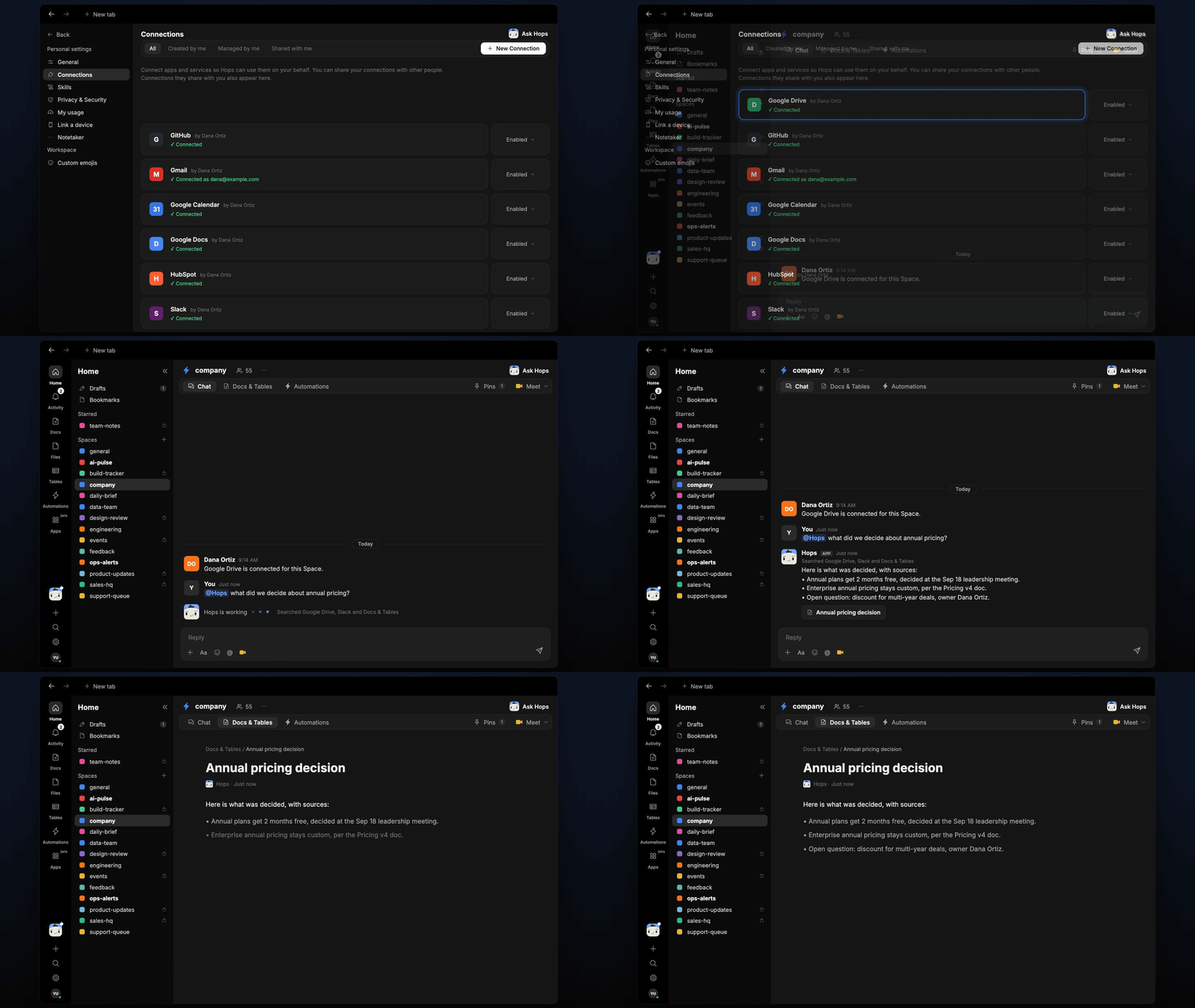
Copy a prompt into any chat with Hops, or mention@Hops in a Space.
Here is what was decided, with sources:
- Annual plans get 2 months free, decided at the Sep 18 leadership meeting.
- Enterprise annual pricing stays custom, per the Pricing v4 doc.
- Open question: discount for multi-year deals, owner Dana Ortiz.
What you get
- An answer in chat, in the same thread, with a linked source for every point.
- A saved Doc, when you ask for one. Say “save this as a doc” and Hops writes the answer to Docs in the Space so the team can find it later.
Connections needed
Connect the apps that hold your knowledge. Each card opens Connections in the app.Google Drive
Folders, decks and files.
Google Docs
Specs, notes and decision docs.
Slack
Threads where decisions get made.
Gmail
Decisions made over email.
Notion
Wikis and team pages.
Set it up
1
Connect your apps
Connect the apps above in Connections. Start with the one where most decisions live.See Connections.
2
Pin what matters (optional)
Create a company Space and pin the folders and docs that hold your key decisions in Space context, so Hops checks them first.See Spaces and Space context.
3
Ask
Ask Hops a question in chat. That’s it.