

How it runs: Scheduled. An automation runs every Monday, posts the decks drafted for that week’s QBRs and saves each draft as a Doc. You can also ask Hops any time.
What it does
- Starts from your master deck. Hops reads the master deck in Google Slides and picks the slides that fit the account’s industry and stage.
- Adds the account’s numbers. Usage, pipeline and ROI figures come from the CRM and are placed on the matching slides.
- Swaps in the closest case study. Hops chooses the customer story most similar to the account.
- Lists what it changed. Every drafted deck comes with a short change list so the rep knows what to review.
- Never edits the master. The master deck stays untouched; drafts are created as copies.
Ask Hops
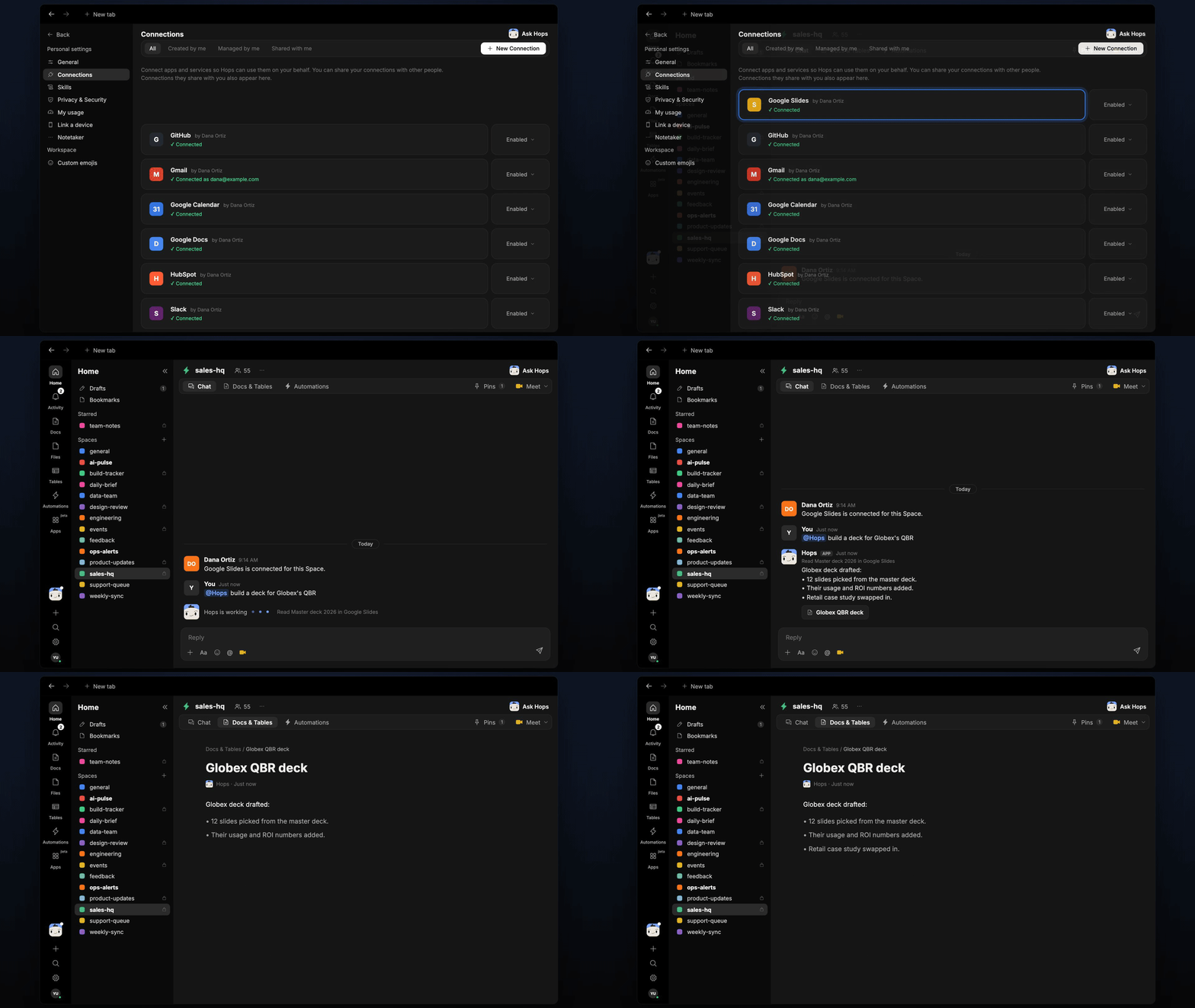
Copy a prompt into any chat with Hops, or mention@Hops in a Space.
Globex deck drafted:
- 12 slides picked from the master deck.
- Their usage and ROI numbers added from HubSpot.
- Retail case study swapped in.
- Slide 9 pricing needs your review.
What you get
- An answer in chat, with a link to the drafted deck and the change list.
- A weekly post (Slack or the Space chat) listing decks drafted for QBRs scheduled that week.
- A saved Doc in Docs of the Space with the change list for each deck.
- On-demand drafts. Ask any time for a new account.
Connections needed
Connect these apps. Each card opens Connections in the app.Google Slides
Reads the master deck and creates tailored copies.
HubSpot
Pulls account, usage and ROI numbers (or Salesforce).
Google Drive
Case studies and the account folders.
Set it up
1
Connect your apps
Connect Google Slides, your CRM and Google Drive in Connections.See Connections.
2
Pin the master deck
Create a sales-hq Space and pin the master deck link and case study folder in Space context.See Spaces and Space context.
3
Add the skill
4
Schedule it
Every Monday Hops drafts decks for QBRs scheduled that week, posts the list and saves the change lists in Docs.See Automation.