

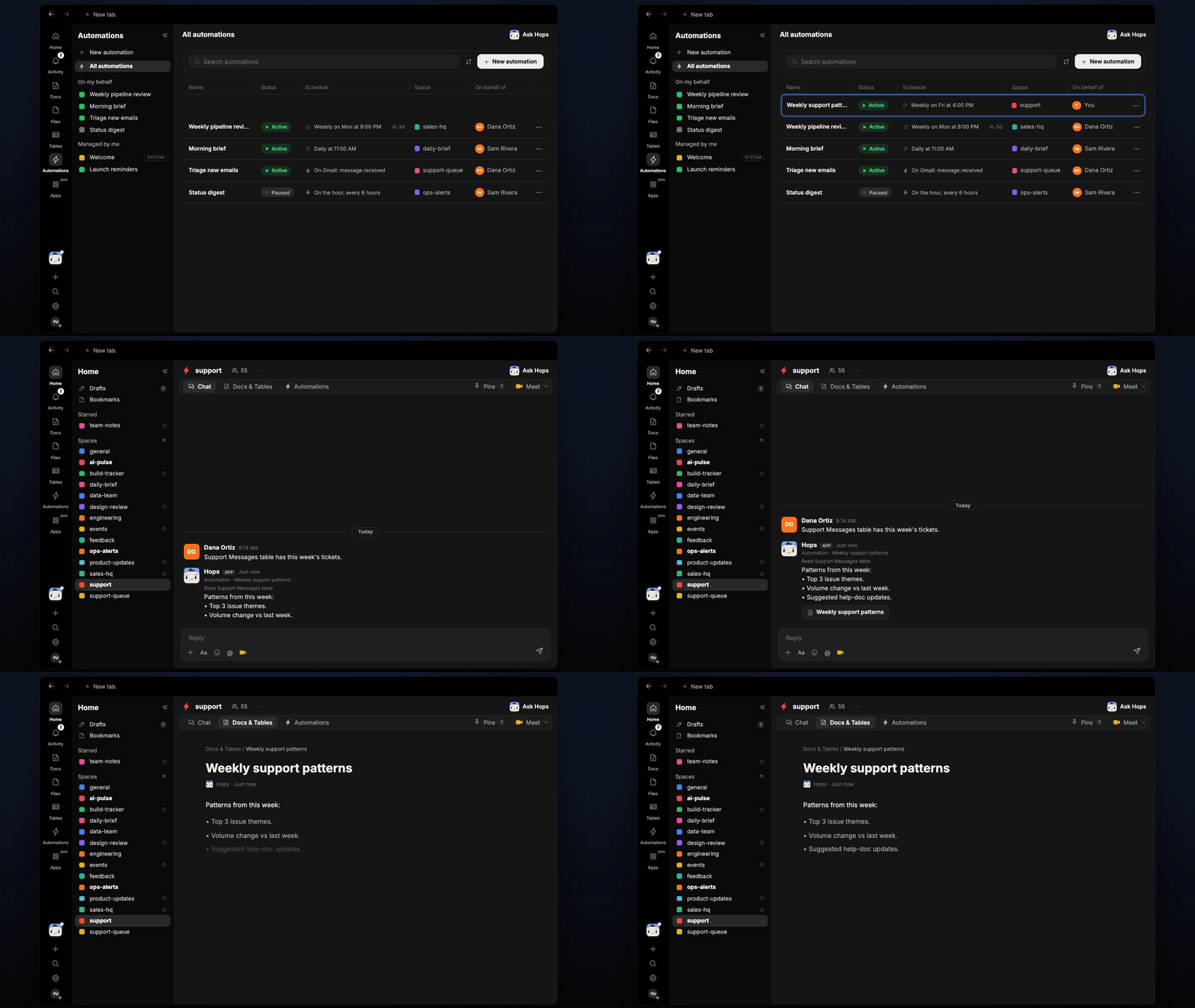
How it runs: Scheduled. An automation runs every Monday at 9am, posts the top 3 issues and saves a dated Doc. You can also ask Hops any time.
What it does
- Reads the last 7 days. Both resolved and open tickets.
- Groups by root cause, not by surface symptom.
- Returns the top 3. Each with a ticket count and a link to one representative ticket.
- Shows the trend. Volume change against the week before, plus suggested help doc updates.
Ask Hops
Copy a prompt into any chat with Hops, or mention@Hops in a Space.
Top 3 issues last week:
- Login timeouts: 41 tickets, up 12 from last week.
- CSV export errors: 27 tickets.
- Invoice PDF missing: 19 tickets.
What you get
- A Slack or Space post every Monday with the top 3 issues.
- A saved Doc in Docs for each week, so trends are easy to compare.
- On-demand reports for any period or product area.
Connections needed
Connect these apps. Each card opens Connections in the app.Zendesk
Tickets and sentiment (or Intercom).
Slack
Where Hops posts the results and nudges owners.
Set it up
1
Connect your apps
Connect the apps above in Connections.See Connections.
2
Add the skill
3
Schedule it
Run every Monday at 9am. Hops posts the top 3 issues to the Support Space and saves a dated Doc.See Automation.