

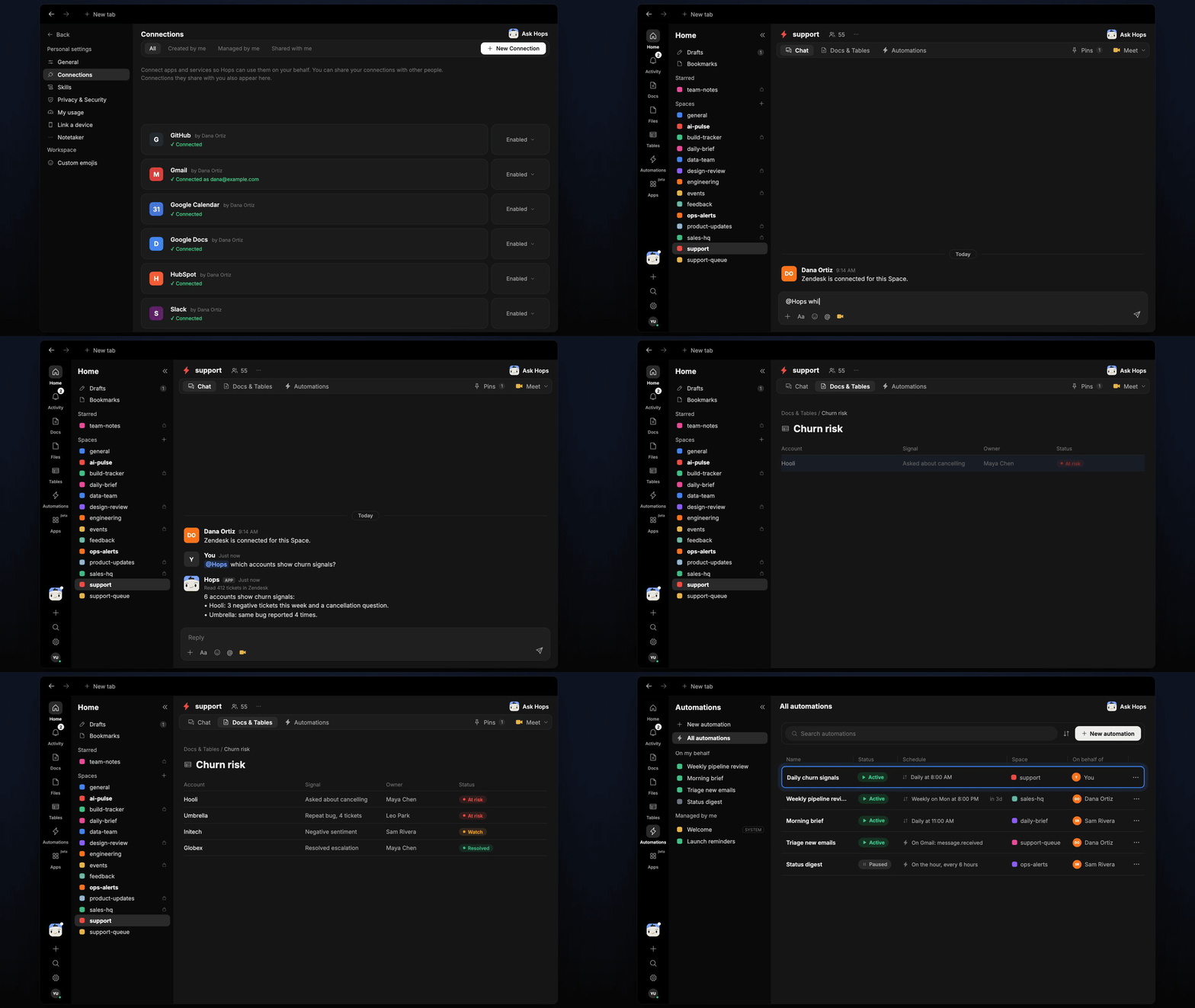
How it runs: Scheduled. An automation runs every weekday at 8:00 AM, posts new at-risk accounts and updates a churn-risk Table. You can also ask Hops any time.
What it does
- Looks for the signals. Cancellation questions, repeat issues, negative sentiment and silence after escalations.
- One row per account. Signal, owner and status, so the list stays easy to scan.
- Finds the owner. Hops reads owners and renewal dates from HubSpot or Salesforce.
- Posts only what is new. Accounts already on the list are not repeated.
Ask Hops
Copy a prompt into any chat with Hops, or mention@Hops in a Space.
6 accounts at risk:
- Hooli: 3 negative tickets and a cancellation question.
- Umbrella reported the same bug 4 times.
- Churn-risk table updated.
What you get
- A Slack or Space post each weekday with new at-risk accounts.
- Updated Tables in the Space with one row per account, signal, owner and status.
- On-demand checks for any account or segment.
Connections needed
Connect these apps. Each card opens Connections in the app.Zendesk
Tickets and sentiment (or Intercom).
HubSpot
Deals, contacts and owners (or Salesforce).
Slack
Where Hops posts the results and nudges owners.
Set it up
1
Connect your apps
Connect the apps above in Connections.See Connections.
2
Pin context
Create a support Space and pin your churn-signal definitions in Space context.See Spaces and Space context.
3
Add the skill
4
Schedule it
Run every weekday at 8:00 AM. Hops posts new at-risk accounts to the support Space and updates the churn-risk Table.See Automation.