

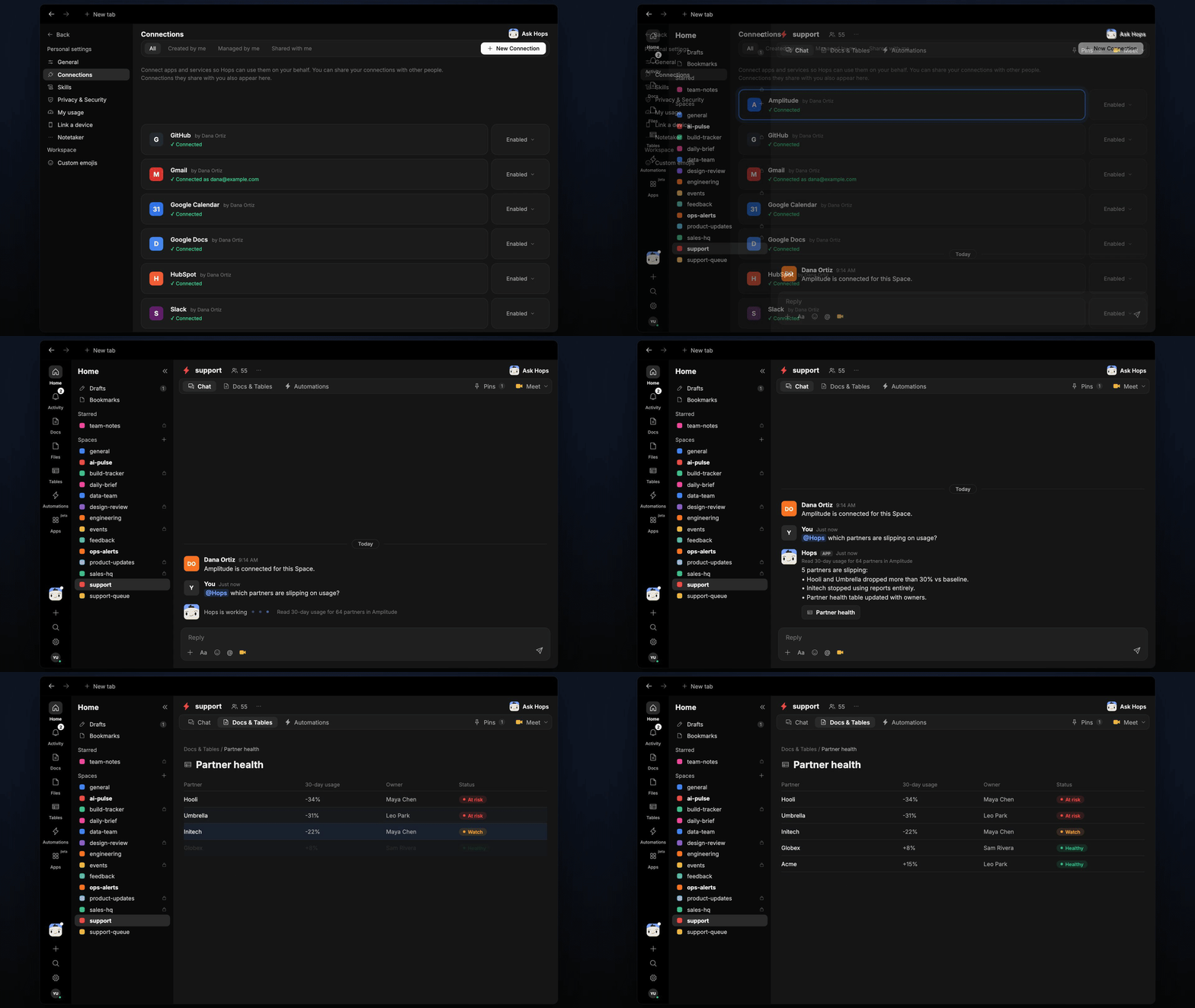
How it runs: Scheduled. An automation runs every Wednesday at 9am, posts new slipping partners and updates a partner health Table. You can also ask Hops any time.
What it does
- Compares to baseline. The last 30 days of usage against each partner’s 90-day baseline.
- Flags drops over 20%. Smaller moves are not reported.
- Names the owner from HubSpot or Salesforce.
- Suggests a reason from recent tickets, such as a stopped feature or an open bug.
Ask Hops
Copy a prompt into any chat with Hops, or mention@Hops in a Space.
64 partners read in Amplitude:
- 5 are slipping.
- Hooli and Umbrella dropped more than 30%.
- Initech stopped using reports.
What you get
- A Slack or Space post every Wednesday with new slipping partners and owners.
- Updated Tables in the Space with partner health, usage change and owner.
- On-demand checks for any partner.
Connections needed
Connect these apps. Each card opens Connections in the app.Amplitude
Product usage trends.
HubSpot
Deals, contacts and owners (or Salesforce).
Slack
Where Hops posts the results and nudges owners.
Set it up
1
Connect your apps
Connect the apps above in Connections.See Connections.
2
Pin context
Create a support Space and pin the partner list and owners in Space context.See Spaces and Space context.
3
Add the skill
4
Schedule it
Run every Wednesday at 9am. Hops posts new slipping partners to the support Space and updates the partner health Table.See Automation.