

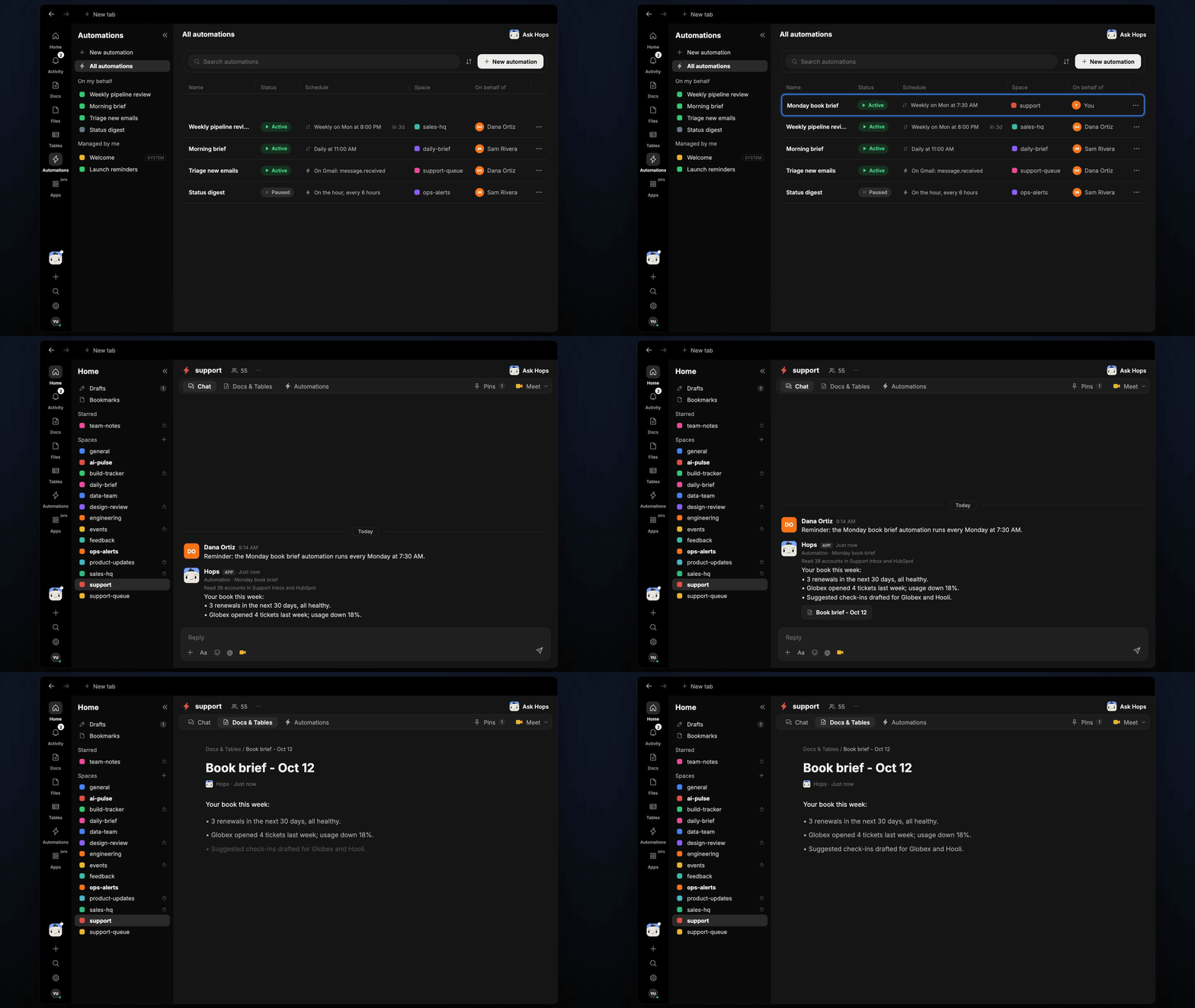
How it runs: Scheduled. An automation runs every Monday at 7:30 AM, posts one brief per account manager and saves a dated Doc. You can also ask Hops any time.
What it does
- One brief per manager. Each account manager gets only their own accounts.
- Covers the three signals. Ticket volume, usage trend and renewal date for each account.
- Leads with what needs attention. Healthy accounts are summarized at the bottom.
- Drafts the check-ins. Accounts that need contact come with a short message ready to send.
Ask Hops
Copy a prompt into any chat with Hops, or mention@Hops in a Space.
Book brief, 38 accounts:
- 3 renewals in the next 30 days, all healthy.
- Globex opened 4 tickets last week and usage is down 18%.
- Check-ins drafted for Globex and Hooli.
What you get
- A Slack or Space post every Monday with one brief per manager.
- A saved Doc in Docs per manager, dated for the week.
- Draft check-ins for accounts that need attention.
- On-demand briefs for any account or manager.
Connections needed
Connect these apps. Each card opens Connections in the app.Zendesk
Tickets and sentiment (or Intercom).
HubSpot
Deals, contacts and owners (or Salesforce).
Amplitude
Product usage trends.
Slack
Where Hops posts the results and nudges owners.
Set it up
1
Connect your apps
Connect the apps above in Connections.See Connections.
2
Pin context
Create a support Space and list each manager’s accounts in Space context.See Spaces and Space context.
3
Add the skill
4
Schedule it
Run every Monday at 7:30 AM. Hops posts one brief per account manager and saves a Doc.See Automation.