

How it runs: Scheduled. An automation runs every weekday at 9am, posts the triaged list and saves it as a Doc. You can also ask Hops any time.
What it does
- Sorts by deadline, then amount. The most urgent disputes are first.
- States the cause and the policy. Each dispute shows why it happened and which policy applies.
- Drafts the first reply in your support voice, ready for review.
- Routes large disputes. Anything over $5,000 goes to finance.
Ask Hops
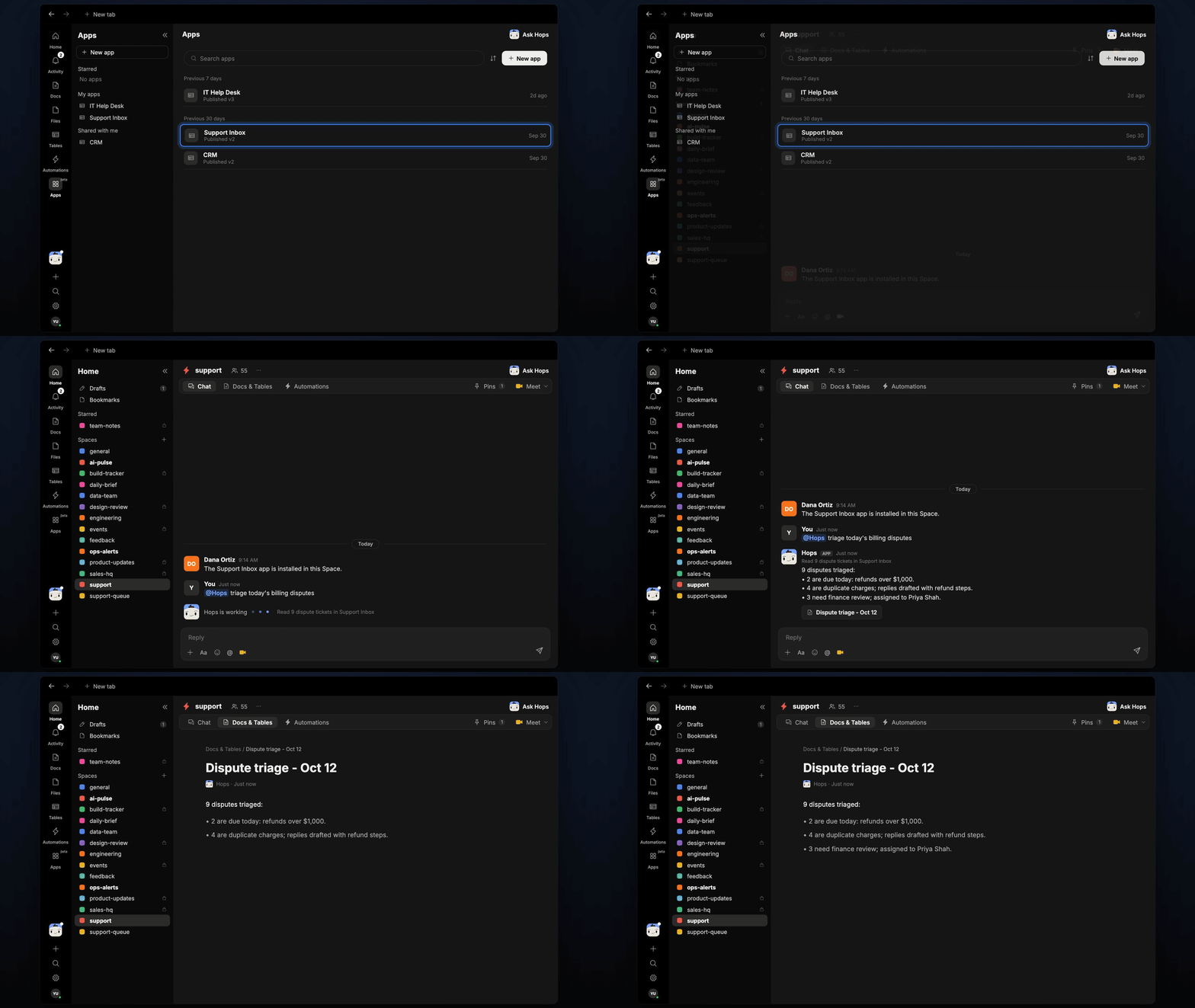
Copy a prompt into any chat with Hops, or mention@Hops in a Space.
9 new disputes triaged:
- 2 due today with refunds over $1,000.
- 4 duplicate charges, replies drafted.
- 3 need finance review, assigned to Priya Shah.
What you get
- A Slack or Space post each weekday with the triaged list.
- A saved Doc in Docs with each dispute, cause and next step.
- Reply drafts ready to send from the Support Inbox.
- On-demand triage for any dispute.
Connections needed
Connect these apps. Each card opens Connections in the app.Support Inbox
Ticket threads and customer history.
Stripe
Charges and dispute details.
Slack
Where Hops posts the results and nudges owners.
Set it up
1
Connect your apps
Install the Support Inbox app, then connect Stripe and Slack in Connections.See Connections.
2
Pin context
Create a support Space and pin your refund policy in Space context.See Spaces and Space context.
3
Add the skill
4
Schedule it
Run every weekday at 9am. Hops triages new disputes, posts the list to the Space and saves a Doc.See Automation.