

How it runs: Triggered. An automation runs when a deal is marked closed-won, and you can also ask Hops directly.
What it does
- Compares promises with the handoff. Hops reads the CRM record and email threads, then checks each commitment appears in the handoff note.
- Flags the gaps. Missing SSO commitments, custom terms or integration promises are listed per customer.
- Watches early tickets. New tickets in Zendesk or Intercom are matched to the gaps so you see which misses are already hurting.
- Drafts the missing notes. Hops writes the handoff notes for onboarding to review.
- Posts to the right people. The gap list goes to the revops Slack channel with the deal owner tagged.
Ask Hops
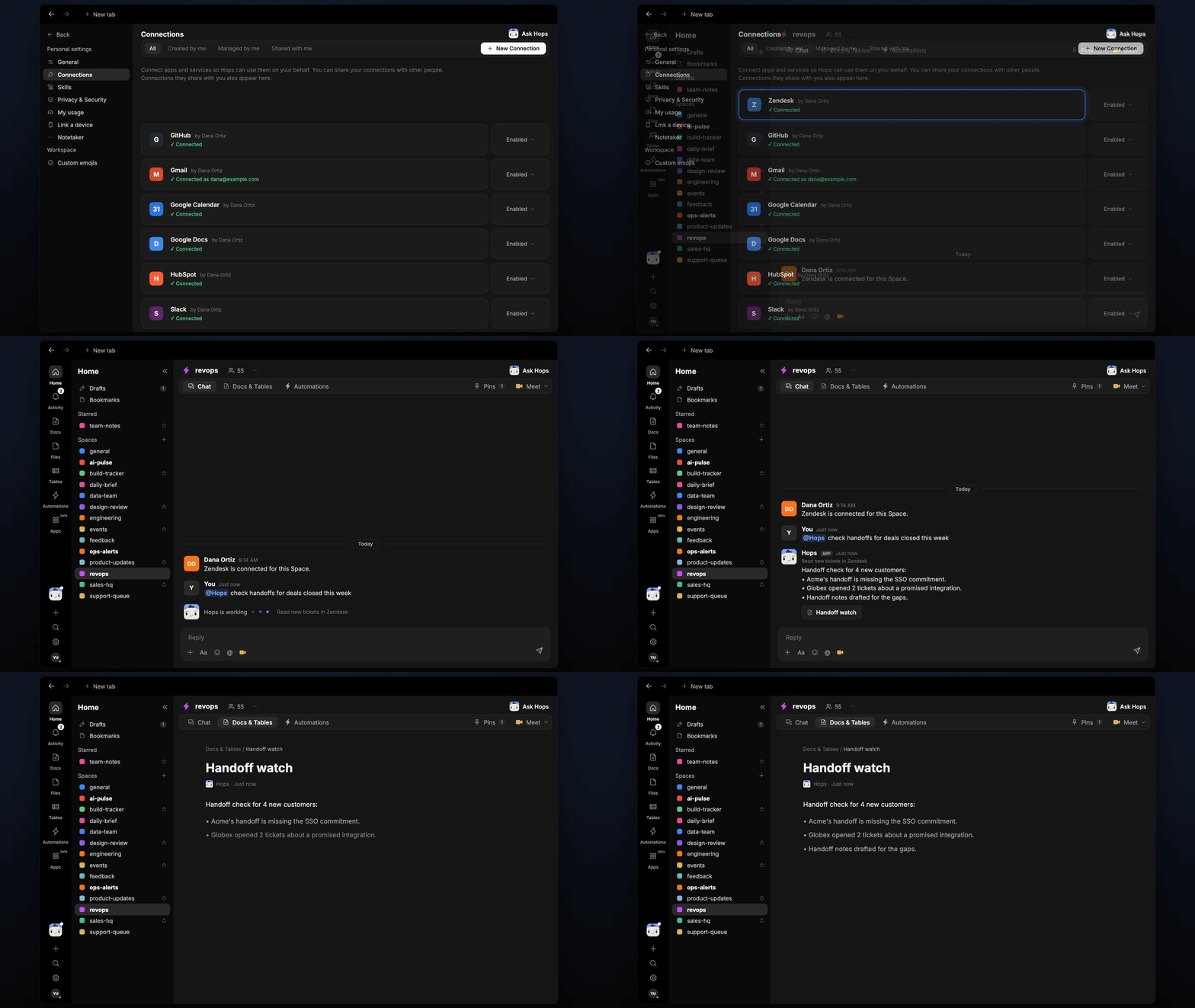
Copy a prompt into any chat with Hops, or mention@Hops in a Space.
Handoff check for 4 new customers:
- Acme’s handoff is missing the SSO commitment.
- Globex opened 2 tickets about a promised integration.
- Handoff notes drafted for the gaps.
What you get
- A post when a deal closes, in the revops Slack channel, with the gaps and the owner tagged.
- A saved Table in Tables of the Space tracking each handoff, its gaps and status.
- Drafted handoff notes in Docs for anything missing.
- On-demand checks. Ask about any customer at any time.
Connections needed
Connect these apps. Each card opens Connections in the app.Zendesk
Reads early tickets from new customers.
Intercom
Alternative to Zendesk for early tickets.
HubSpot
Reads closed deals and what was promised (or Salesforce).
Slack
Posts the handoff gaps to revops.
Set it up
1
Connect your apps
Connect your ticketing tool (Zendesk or Intercom), your CRM and Slack in Connections.See Connections.
2
Pin the template
Create a revops Space and pin the handoff template in Space context.See Spaces and Space context.
3
Add the skill
4
Trigger it
Runs when a deal is marked closed-won. Hops posts the gaps to revops and saves the handoff record in Tables.See Automation.