

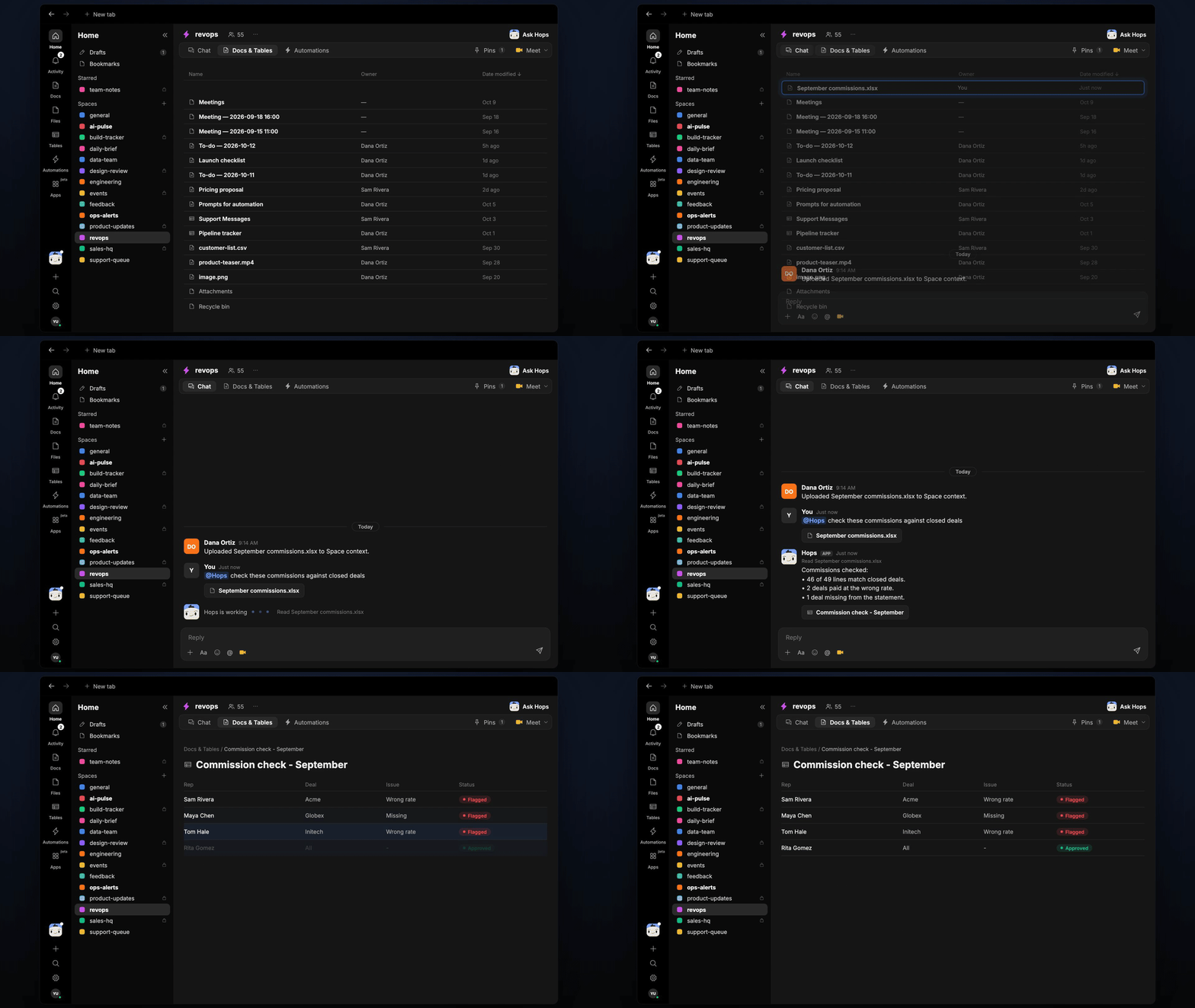
How it runs: Scheduled. An automation runs monthly on day 3 at 9am, reminds you to upload the statement and saves the check as a Doc. You can also ask Hops any time.
What it does
- Matches every line to a deal. Hops reads the uploaded statement and finds the closed deal in Salesforce or HubSpot for each line.
- Applies the comp plan. It recomputes each payout with the plan rate and compares it to the statement.
- Flags what is wrong. Wrong rates, deals missing from the statement and deals paid twice are listed separately.
- Shows the dollar gap. Every flagged line has the amount paid, the amount expected and the difference.
- Never changes payouts. Hops reports differences and leaves corrections to you and finance.
Ask Hops
Copy a prompt into any chat with Hops, or mention@Hops in a Space.
Commission check ready for October:
- 46 of 49 statement lines match closed deals.
- 2 deals paid at the wrong rate, $1,840 over in total.
- 1 closed deal is missing, Globex renewal, $2,100 owed.
What you get
- A Slack or Space post each month with the match count and flagged lines.
- A saved Doc in Docs with the full line-by-line check, dated for the month.
- On-demand checks. Upload a statement any time and ask Hops to check it.
Connections needed
Connect these apps. Each card opens Connections in the app.Salesforce
Opportunities, owners and close dates (or HubSpot).
Google Sheets
The commission statement you upload.
Slack
Where Hops posts the results and nudges owners.
Set it up
1
Connect your apps
Connect the apps above in Connections.See Connections.
2
Pin context
Create a revops Space. Pin the comp plan and add the commissions spreadsheet to Space context.See Spaces and Space context.
3
Add the skill
4
Schedule it
Run monthly on day 3 at 9am. Hops reminds you to upload the statement, posts the result to the Space and saves a Doc.See Automation.