

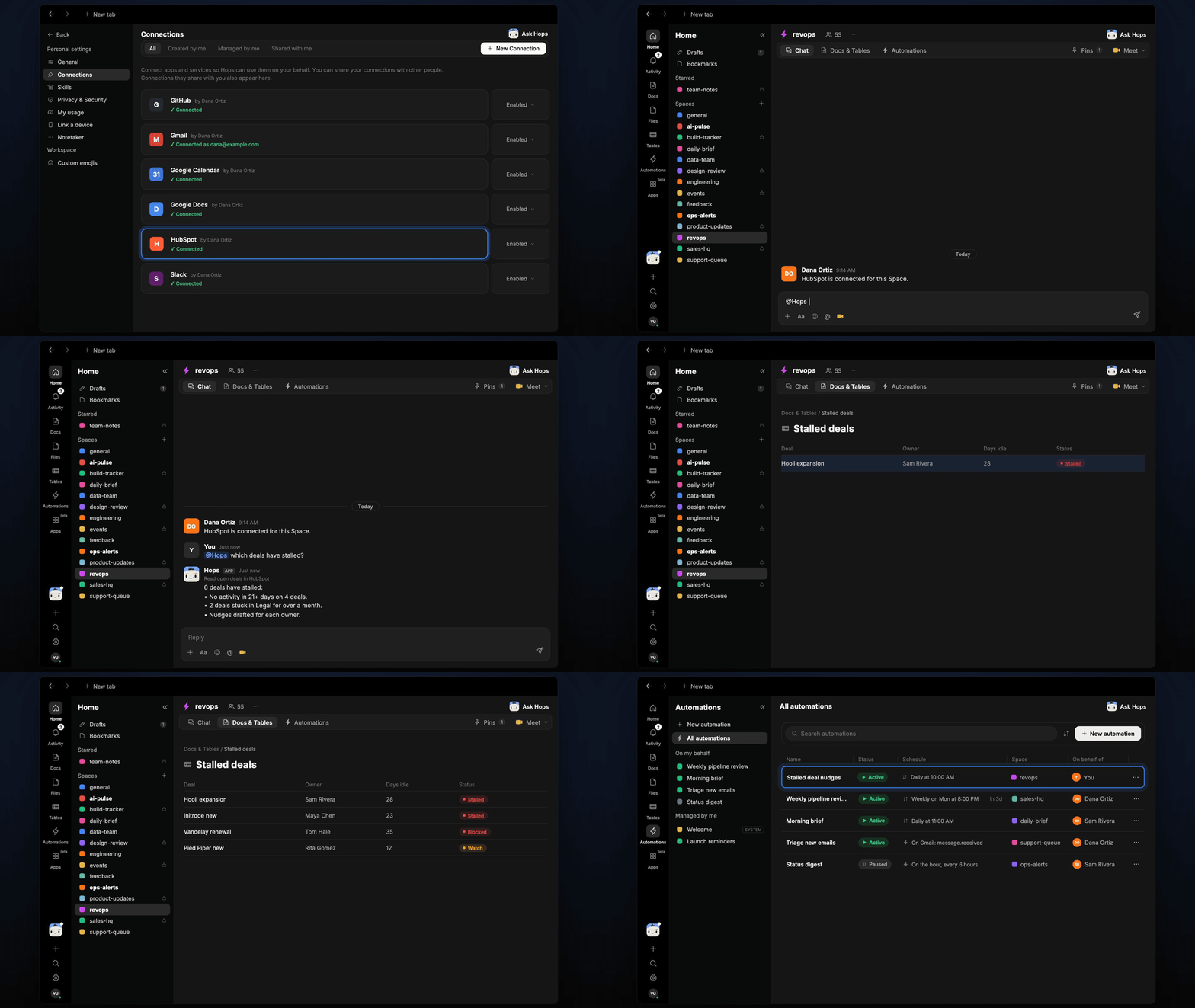
How it runs: Scheduled. An automation runs every weekday at 10am, nudges owners and saves the list as a Doc. You can also ask Hops any time.
What it does
- Flags stalled deals. Open deals with no activity in 14 days, or stuck in one stage too long.
- Says what stalled. The reason comes from the last notes and email threads.
- Drafts the nudge. Each owner gets a message with a suggested next step.
- Nudges once a week per deal, so owners are not spammed.
Ask Hops
Copy a prompt into any chat with Hops, or mention@Hops in a Space.
6 stalled deals found:
- 4 with no activity in 21+ days.
- 2 stuck in Legal for over a month.
- Nudges drafted for each owner.
What you get
- A Slack or Space post with the stalled deals and nudges sent to owners.
- A saved Doc in Docs with the list and reasons, dated.
- On-demand checks by owner, stage or amount.
Connections needed
Connect these apps. Each card opens Connections in the app.HubSpot
Deals, contacts and owners (or Salesforce).
Gmail
Recent threads to see what stalled.
Slack
Where Hops posts the results and nudges owners.
Set it up
1
Connect your apps
Connect the apps above in Connections.See Connections.
2
Add the skill
3
Schedule it
Run every weekday at 10am. Hops nudges each owner at most once a week per deal and saves a Doc.See Automation.