

How it runs: Triggered. An automation runs when a new lead is created in your CRM, and you can also ask Hops directly.
What it does
- Scores 0-100. Company size, industry, role and intent are checked against your ICP.
- Explains every score. Each lead gets its top two reasons, so reps trust the number.
- Routes by territory. Leads at 80 or above go to the right rep. The rest go to nurture.
- Writes the score back. Scores and reasons are added to the lead in the CRM.
- Handles gaps. If a field is missing, Hops says which one and scores with what it has.
Ask Hops
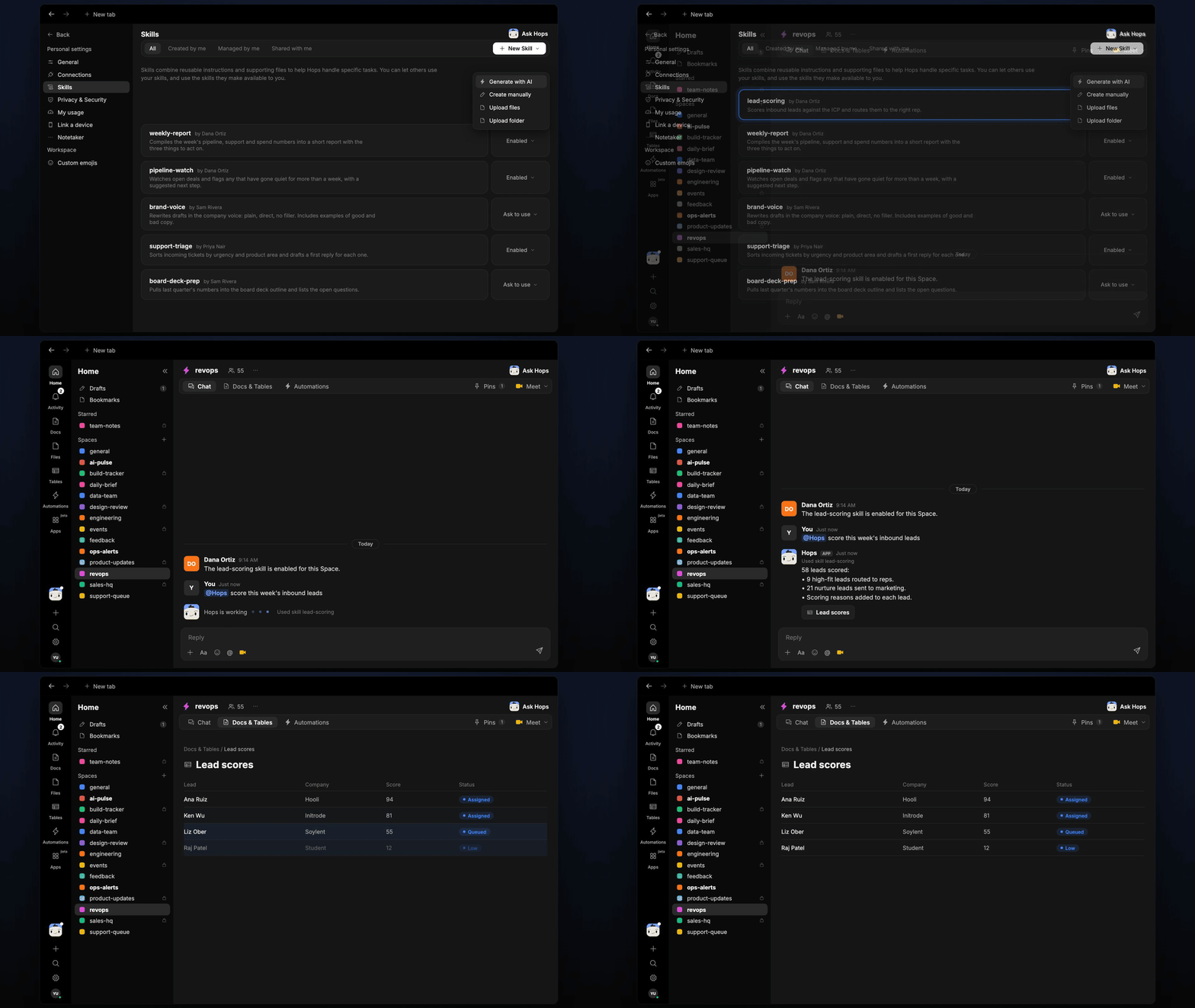
Copy a prompt into any chat with Hops, or mention@Hops in a Space.
Scored 58 new leads:
- 9 high-fit leads routed to reps by territory.
- 21 nurture leads sent to marketing.
- Score and top two reasons added to each lead.
What you get
- A post when the lead arrives in Slack or the Space with the score, reasons and owner.
- Updated Tables in the Space with a row per scored lead, so you can review and tune the ICP.
- An optional draft intro email for high-fit leads, ready for the rep to review.
- On-demand scoring for any list of leads.
Connections needed
Connect these apps. Each card opens Connections in the app.HubSpot
Deals, contacts and owners (or Salesforce).
Slack
Where Hops posts the results and nudges owners.
Set it up
1
Connect your apps
Connect the apps above in Connections.See Connections.
2
Pin context
Create a revops Space and pin the ICP and routing rules in Space context.See Spaces and Space context.
3
Add the skill
4
Trigger it
Run when a new lead is created in the CRM. Hops scores it, posts to the Space and adds a row to a Table.See Automation.