

How it runs: Scheduled. An automation runs every Tuesday at 8am before the review, posts the prep and saves a dated Doc. You can also ask Hops any time.
What it does
- Shows coverage against quota. Pipeline coverage for the quarter, by team if you want.
- Tracks stage movement. What moved forward, what slipped and what is new since last week.
- Finds quiet deals. Open deals with no activity in 14 days are listed.
- Picks deals to discuss. Each deal comes with one reason it needs the room’s time.
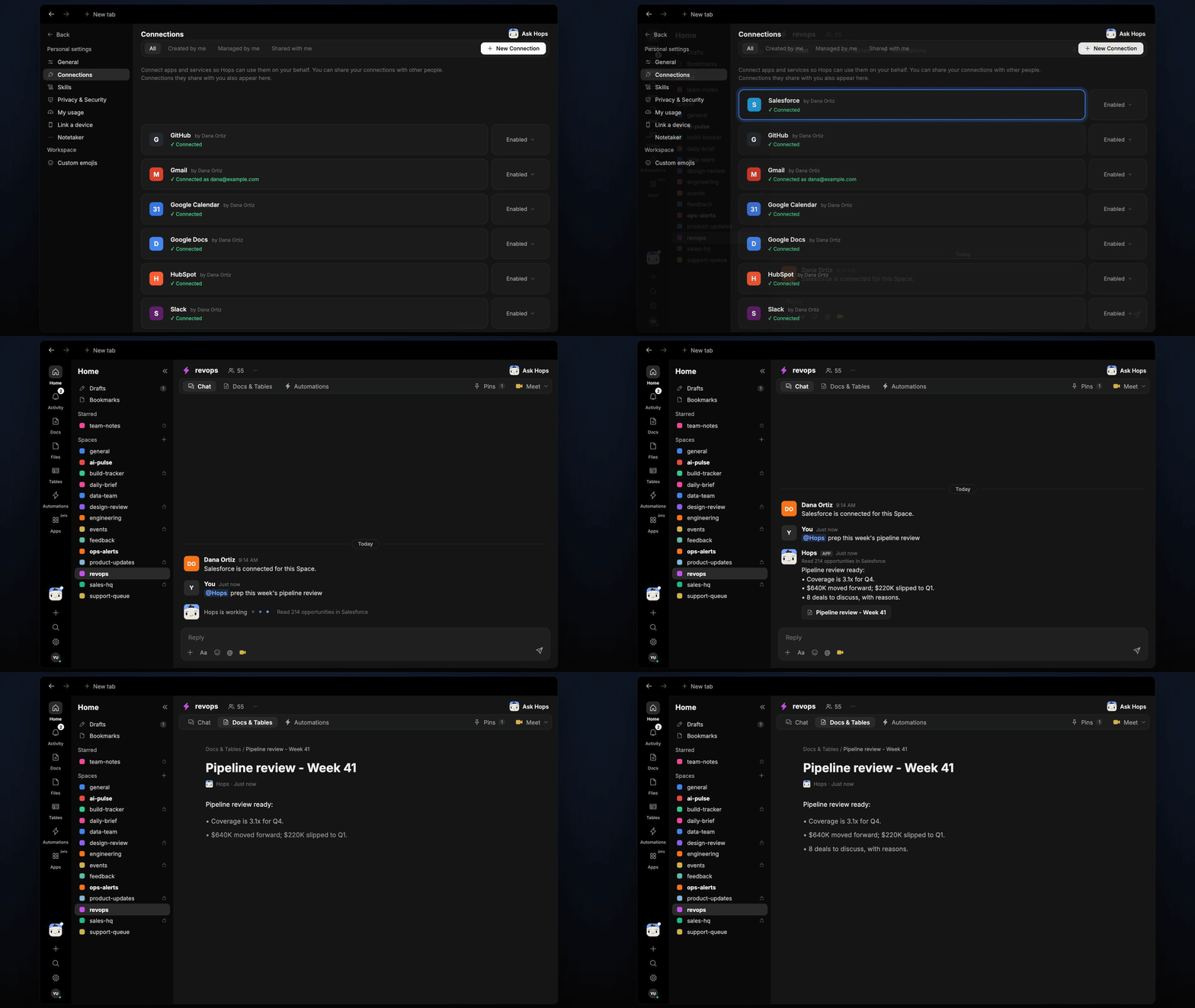
Ask Hops
Copy a prompt into any chat with Hops, or mention@Hops in a Space.
Pipeline review ready:
- Coverage is 3.1x for Q4.
- 220K slipped to Q1.
- 8 deals to discuss, each with a reason.
What you get
- A Slack or Space post every Tuesday before the review.
- A saved Doc in Docs with the full prep, dated for the week.
- On-demand prep for any team or quarter.
Connections needed
Connect these apps. Each card opens Connections in the app.Salesforce
Opportunities, owners and close dates (or HubSpot).
Slack
Where Hops posts the results and nudges owners.
Set it up
1
Connect your apps
Connect the apps above in Connections.See Connections.
2
Pin context
Create a revops Space and pin your stage definitions in Space context.See Spaces and Space context.
3
Add the skill
4
Schedule it
Run every Tuesday at 8am. Hops posts the prep to the Space and saves a dated Doc.See Automation.