

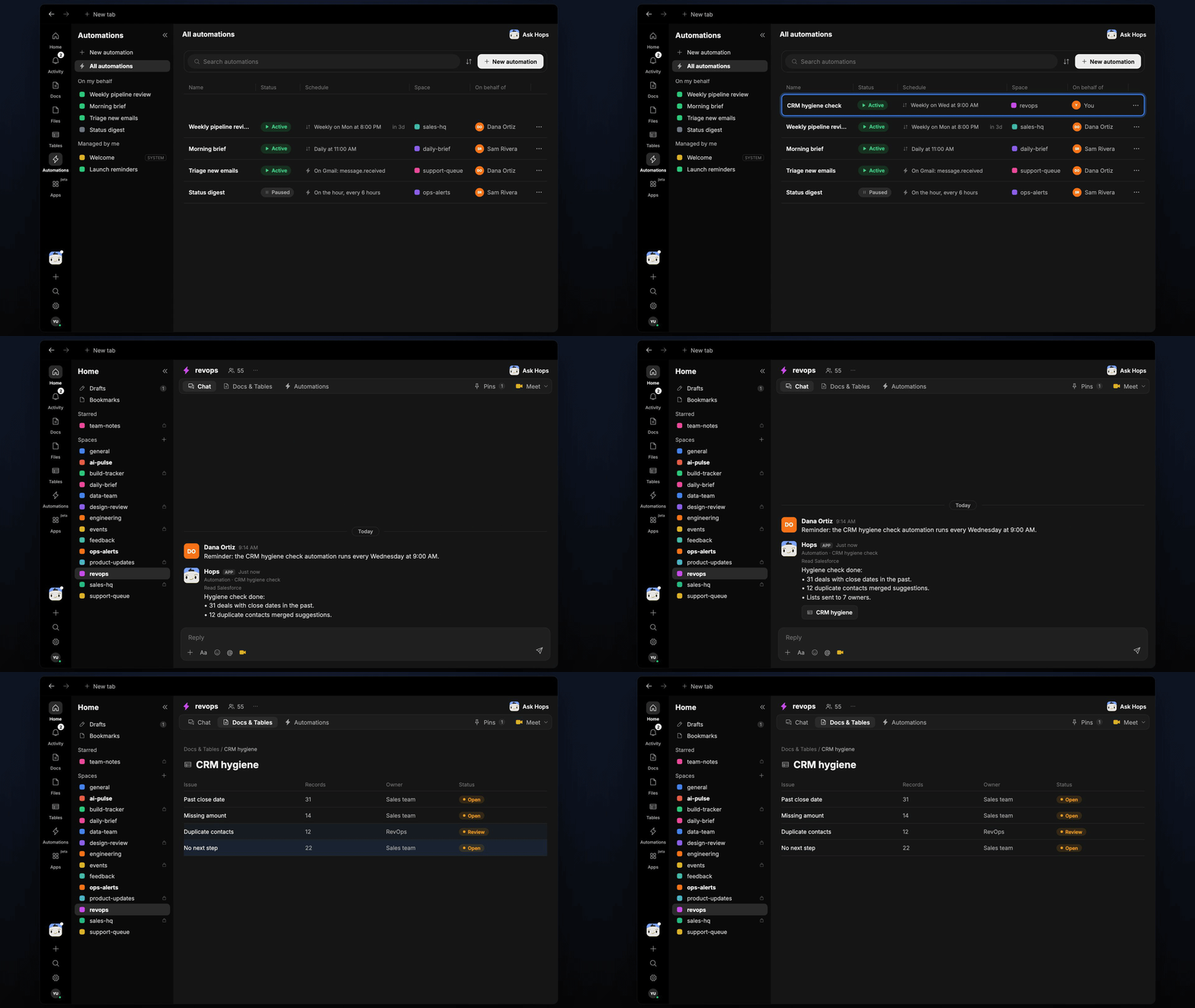
How it runs: Scheduled. An automation runs every Wednesday at 9:00 AM, posts each owner’s list and saves the results as a Doc. You can also ask Hops any time.
What it does
- Finds the usual problems. Past close dates, missing required fields, duplicate contacts and deals with no next step.
- Groups by owner. Each owner gets only their own records, so lists are short and actionable.
- Suggests merges. Duplicate contacts and companies are listed with the record to keep.
- Checks required fields per stage. A deal in Negotiation needs more fields than one in Discovery.
- Never edits records without approval. Hops proposes fixes and waits for your go-ahead.
Ask Hops
Copy a prompt into any chat with Hops, or mention@Hops in a Space.
CRM hygiene check done:
- 31 deals have close dates in the past.
- 12 duplicate contact merges suggested.
- Lists sent to 7 owners, none edited yet.
What you get
- A Slack or Space post every Wednesday with counts and the owners notified.
- A saved Doc in Docs with the full list of issues per owner.
- On-demand checks for any owner, stage or segment.
Connections needed
Connect these apps. Each card opens Connections in the app.Salesforce
Opportunities, owners and close dates (or HubSpot).
Slack
Where Hops posts the results and nudges owners.
Set it up
1
Connect your apps
Connect the apps above in Connections.See Connections.
2
Pin context
Create a revops Space and pin the required fields per stage in Space context.See Spaces and Space context.
3
Add the skill
4
Schedule it
Run every Wednesday at 9:00 AM. Hops posts the summary to the Space, sends each owner their list and saves a Doc.See Automation.