

How it runs: Ask Hops, with a skill so the output has the same format every time. No automation needed.
What it does
- Finds hardcoded values. Hops looks for typed-in numbers inside formula ranges.
- Compares assumptions across tabs. The same driver, such as churn or growth, should match everywhere it appears.
- Checks links and totals. Broken links and totals that do not reconcile are listed with their cells.
- Ranks issues by impact. Items that change the headline numbers come first, cosmetic issues last.
- Compares versions. Ask for what changed between two versions of the model.
Ask Hops
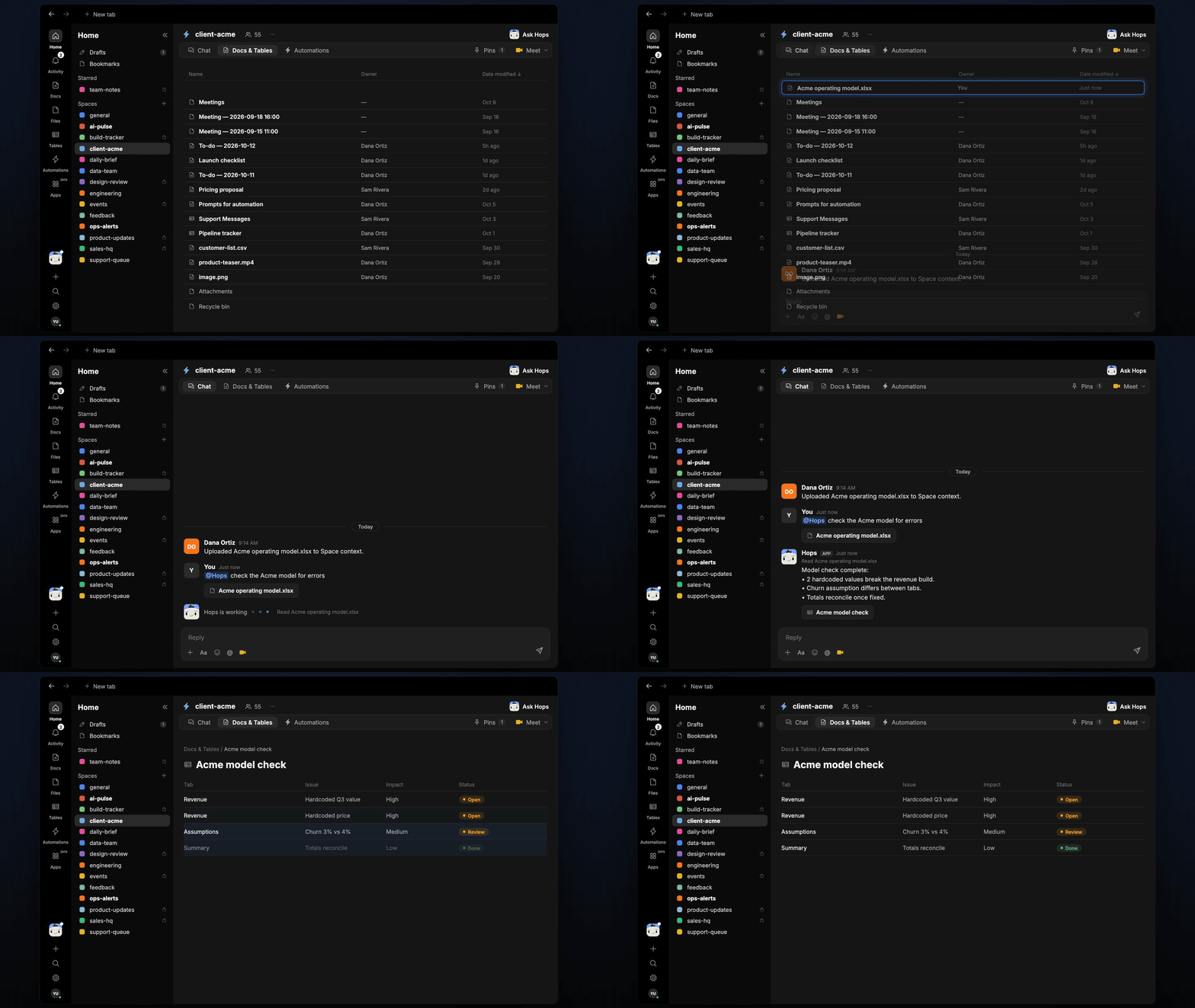
Copy a prompt into any chat with Hops, or mention@Hops in a Space.
Checked Acme operating model.xlsx:
- High: 2 hardcoded values break the revenue build.
- Medium: churn assumption differs between the Revenue and Summary tabs.
- Low: 1 broken link to an old file.
What you get
- A ranked issue list in chat, in the same thread, with the tab and cell for each issue.
- A saved Doc or Table, when you ask for one. Say “save this as a doc” or “put this in a table” and Hops writes it to Docs or Tables in the Space.
Connections needed
Connect these apps. Each card opens Connections in the app.Google Drive
Model files (or Google Sheets).
Slack
Sharing findings with the team.
Set it up
1
Connect your apps
Connect Google Drive or Sheets, and Slack, in Connections.See Connections.
2
Pin the model (optional)
Create a client-acme Space and pin the model in Space context, so Hops checks the right file.See Spaces and Space context.
3
Add the skill
4
Ask
Ask Hops in chat on every new model version.