

How it runs: Ask Hops, with a skill so the output has the same format every time. No automation needed.
What it does
- Reads the transcript. Hops pulls the call transcript from Google Drive and separates feedback from small talk.
- Makes one task per point. Each piece of feedback becomes a task with an owner and a due date.
- Creates them in your task tool. Tasks can be added to Asana or Jira when you ask.
- Splits the type of work. Deck changes and new analyses are labeled so the team can plan them.
- Drafts the recap email. A short email back to the client confirms what was heard and what happens next. Hops drafts it; you send it.
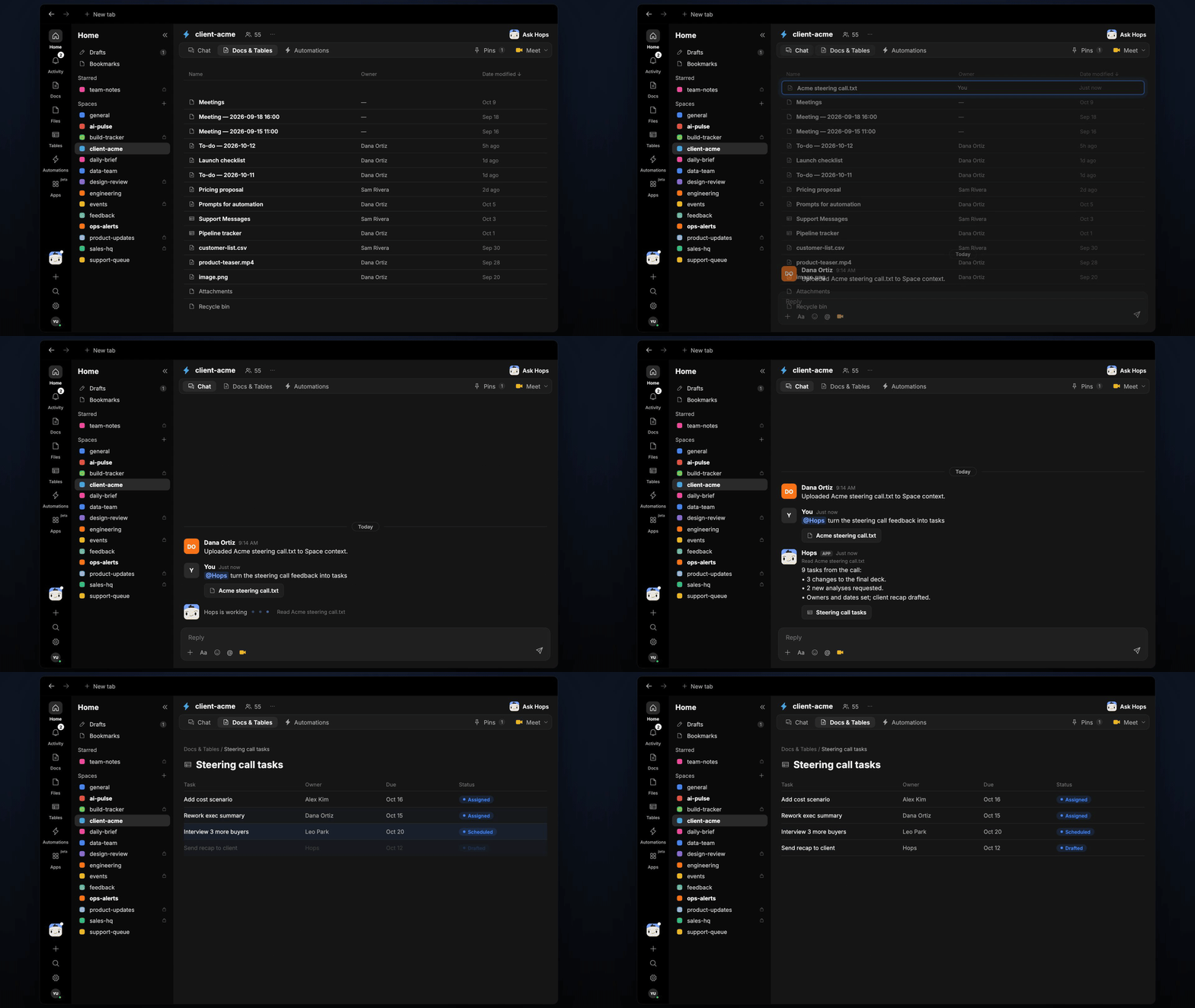
Ask Hops
Copy a prompt into any chat with Hops, or mention@Hops in a Space.
9 tasks from Acme steering call.txt:
- 3 deck changes, 2 new analyses.
- Owners and due dates set for each.
- Recap email to the client drafted.
What you get
- A task list in chat, in the same thread, with an owner and due date for each item.
- Tasks in your tool, when you ask. Say “create these in Asana” and Hops adds them.
- A recap email draft for you to review and send.
- A saved Doc or Table, when you ask for one. Hops writes it to Docs or Tables in the Space.
Connections needed
Connect these apps. Each card opens Connections in the app.Google Drive
Call transcripts.
Asana
Where tasks are created (or Jira).
Slack
Sharing the task list with the team.
Set it up
1
Connect your apps
Connect Google Drive, Asana or Jira, and Slack in Connections.See Connections.
2
Pin the team (optional)
Create a client-acme Space and list the team and owners in Space context.See Spaces and Space context.
3
Add the skill
4
Ask
Ask Hops in chat after every client call.