

How it runs: One Space per deal, with its own context, skill and automations.
What it does
- Matches files to requests. Hops reads new uploads in Google Drive or Dropbox and links each file to the request it answers.
- Marks every request. Each one is fulfilled, partial or overdue, with the file or email that supports the status.
- Groups follow-ups by area. Missing items are grouped by area such as finance, legal, HR and IT, so each follow-up goes to the right person.
- Watches email too. Hops checks Gmail for answers that arrived as attachments or replies instead of data room uploads.
- Shows what changed. Each run lists what is new since the last update.
Ask Hops
Copy a prompt into any chat with Hops, or mention@Hops in a Space.
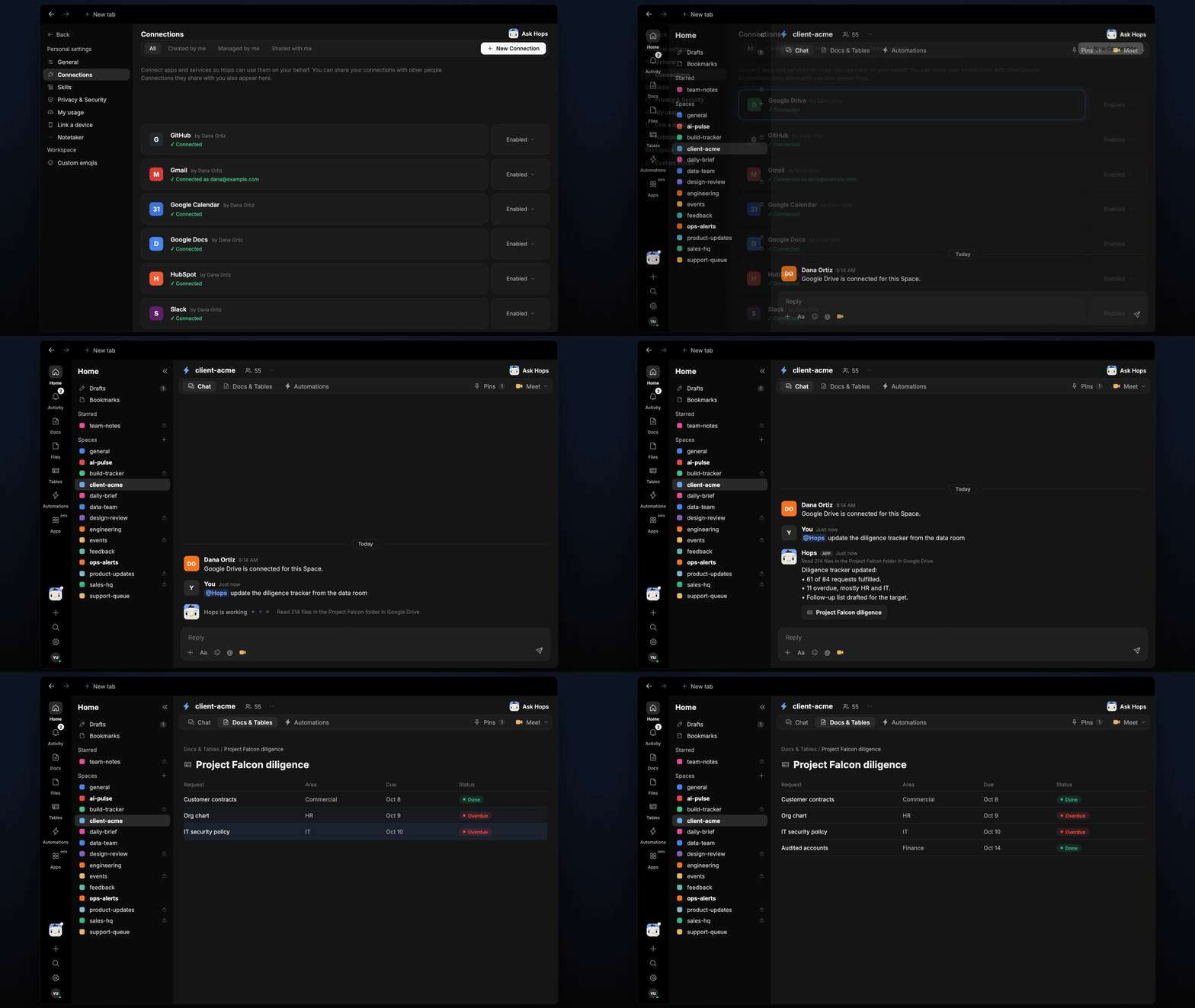
Tracker updated from 214 files in the Project Falcon folder:
- 61 of 84 requests fulfilled.
- 11 overdue, mostly HR and IT.
- Follow-up list drafted by area.
What you get
- A dedicated Space per deal. Each Space holds the request list, data room links and deal team, so every run uses the right context.
- An evening update. Every weekday at 6pm Hops posts what changed and what is overdue to the deal Space chat.
- An updated Table. The diligence tracker lives in Tables, with one row per request: status, matched file and owner.
- A saved Doc. The follow-up list by area is saved to Docs for each run.
Connections needed
Connect these apps. Each card opens Connections in the app.Google Drive
The data room folder (or Dropbox).
Gmail
Answers sent by email and follow-up drafts.
Slack
Where the evening update goes.
Set it up
1
Connect your apps
Connect Google Drive or Dropbox, Gmail and Slack in Connections.See Connections.
2
Create a Space per deal
Create a Space for each deal, for example project-falcon. Pin the request list in Space context.See Spaces and Space context.
3
Add the skill
4
Schedule it
Run it every weekday at 6pm in each deal Space. Hops posts what changed, updates the tracker Table and saves the follow-up list.See Automation.