

How it runs: Scheduled. An automation runs every Thursday at 10am, posts the next week’s drafts for approval and saves the approval Table. You can also ask Hops any time.
What it does
- Drafts for each channel. Hops writes LinkedIn, X and Instagram posts tied to the content calendar in Space context.
- Writes in the brand voice. The brand-voice skill keeps tone consistent, and each post stays within the channel’s length limit.
- Picks images. Hops suggests visuals from the approved folders in Google Drive for each post.
- Tracks approvals. Every post is logged with channel, day and status, and approval requests go out in Slack.
- Shows what is stuck. Posts still waiting on sign-off are listed with who they are waiting on.
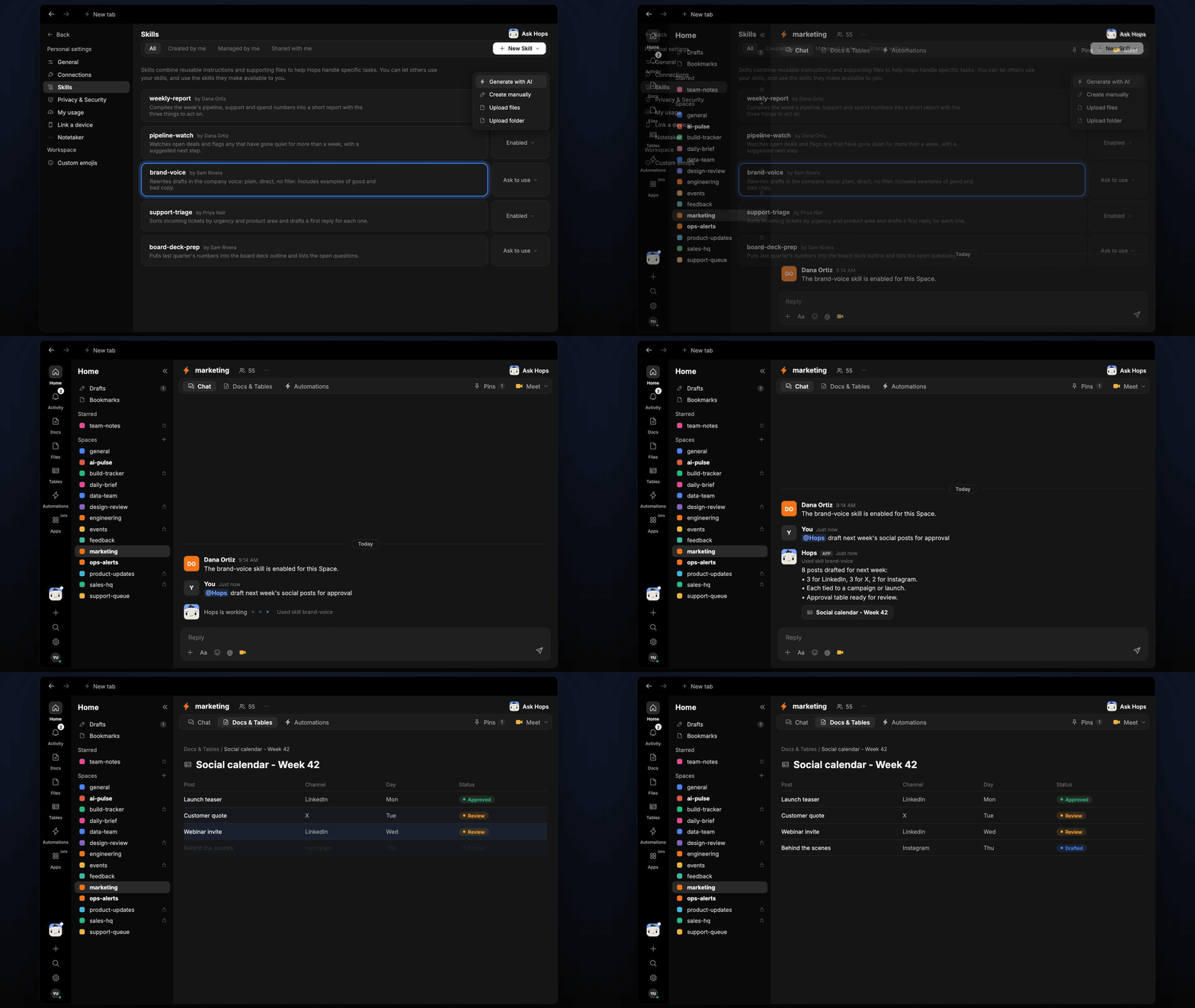
Ask Hops
Copy a prompt into any chat with Hops, or mention@Hops in a Space.
8 posts drafted for next week:
- 3 for LinkedIn, 3 for X, 2 for Instagram.
- Each tied to a campaign or launch.
- Approval requests sent in Slack, 8 pending.
What you get
- A Thursday post in Slack with the next week’s drafts and approval requests.
- An approval Table in Tables in the Space with each post, channel, day and status, updated as approvals come in.
- Drafts in a Doc, when you ask for one. Say “save the drafts as a doc” and Hops writes the full copy to Docs.
- Answers on demand. Ask Hops to draft or check status any time.
Connections needed
Connect these apps. Each card opens Connections in the app.Slack
Approval requests and replies.
Google Drive
Approved images and the content calendar.
Set it up
1
Connect your apps
Connect Slack and Google Drive in Connections.See Connections.
2
Create the Space
Create a marketing Space. Pin the content calendar in Space context.See Spaces and Space context.
3
Add the skill
4
Schedule it
Every Thursday at 10am Hops drafts the next week’s posts. It posts them in Slack for approval and updates the approval Table.See Automation.