

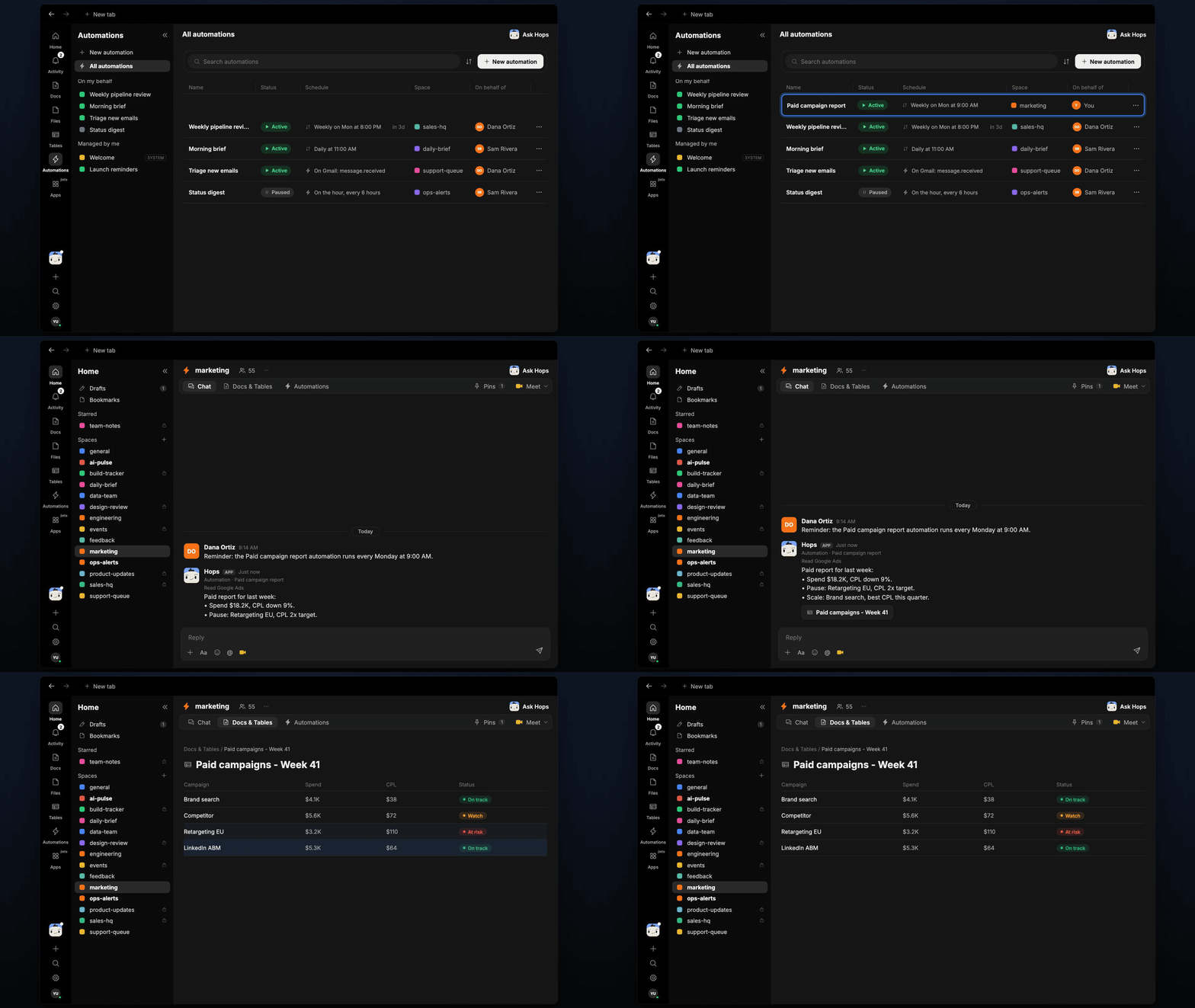
How it runs: Scheduled. An automation runs every Monday at 9:00 AM, posts the summary and saves the campaign Table. You can also ask Hops any time.
What it does
- Pulls numbers from each platform. Hops reads Google Ads and LinkedIn Ads for spend and leads, and Google Analytics for site results.
- Builds one table. Each campaign gets spend, leads, CPL and status against the target pinned in Space context.
- Recommends changes. Hops suggests up to two campaigns to pause and two to scale, with the reason for each.
- Compares with last week. Changes in spend and CPL are shown so trends stand out.
- Calls out gaps. If a platform has no data for the period or a campaign has no target set, Hops says so instead of guessing.
Ask Hops
Copy a prompt into any chat with Hops, or mention@Hops in a Space.
Paid report for last week:
- Spend $18.2K, CPL down 9%.
- Pause: Retargeting EU, CPL 2x target.
- Scale: Brand search, best CPL this quarter.
What you get
- A Monday post in the Space chat (or Slack) with the headline numbers and the pause and scale suggestions.
- A campaign Table in Tables in the Space with spend, leads, CPL and status per campaign, updated every run.
- Answers on demand. Ask Hops for a report or a single campaign any time.
Connections needed
Connect these apps. Each card opens Connections in the app.Google Ads
Spend, leads and CPL by campaign.
LinkedIn Ads
LinkedIn campaign spend and results.
Google Analytics
Site traffic and conversions.
Set it up
1
Connect your apps
Connect Google Ads, LinkedIn Ads and Google Analytics in Connections.See Connections.
2
Create the Space
Create a marketing Space. Pin CPL targets in Space context.See Spaces and Space context.
3
Add the skill
4
Schedule it
Runs every Monday at 9:00 AM. It posts the summary to the Space chat and updates the campaign Table.See Automation.