

How it runs: Scheduled. An automation runs every week, posts the repurposed drafts for review and saves them as a Doc. You can also ask Hops any time.
What it does
- Reads the source asset. Hops works from a file in Space context or a link in Google Drive, such as a webinar recording, post or customer story.
- Writes for each channel. It drafts blog, email, LinkedIn and X versions, each at the right length and format.
- Matches the brand voice. Tone follows the brand guide and style guide pinned in Space context.
- Never invents stats. The original claims stay intact, and every draft cites the source asset so the team can trace it.
- Scans for new content. Each week Hops finds newly published content and drafts a repurposed version for each channel, ready for review.
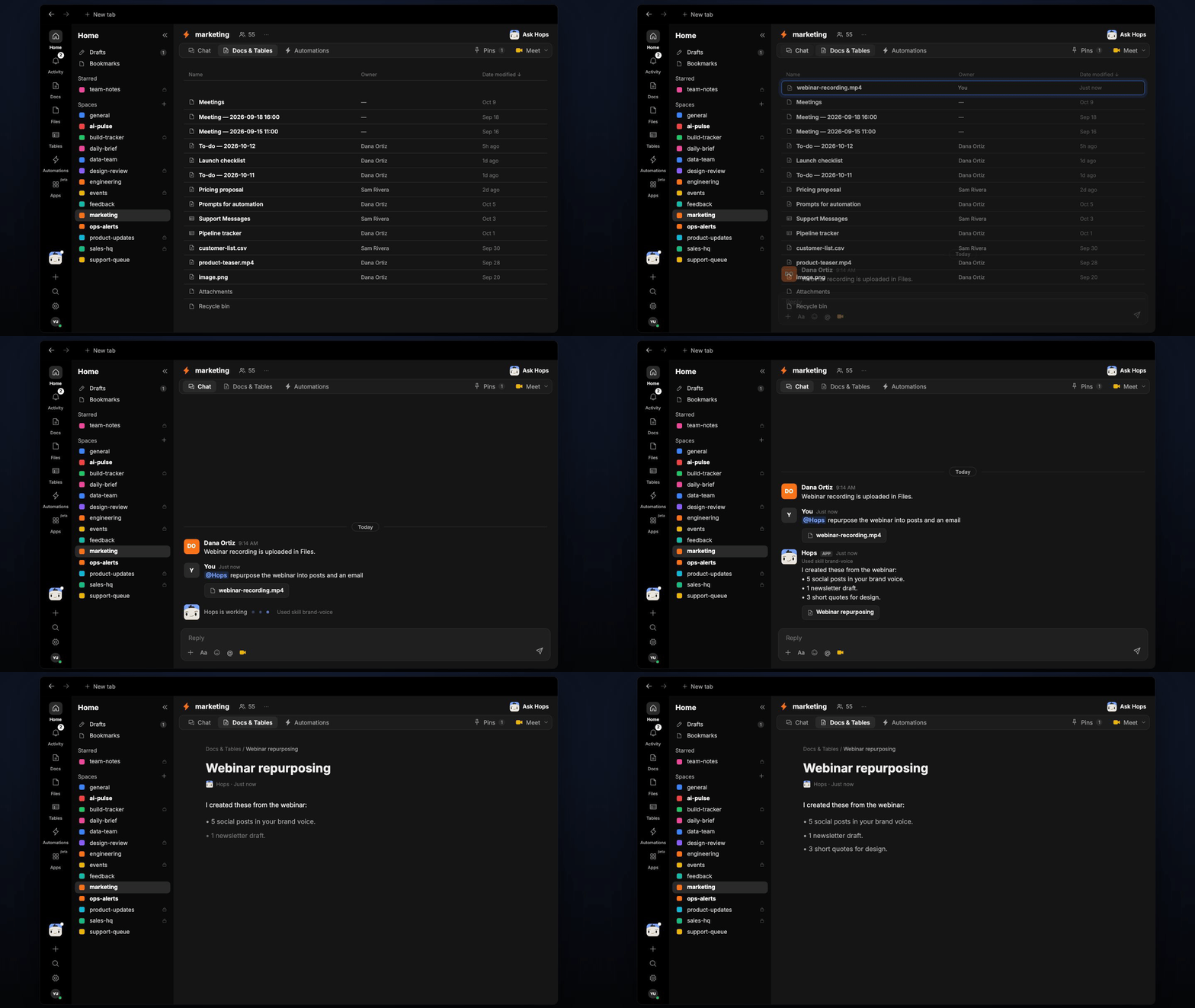
Ask Hops
Copy a prompt into any chat with Hops, or mention@Hops in a Space.
I created these from the webinar:
- 5 social posts in your brand voice.
- 1 newsletter draft.
- 3 short quotes for design.
- All cite the webinar recording as the source.
What you get
- A weekly post in Slack (or the Space chat) with the drafts ready for review.
- A dated Doc in Docs in the Space with every channel draft and the source asset it came from.
- Answers on demand. Ask Hops to repurpose any asset in chat.
Connections needed
Connect these apps. Each card opens Connections in the app.Google Drive
Source assets and the brand guide.
Your CMS
Finds newly published content.
Social scheduling tool
Where approved posts get scheduled.
Slack
Content review channel.
Set it up
1
Connect your apps
Connect Google Drive, your CMS, your social scheduling tool and Slack in Connections.See Connections.
2
Create the Space
Create a marketing Space for content operations. Pin the brand guide, style guide and a running list of source assets in Space context.See Spaces and Space context.
3
Add the skill
4
Schedule it
Every week Hops scans new published content and drafts a repurposed version for each channel. It posts to the content review channel and saves a dated Doc.See Automation.