

How it runs: Scheduled. An automation runs on day 2 of each month at 9am, posts the new ideas and saves them as a Table. You can also ask Hops any time.
What it does
- Reads search terms. Hops pulls last month’s search terms from Google Ads and traffic by page from Google Analytics.
- Finds gaps. It groups terms into themes and flags the ones with demand and no matching page on your site.
- Ranks by demand and fit. Ideas are ordered by search volume and how well they match the content pillars in Space context.
- Drafts outlines. The top three ideas get a short outline with a working title, angle and key points.
- Skips what you already cover. Themes that already have a strong page are left out or marked as refresh candidates.
Ask Hops
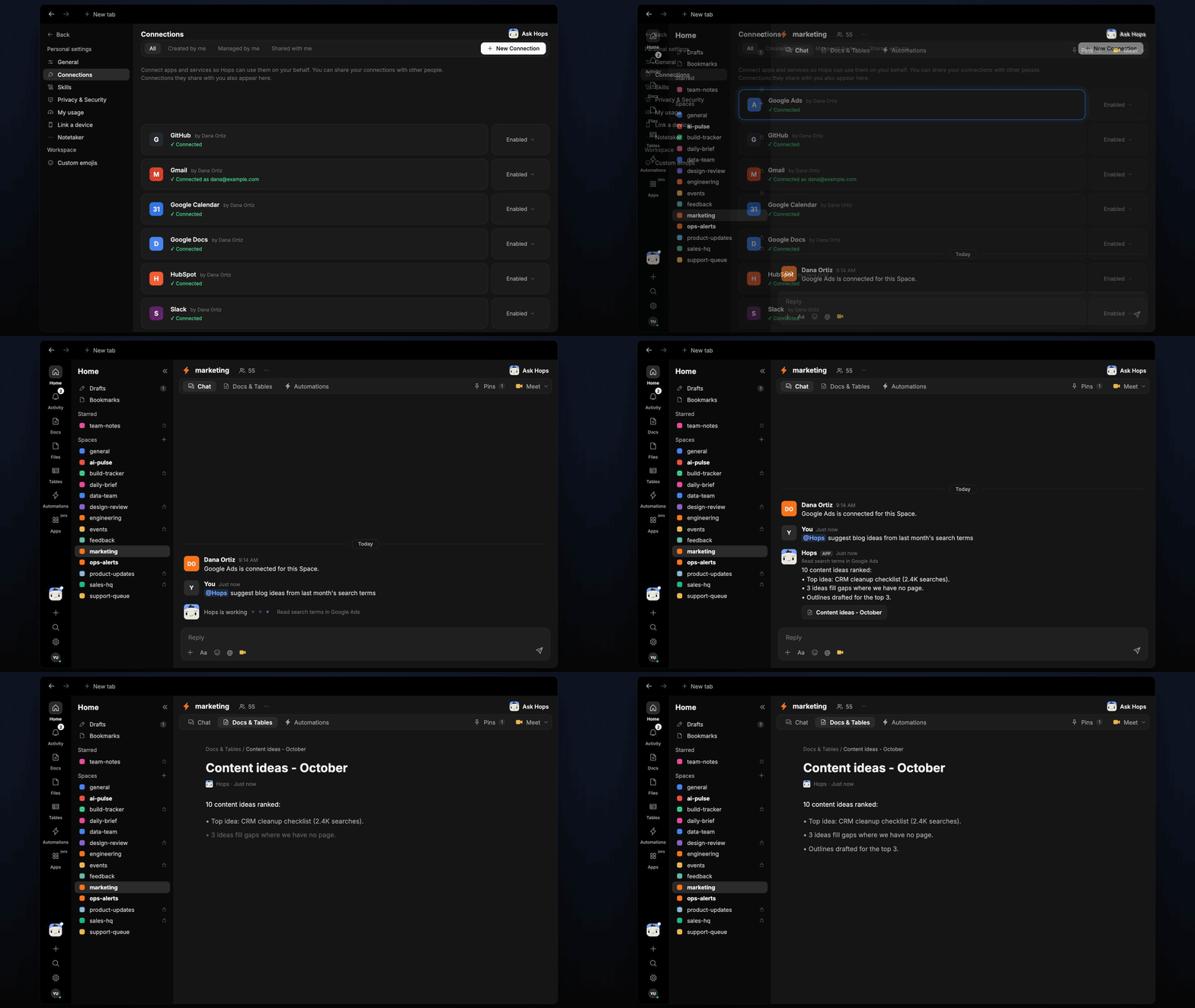
Copy a prompt into any chat with Hops, or mention@Hops in a Space.
10 content ideas ranked:
- Top idea: CRM cleanup checklist (2.4K searches).
- 3 ideas fill gaps where we have no page.
- Outlines drafted for the top 3.
What you get
- A monthly post in Slack (or the Space chat) with the new ideas ranked by demand.
- An ideas Table in Tables in the Space with theme, search volume, gap status and fit, added to each month.
- Outlines in a Doc, when you ask for them. Say “save the outlines as a doc” and Hops writes them to Docs.
- Answers on demand. Ask Hops for ideas any time.
Connections needed
Connect these apps. Each card opens Connections in the app.Google Ads
Search terms, clicks and spend.
Google Analytics
Traffic by page, to find gaps.
Slack
Where the monthly ideas get posted.
Set it up
1
Connect your apps
Connect Google Ads, Google Analytics and Slack in Connections.See Connections.
2
Create the Space
Create a marketing Space. Pin your content pillars in Space context.See Spaces and Space context.
3
Add the skill
4
Schedule it
On day 2 of each month at 9am Hops posts new ideas to Slack and adds them to the ideas Table.See Automation.