

How it runs: Ask Hops. No skill or automation needed. Connect your apps and ask in any chat.
What it does
- Searches your policy docs. Hops looks across the policy docs you connected in Google Drive, Notion or Confluence.
- Cites the exact section. Every answer names the policy and section it came from, so employees can verify it.
- Picks the current version. When an older policy conflicts with a newer one, Hops uses the newer one and says so.
- Never guesses. If the answer is not clearly in a policy, Hops says so and routes the employee to the HR team.
- Works where people ask. Employees can ask in chat or in a Slack channel where Hops is available.
Ask Hops
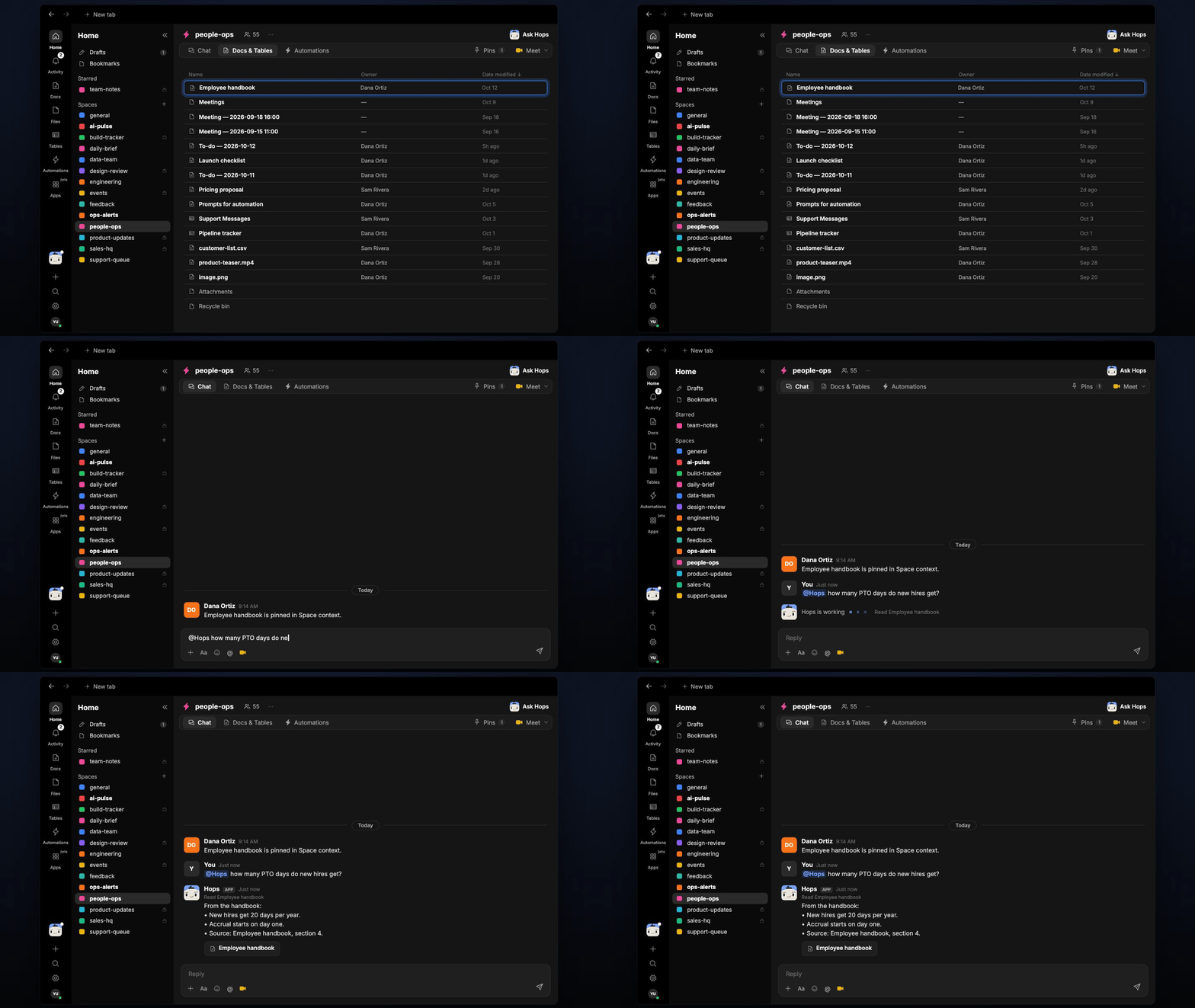
Copy a prompt into any chat with Hops, or mention@Hops in a Space.
From the handbook:
- New hires get 20 days per year.
- Accrual starts on day one.
- Source: Employee handbook, section 4.
What you get
- An answer in chat, in the same thread, with the policy and section cited.
- A saved Doc, when you ask for one. Say “save this as a doc” and Hops writes the answer to Docs in the Space, for example as an FAQ entry.
Connections needed
Connect the apps that hold your policies. Each card opens Connections in the app.Google Drive
Policy docs and the handbook (or Notion or Confluence).
Notion
Policy wiki pages (or Confluence).
Slack
Where employees ask questions.
Set it up
1
Connect your apps
Connect where your policies live, and Slack, in Connections.See Connections.
2
Pin your policies (optional)
Create an HR Space and pin the handbook and key policy docs in Space context, so Hops checks them first.See Spaces and Space context.
3
Ask
Ask Hops a policy question in chat. That’s it.