

How it runs: Scheduled. An automation runs on the first day of each quarter, posts the refreshed themes and saves a Doc. You can also ask Hops any time.
What it does
- Reads all the notes. Hops reads exit interview notes in Google Docs or Drive, including new ones added since the last run.
- Groups comments into themes. Similar comments are clustered and counted, so you see how often each theme appears.
- Breaks themes down. Using tenure and team from BambooHR, Hops shows where each theme concentrates.
- Protects people. Quotes are brief and individuals are never named. Use a restricted Space for this content.
- Tracks change. Each refresh notes which themes grew or faded since last quarter.
Ask Hops
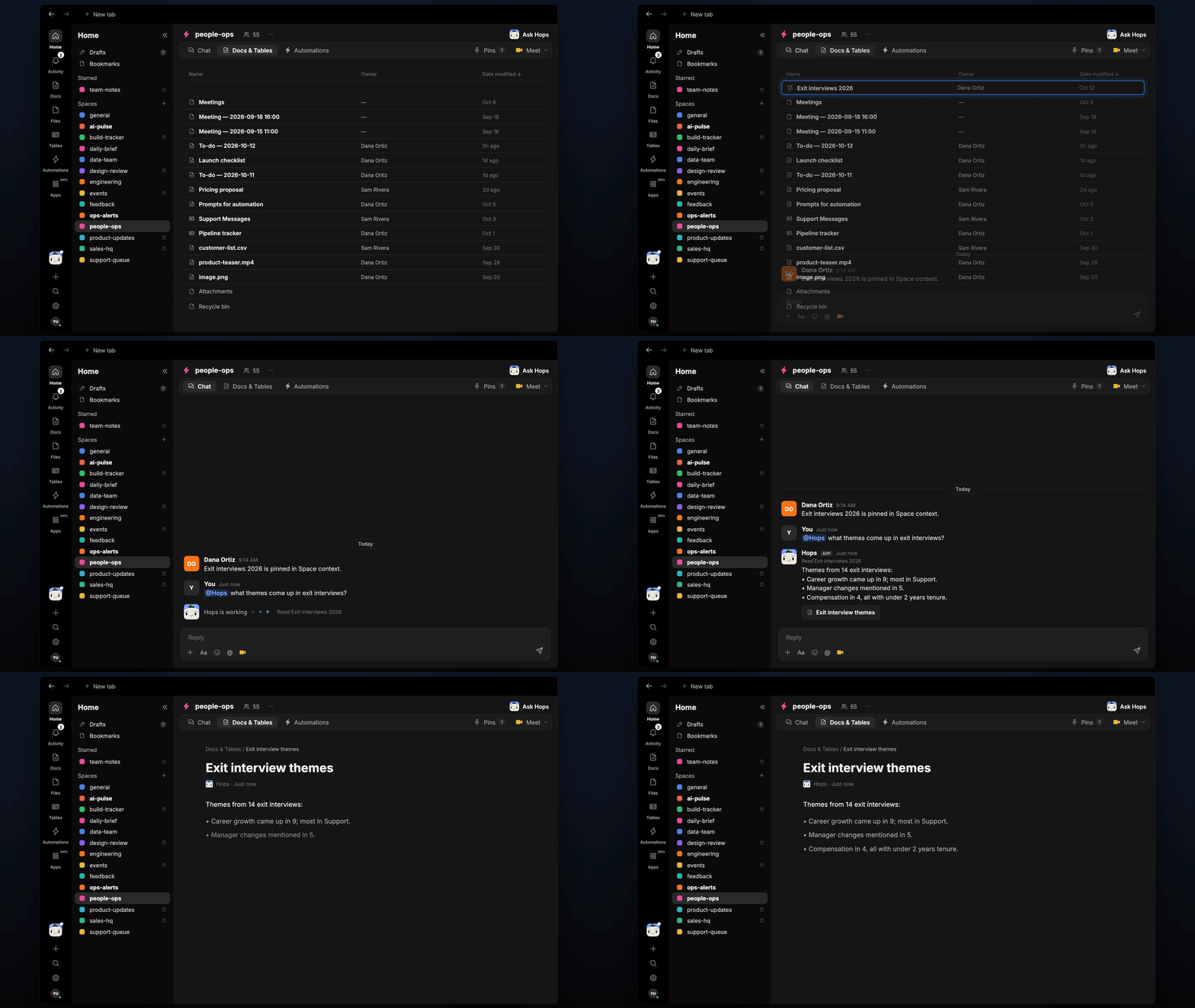
Copy a prompt into any chat with Hops, or mention@Hops in a Space.
Themes from 14 exit interviews:
- Career growth came up in 9; most in Support.
- Manager changes mentioned in 5.
- Compensation in 4, all with under 2 years tenure.
What you get
- A quarterly post in the people-ops Space chat on the first day of each quarter, with the top themes.
- A saved Doc. A dated themes report, with counts and breakdowns, is saved to Docs in the Space.
- On-demand answers. Ask in chat any time as new interviews come in.
Connections needed
Connect these apps. Each card opens Connections in the app.Google Docs
Exit interview notes (or Google Drive).
BambooHR
Tenure and team for each leaver.
Set it up
1
Connect your apps
Connect Google Docs or Drive, and BambooHR, in Connections.See Connections.
2
Create the Space
Create a people-ops Space with restricted access. Pin the exit interview notes in Space context.See Spaces and Space context.
3
Add the skill
4
Schedule it
Run on the first day of each quarter. Hops refreshes the themes, posts a summary to the Space and saves the report as a Doc.See Automation.