

How it runs: Triggered. An automation runs when an interview loop finishes, and you can also ask Hops directly.
What it does
- Reminds interviewers. When a loop ends, Hops pings anyone who has not added notes or feedback in your ATS or Drive.
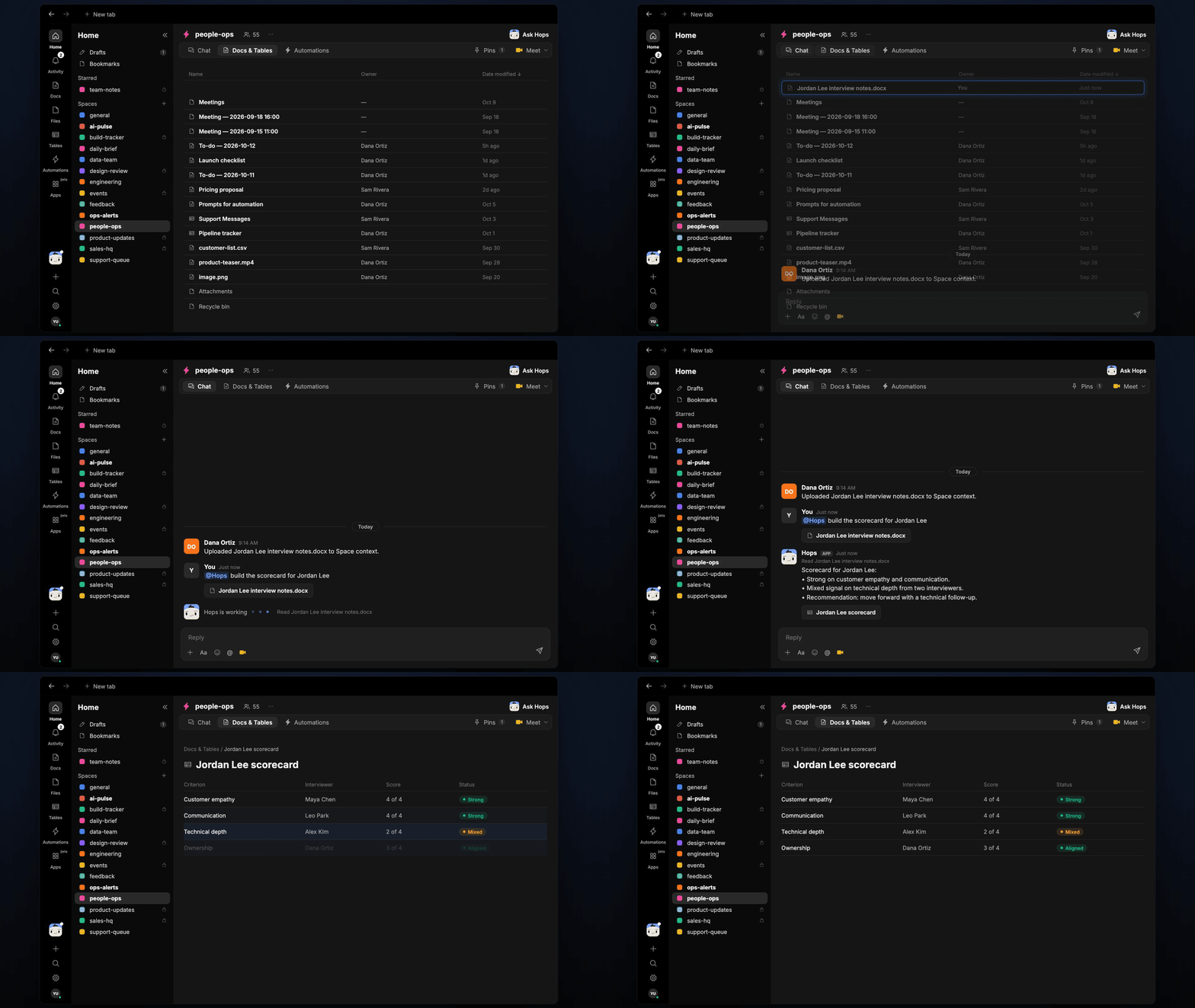
- Scores each criterion. Once notes are in, Hops scores the candidate on every criterion pinned for the role, quoting evidence from the notes.
- Marks conflicting signals. When two interviewers disagree, Hops shows both views instead of averaging them.
- Recommends a next step. The scorecard ends with a suggested decision, such as move forward or add a follow-up interview.
- Never invents evidence. If a criterion was not covered, Hops says so.
Ask Hops
Copy a prompt into any chat with Hops, or mention@Hops in a Space.
Scorecard for Jordan Lee:
- Strong on customer empathy and communication.
- Mixed signal on technical depth from two interviewers.
- Recommendation: move forward with a technical follow-up.
What you get
- A post when the loop finishes, with the reminder for missing notes, and again when the scorecard is ready.
- A saved Doc. The scorecard and recommendation for each candidate are saved to Docs in the Space.
- An optional draft. Ask Hops for the debrief summary or a candidate update email draft.
Connections needed
Connect these apps. Each card opens Connections in the app.Greenhouse
Loops, feedback and scorecards (or your ATS).
Google Drive
Interview notes and documents.
Slack
Reminders to interviewers and the debrief post.
Set it up
1
Connect your apps
Connect Greenhouse or your ATS, Google Drive and Slack in Connections.See Connections.
2
Pin the criteria
Create a people-ops Space and pin each role’s interview criteria in Space context.See Spaces and Space context.
3
Add the skill
4
Trigger it
Run the automation when an interview loop is completed. Hops reminds interviewers to add notes, then builds the scorecard, posts it to the Space and saves it as a Doc.See Automation.