

How it runs: Scheduled. An automation runs two weeks before reviews are due, posts a status and saves a Doc per person. You can also ask Hops any time.
What it does
- Reads the work shipped. Hops pulls the cycle’s issues from Jira or Linear and merged pull requests from GitHub for each person.
- Maps it to the leveling guide. Work is summarized with links against the leveling guide and review template in Space context.
- Balances the draft. Each summary has strengths and one growth area, kept factual.
- Covers every manager. The scheduled run drafts summaries for each manager’s direct reports.
- Leaves the judgment to managers. Hops drafts; the manager edits and owns the final review.
Ask Hops
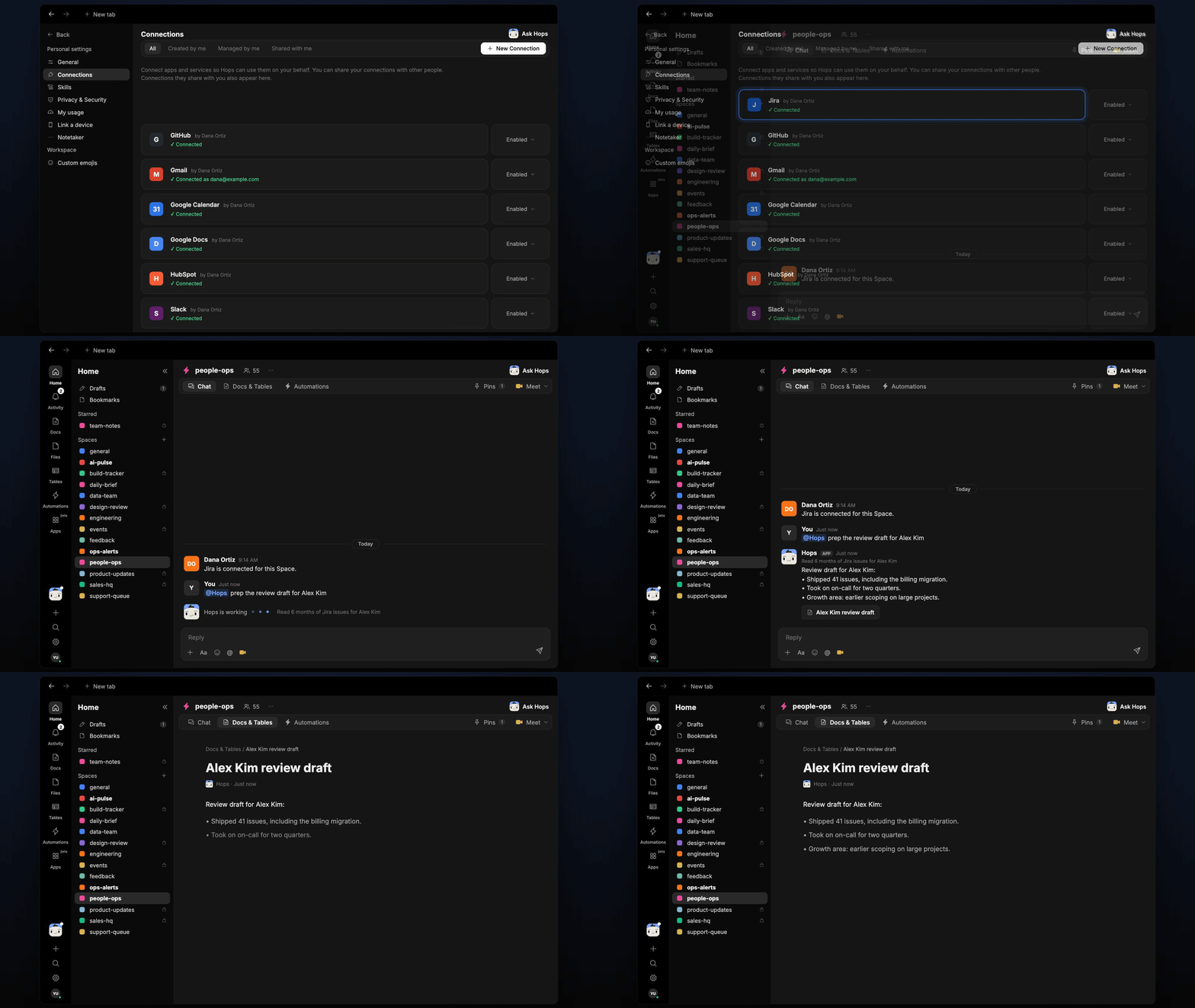
Copy a prompt into any chat with Hops, or mention@Hops in a Space.
Review draft for Alex Kim:
- Shipped 41 issues, including the billing migration.
- Took on on-call for two quarters.
- Growth area: earlier scoping on large projects.
What you get
- A post to managers in the Space chat or Slack two weeks before reviews are due, saying drafts are ready.
- A saved Doc per person. Each review summary is saved to Docs in the Space, with links to the work.
- A tracker. Review status per manager can be kept in Tables in the Space.
- On-demand drafts. Ask Hops in chat any time for one person.
Connections needed
Connect these apps. Each card opens Connections in the app.Jira
Issues each person shipped (or Linear).
GitHub
Merged pull requests and reviews.
Slack
Where managers are notified.
Set it up
1
Connect your apps
Connect Jira or Linear, GitHub and Slack in Connections.See Connections.
2
Pin the review materials
Create a people-ops Space and pin the review template and leveling guide in Space context.See Spaces and Space context.
3
Add the skill
4
Schedule it
Run each review cycle, two weeks before reviews are due. Hops drafts a summary per person, saves each as a Doc and posts to managers.See Automation.