

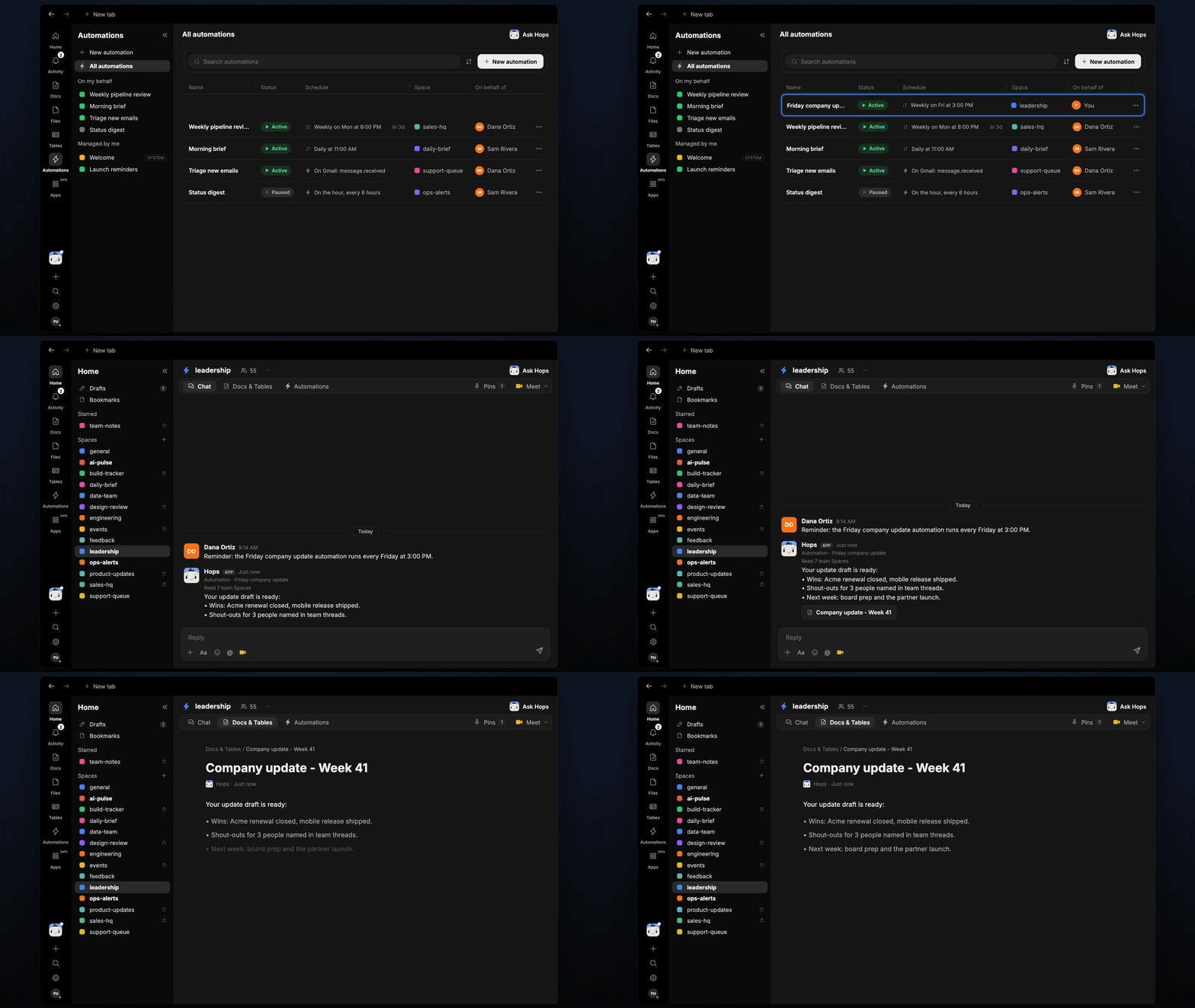
How it runs: Scheduled. An automation runs every Friday at 3pm, posts the draft in the Space chat and saves a dated Doc. You can also ask Hops any time.
What it does
- Reads every team Space. Hops goes through the last 7 days of threads, Docs and Tables across your team Spaces.
- Writes in your voice. It matches the tone of the past updates pinned in Space context.
- Keeps a fixed shape. Wins, shout-outs and what is next, in under 250 words, with links to sources.
- Names people. Shout-outs come from people credited in team threads, not guesses.
- Never invents results. If a team posted nothing, the draft leaves it out rather than filling in.
Ask Hops
Copy a prompt into any chat with Hops, or mention@Hops in a Space.
Your update draft is ready:
- Wins: Acme renewal closed, mobile release shipped.
- Shout-outs for 3 people named in team threads.
- Next week: board prep and the partner launch.
What you get
- A draft in the Space chat every Friday at 3pm, so you can review before end of day.
- A dated Doc saved to Docs in the Space, one per week.
- An email or Slack version, when you ask. Hops can post to Slack or draft the all-hands email in Gmail for you to send.
Connections needed
Connect the apps where you share the update. Each card opens Connections in the app.Slack
Team threads, and where you post the update.
Gmail
Draft the email to the all-hands list.
Set it up
1
Connect your apps
Connect the apps above in Connections.See Connections.
2
Create the Space
Create a leadership Space. Pin last month’s updates in Space context so Hops matches your voice.See Spaces and Space context.
3
Add the skill
4
Schedule it
Every Friday at 3pm Hops posts the draft in the Space chat and saves a dated Doc to Docs, so you can review before end of day.See Automation.