

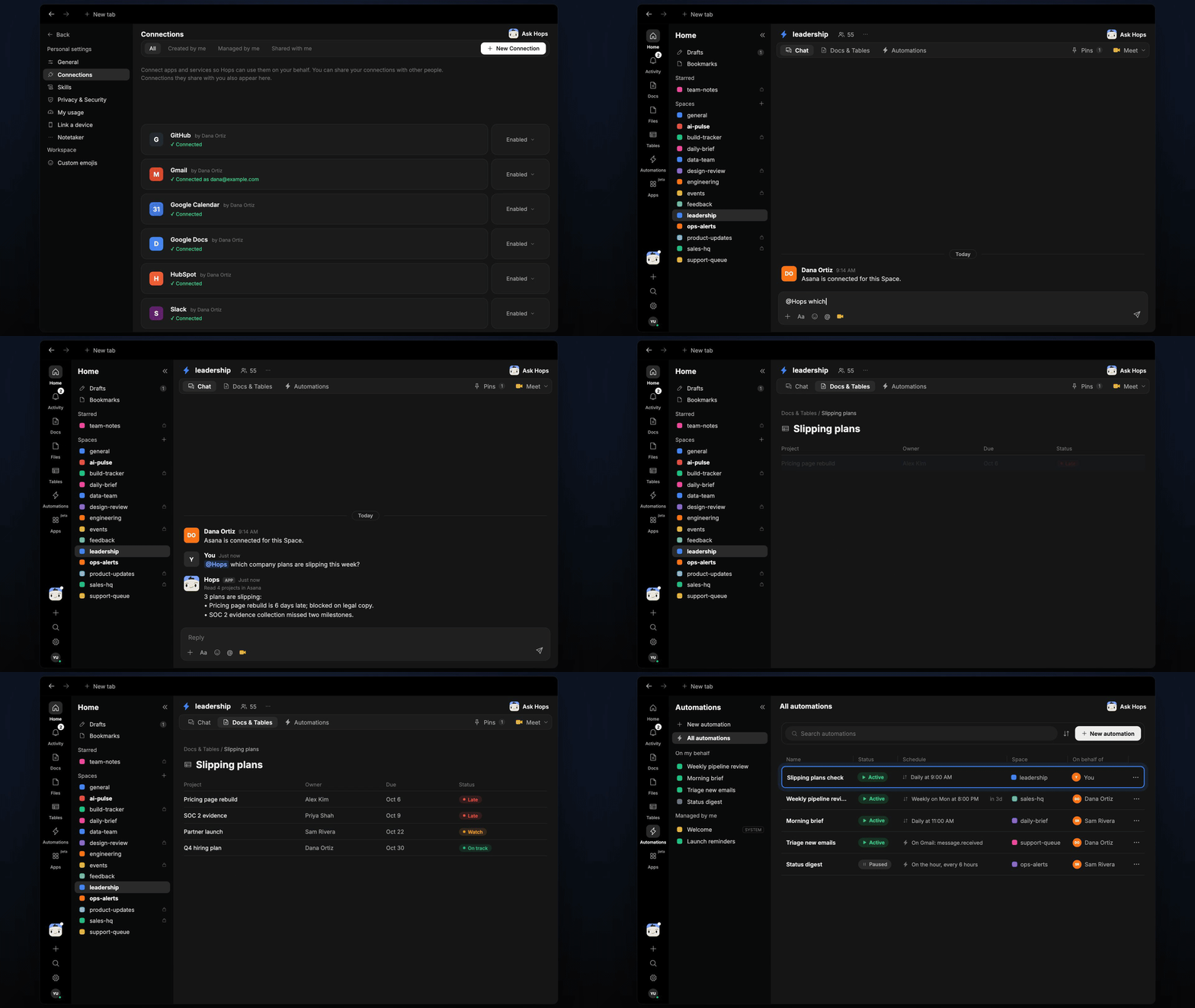
How it runs: Scheduled. An automation runs every weekday at 9am, posts to Slack only when something new is slipping and updates a Table of slipping plans. You can also ask Hops any time.
What it does
- Compares dates with progress. Hops reads due dates and task status in Asana or Jira for each project you listed.
- Flags what is late or likely to slip. It says why, for example a blocked dependency, and names the owner.
- Drafts a nudge per owner. Short and friendly, posted for you to review in Slack. Hops never changes dates itself.
- Posts only what is new. Plans already flagged are not repeated, so the channel stays useful.
- Checks the calendar. Hops uses Google Calendar to see launch and review dates coming up.
Ask Hops
Copy a prompt into any chat with Hops, or mention@Hops in a Space.
3 plans are slipping:
- Pricing page rebuild is 6 days late; blocked on legal copy.
- SOC 2 evidence collection missed two milestones.
- Partner launch is on track but has no owner for the press note.
What you get
- A Slack alert each weekday when something new is slipping, with the owner and a drafted nudge.
- An updated Table of slipping plans in Tables in the Space, with owner, days late and blocker.
- On-demand checks. Ask Hops any time for the current picture.
Connections needed
Connect the tools that track your plans. Each card opens Connections in the app.Asana
Projects and due dates (or Jira).
Jira
Projects and issues (or Asana).
Slack
Owner nudges and alerts.
Google Calendar
Launch and review dates.
Set it up
1
Connect your apps
Connect the apps above in Connections. Use Asana or Jira, whichever you run projects in.See Connections.
2
Create the Space
Create a leadership Space. List the company projects to watch in Space context.See Spaces and Space context.
3
Add the skill
4
Schedule it
Every weekday at 9am Hops checks the projects, posts to Slack only when something new is slipping and updates the Table in Tables.See Automation.