

How it runs: Scheduled. An automation runs on day 2 of each month at 9am, posts the report to the leadership Space and saves a dated Doc. You can also ask Hops any time.
What it does
- Uses your KPI definitions exactly. Hops follows the definitions pinned in Space context so numbers stay consistent month to month.
- Pulls from the source. It reads Google Sheets, Stripe and your CRM (HubSpot or Salesforce) and cites the source for every number.
- Builds the table. Target, actual, variance and status for each KPI.
- Explains what is off plan. Two sentences of commentary for every KPI that missed its target.
- Flags data gaps. If a number is missing or looks wrong, Hops says so instead of estimating.
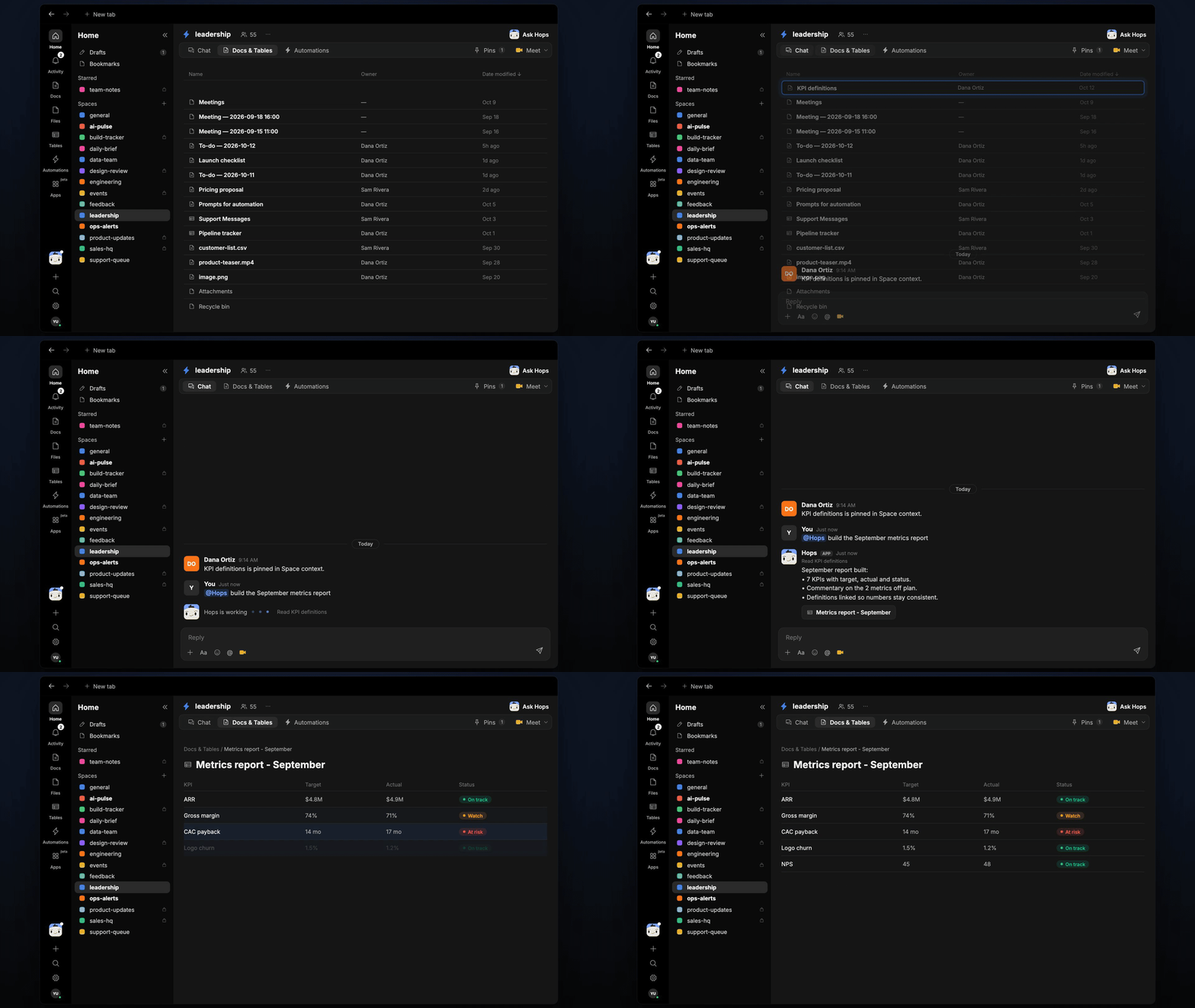
Ask Hops
Copy a prompt into any chat with Hops, or mention@Hops in a Space.
September report built:
- 7 KPIs with target, actual and status.
- Commentary on the 2 metrics off plan: new logos and sales cycle length.
- Definitions linked so numbers stay consistent.
What you get
- A post in the leadership Space on day 2 of each month, with the summary and the KPIs that need attention.
- A dated Doc saved to Docs in the Space, one per month.
- On-demand reports. Ask Hops any time for a mid-month view.
Connections needed
Connect the apps that hold your metrics. Each card opens Connections in the app.Google Sheets
The metrics sheet your team updates.
Stripe
Revenue and subscription numbers.
HubSpot
Pipeline and deals (or Salesforce).
Set it up
1
Connect your apps
Connect the apps above in Connections.See Connections.
2
Create the Space
Create a leadership Space and pin the KPI definitions doc in Space context.See Spaces and Space context.
3
Add the skill
4
Schedule it
On day 2 of each month at 9am Hops builds last month’s report, posts it to the leadership Space and saves a dated Doc to Docs.See Automation.