

How it runs: Scheduled. An automation runs every weekday at 5pm, posts open spec questions and updates a Table. You can also ask Hops any time.
What it does
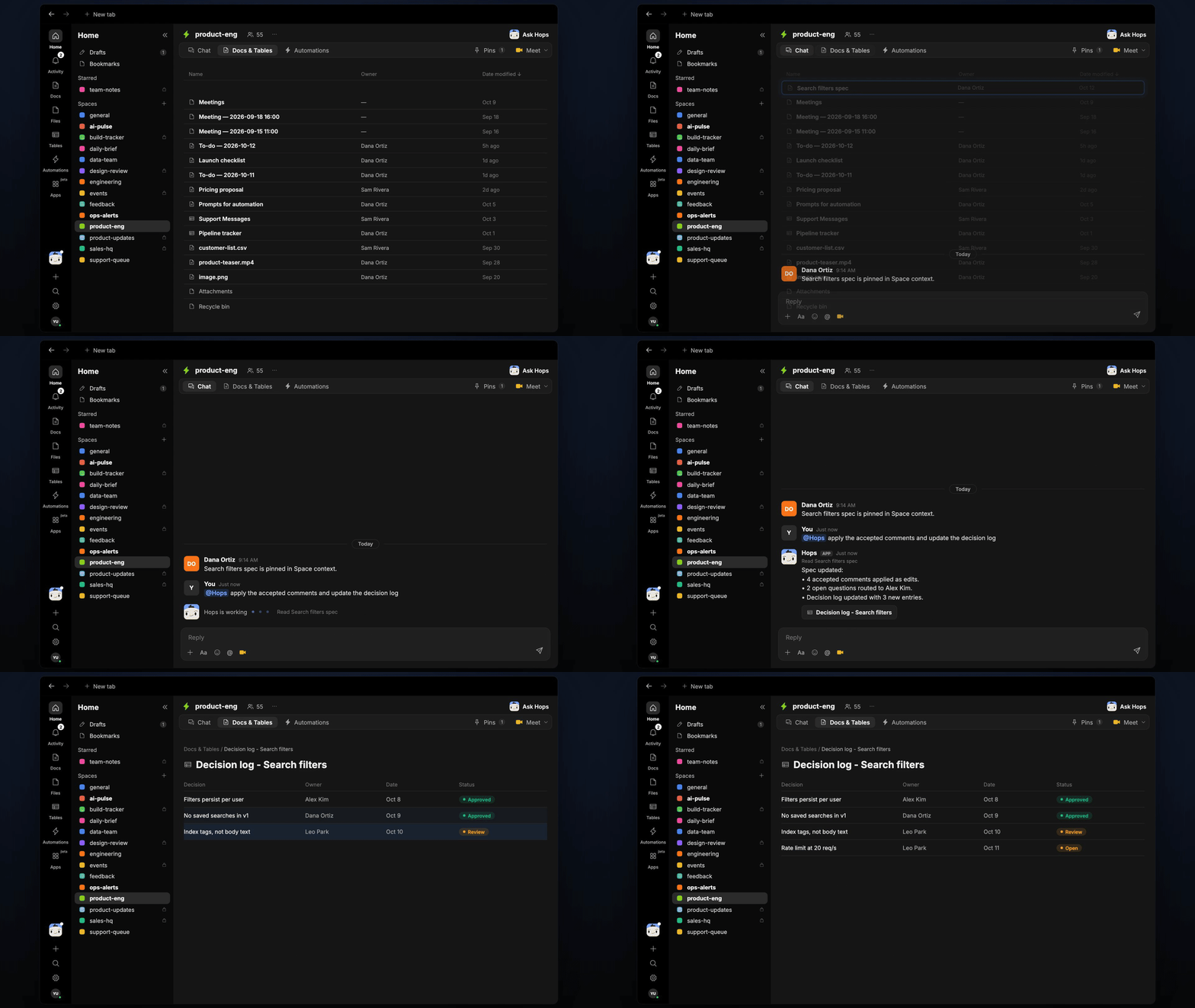
- Turns comments into edits. For each comment on the spec, Hops proposes one concrete edit.
- Applies only what the PM accepts. Nothing changes in the spec without approval.
- Keeps a decision log. A Table records decision, owner, date and status.
- Routes open questions. Unanswered questions go to the person who can answer them, with a link to the comment.
- Reads the spec where it lives. Hops works with Notion or Google Docs and links the Jira or Linear tickets.
Ask Hops
Copy a prompt into any chat with Hops, or mention@Hops in a Space.
Search filters spec review:
- 4 comments turned into proposed edits, awaiting your approval.
- 2 open questions routed to Alex Kim.
- 3 entries added to the decision log.
What you get
- A daily post. At 5pm, open questions and their owners are posted in the Space chat or your Slack channel.
- An updated decision log. Decisions are added as rows to a decision log in Tables in the Space.
- Answers on demand. Ask Hops to review new comments or apply accepted edits at any time.
Connections needed
Connect these apps. Each card opens Connections in the app.Notion
Specs and comments (or Google Docs).
Google Docs
Specs and comments (or Notion).
Jira
Linked tickets (or Linear).
Linear
Linked tickets (or Jira).
Slack
Where open questions are routed.
Set it up
1
Connect your apps
Connect Notion or Google Docs, Jira or Linear, and Slack in Connections.See Connections.
2
Create the Space
Create a product-eng Space and pin the spec template and the current spec in Space context.See Spaces and Space context.
3
Add the skill
4
Schedule it
Create an automation that runs every weekday at 5pm. It posts open spec questions with their owners to the Space and updates the decision log in Tables.See Automation.