

How it runs: Scheduled. An automation runs on day 1 of each month at 9am, posts last month’s themes and saves a Doc. You can also ask Hops any time.
What it does
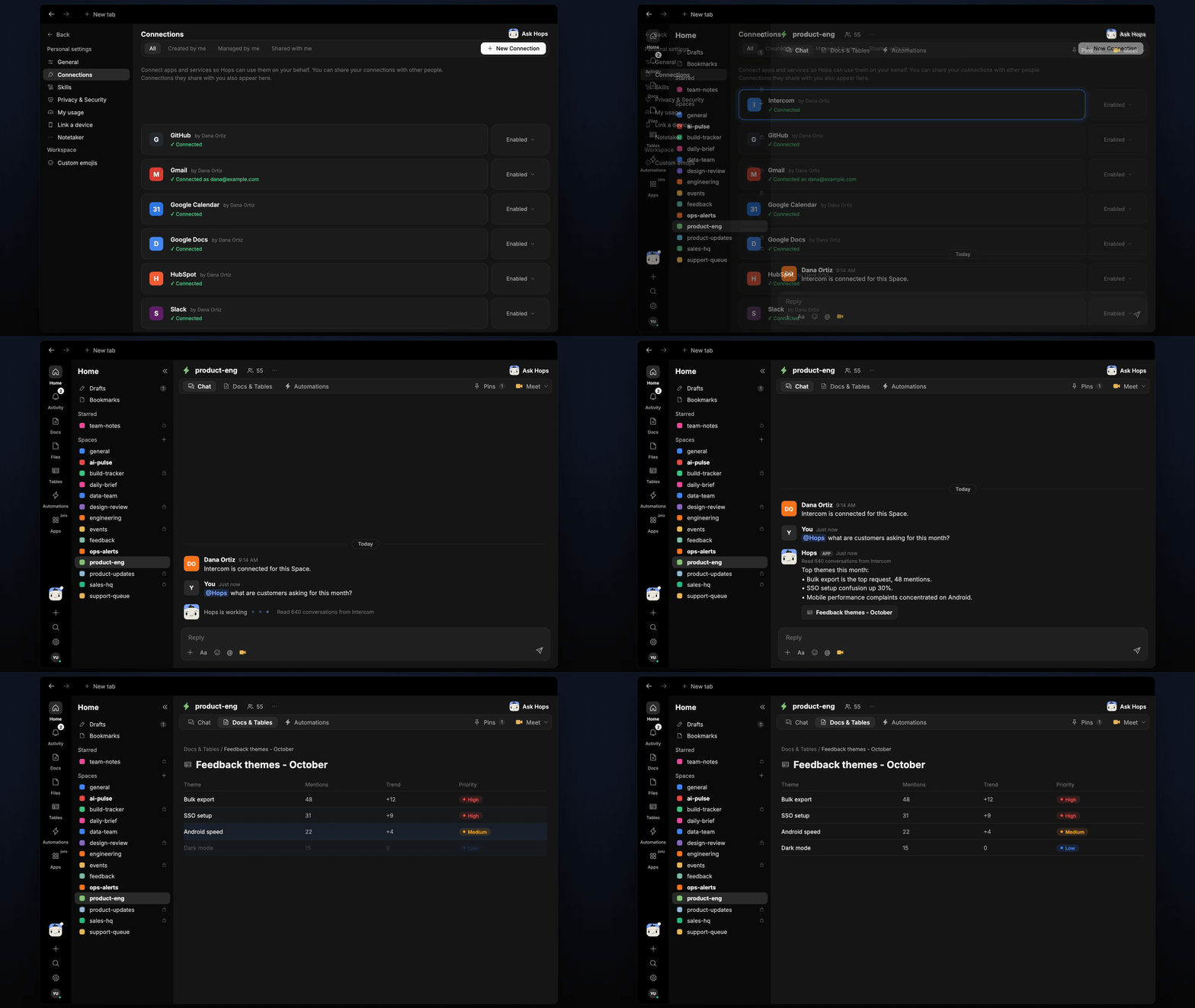
- Reads the whole month. Hops goes through conversations in Intercom or Zendesk, not a sample.
- Groups by product area. Themes follow the product areas list you pinned in the Space.
- Measures each theme. Mention count, trend against last month, two example quotes and a priority.
- Links to sources. Every theme links back to the conversations behind it.
- Connects to the backlog. Hops notes themes that already have a Linear or Jira issue and flags those that do not.
Ask Hops
Copy a prompt into any chat with Hops, or mention@Hops in a Space.
Feedback themes for September, from 640 conversations:
- CSV export is slow: 74 mentions, up 31%. Priority: high.
- Missing SSO for small teams: 52 mentions, flat. Priority: medium.
- Dashboard filters reset: 41 mentions, new. Priority: medium.
- 2 of the top 3 themes have no issue yet.
What you get
- A monthly post. The top themes are posted in the Space chat or your Slack channel.
- A saved Doc. Each month’s themes are saved as a dated Doc in Docs, so you can compare months.
- Answers on demand. Ask Hops to dig into one theme at any time.
Connections needed
Connect these apps. Each card opens Connections in the app.Intercom
Customer conversations (or Zendesk).
Zendesk
Customer conversations (or Intercom).
Linear
Link themes to issues (or Jira).
Jira
Link themes to issues (or Linear).
Slack
Where the monthly themes are posted.
Set it up
1
Connect your apps
Connect Intercom or Zendesk, Linear or Jira, and Slack in Connections.See Connections.
2
Create the Space
Create a product-eng Space and pin your product areas list in Space context.See Spaces and Space context.
3
Add the skill
4
Schedule it
Create an automation that runs on day 1 of each month at 9am. It posts last month’s themes to the Space and saves them as a Doc in Docs.See Automation.