

How it runs: Triggered. An automation runs when a new release tag is created in GitHub, and you can also ask Hops directly.
What it does
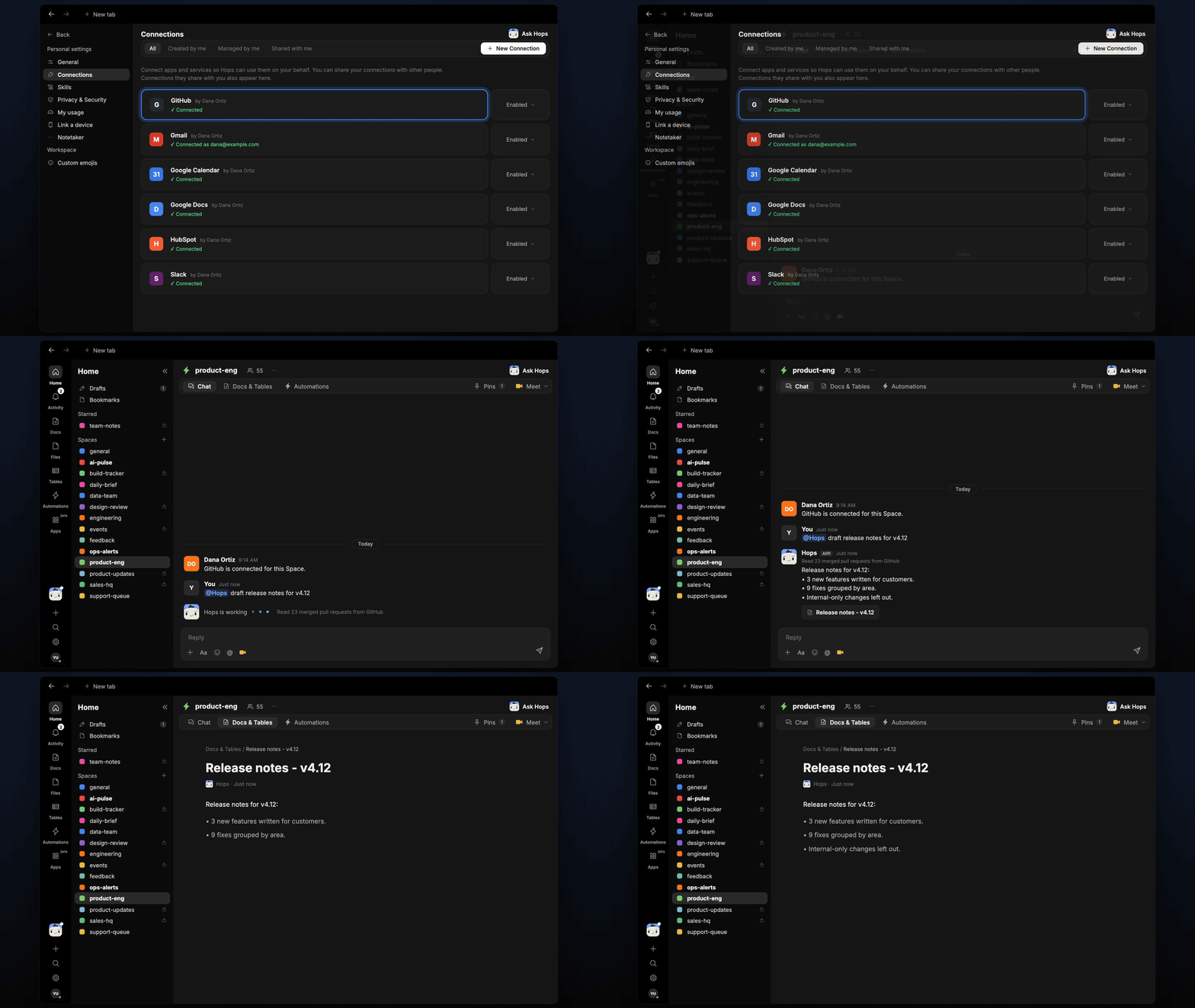
- Reads everything since the last tag. Hops lists the merged pull requests in GitHub and the tickets linked in Linear or Jira.
- Groups into New, Improved and Fixed. Each line is written for a customer, not an engineer.
- Skips internal changes. Refactors, CI and dependency bumps are left out.
- Links every line to its source. Each line points to its pull request so reviewers can check it.
- Flags gaps. Pull requests with no description or ticket are listed for a human to confirm.
Ask Hops
Copy a prompt into any chat with Hops, or mention@Hops in a Space.
Release notes for v4.12, drafted from 23 merged pull requests:
- New: bulk export for reports (#2841).
- Improved: search results load about twice as fast (#2830).
- Fixed: invoice PDFs no longer cut off long line items (#2819).
- 9 internal changes skipped. 2 pull requests need a description.
What you get
- A post when the tag is created. The draft notes appear in the Space chat or your Slack channel.
- A saved Doc. Each release is saved as its own Doc in Docs in the Space, so past notes stay searchable.
- Answers on demand. Ask Hops to shorten, reformat or redraft the notes any time.
Connections needed
Connect these apps. Each card opens Connections in the app.GitHub
Release tags and merged pull requests.
Linear
Tickets linked to each change (or Jira).
Jira
Tickets linked to each change (or Linear).
Slack
Where the draft is posted for review.
Set it up
1
Connect your apps
Connect GitHub, Linear or Jira, and Slack in Connections.See Connections.
2
Create the Space
Create a product-eng Space and pin your release-notes style guide in Space context.See Spaces and Space context.
3
Add the skill
4
Trigger it
Create an automation that runs when a new release tag is created in GitHub. It posts the draft to the Space and saves it as a Doc in Docs.See Automation.