Beta Apps is in beta. Expect rough edges.
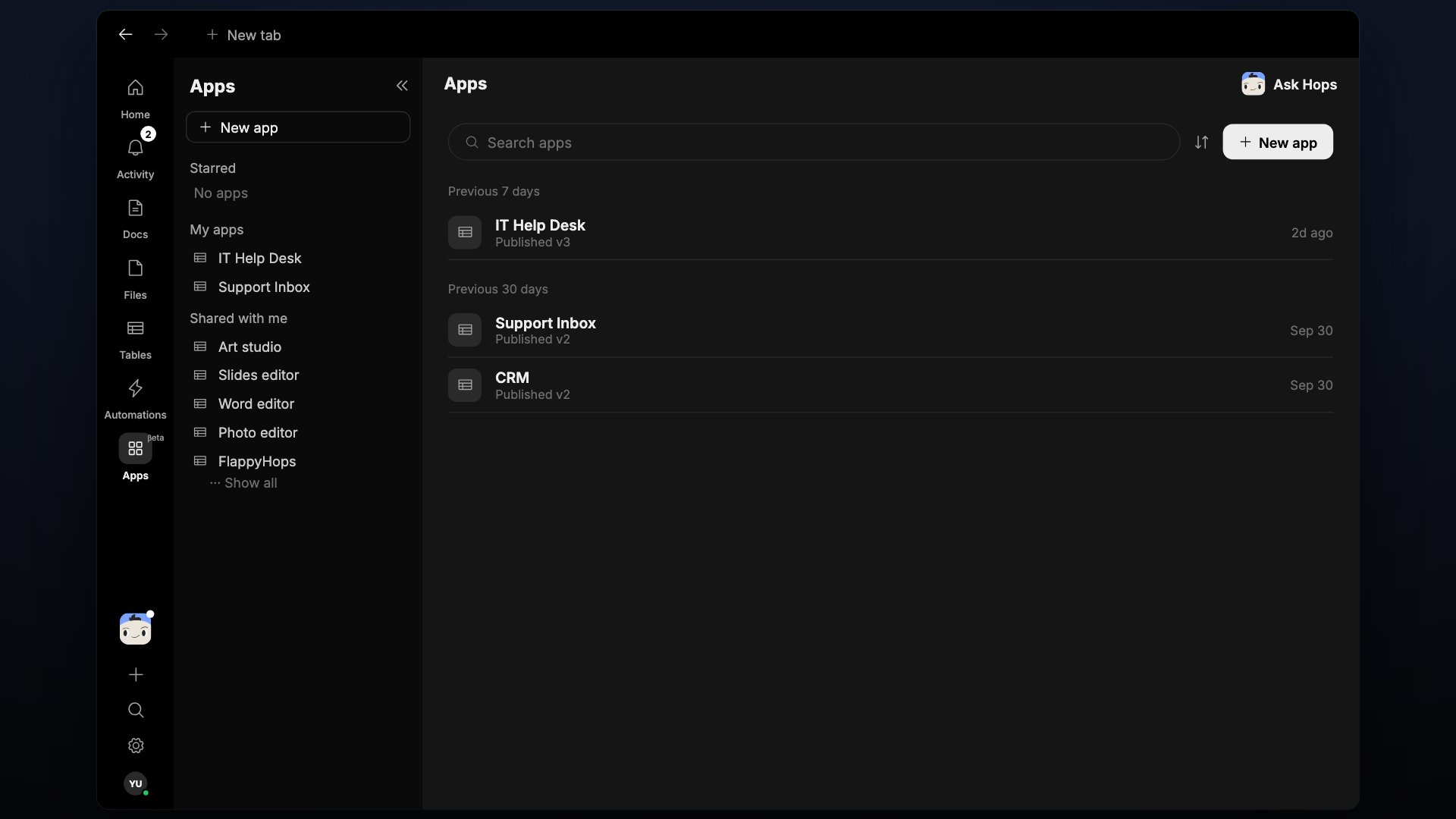
The Apps page
Apps are grouped in three sections:- Starred — apps you’ve marked as favorites.
- My apps — apps you created.
- Shared with me — apps someone else has shared with you.
Create an app
1
Click New app
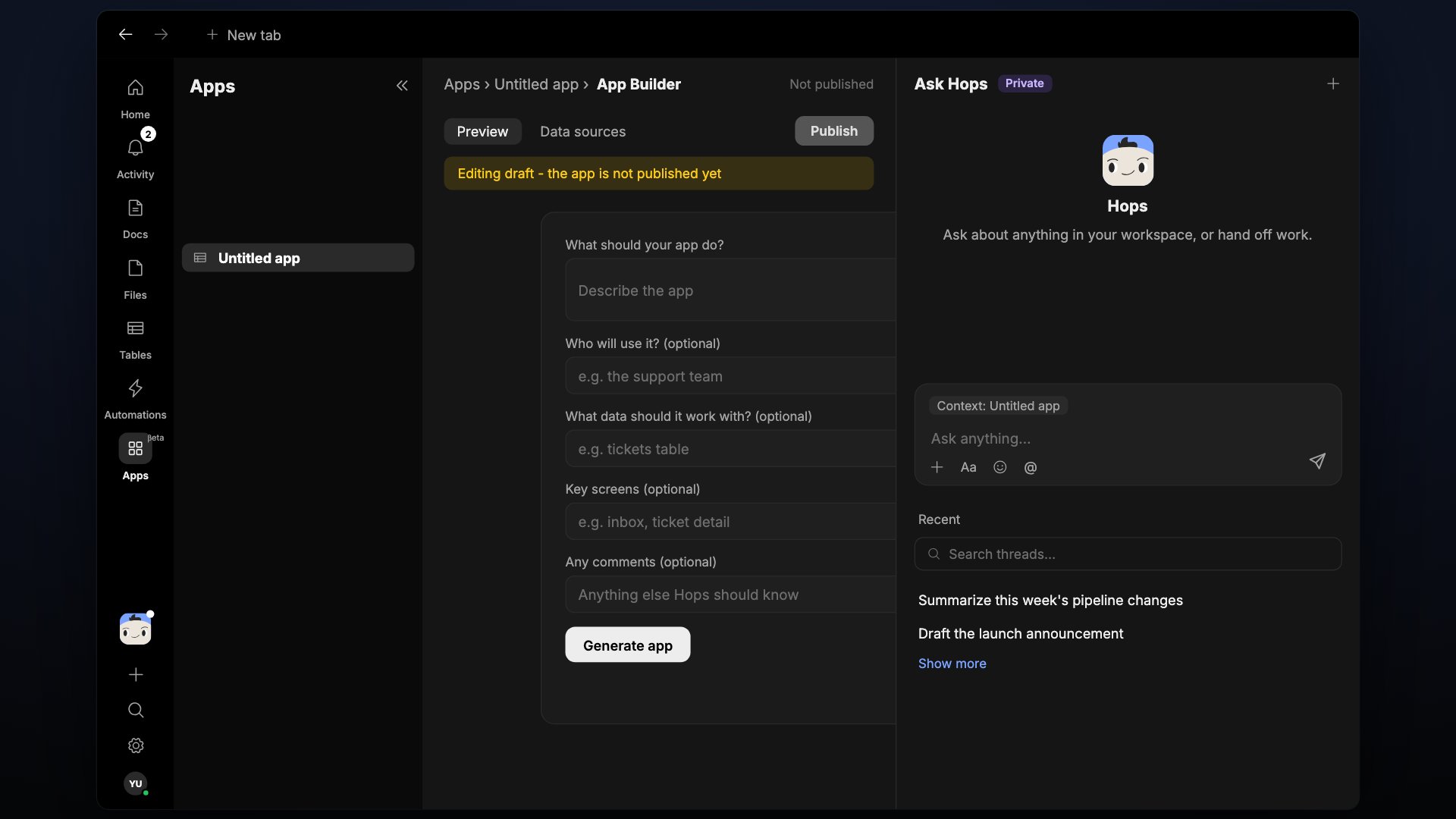
Click New app at the top of the page. Hops opens the App Builder with an “Untitled app”.
2
Describe your app
Fill in the form and click Generate app:
- What should your app do?
- Who will use it? (optional)
- What data should it work with? (optional)
- Key screens (optional)
- Any comments (optional)
3
Refine with Ask Hops
Use the Ask Hops panel on the right to change the app. Use Preview to try it and Data sources to see what it reads.
4
Publish
A banner reads “Editing draft - the app is not published yet” until you click Publish.