

One agent, many skills
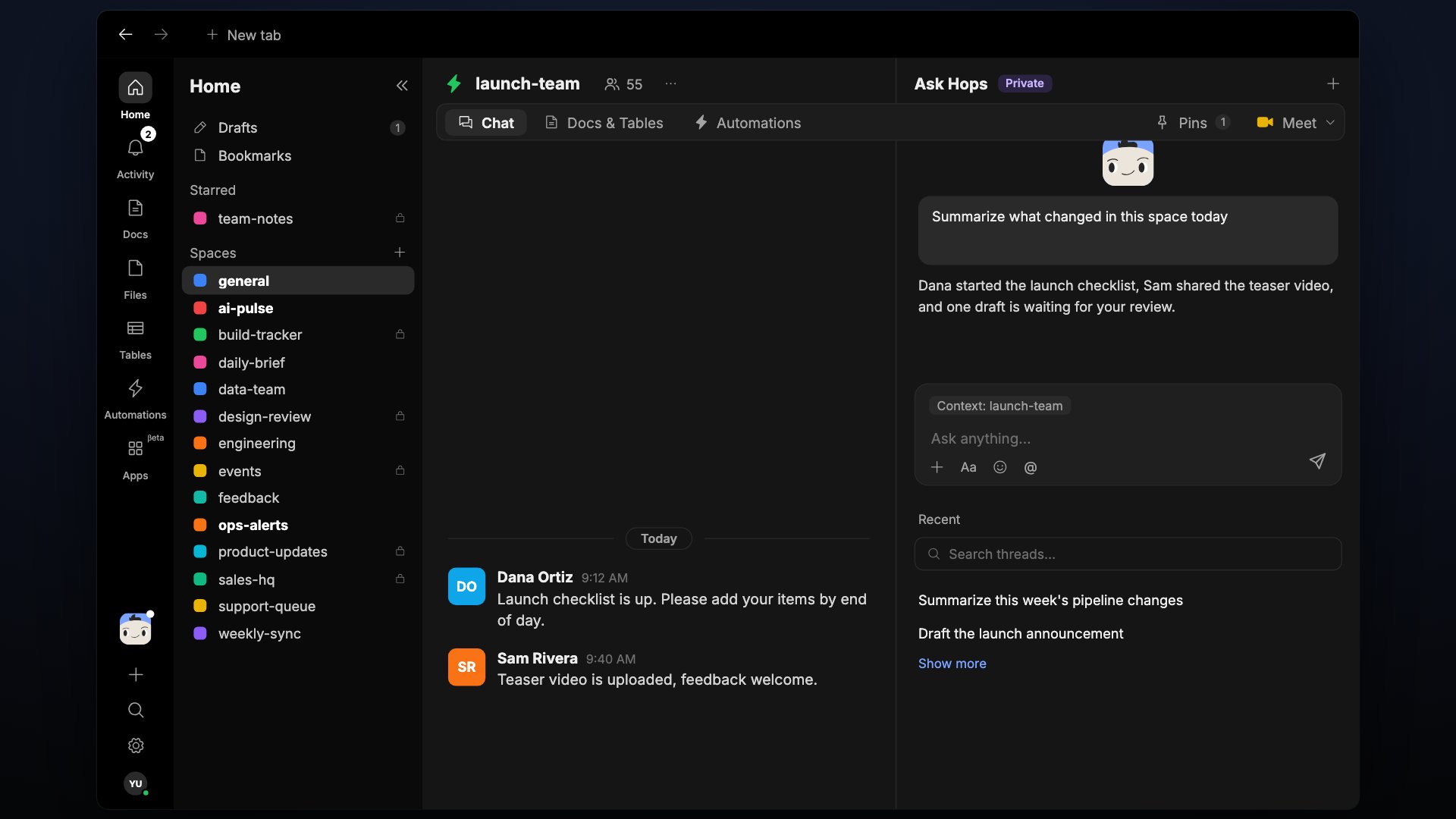
One Hops agent, extended with skills for every role.
@Hops in any Space (or open the sidebar) and describe what you need — from a quick summary to a full pipeline review.
Hops handles:
- Summarizing a thread, doc, or Space
- Drafting a reply, note, or brief
- Answering questions from the Space’s shared context
- Running any skill your team has installed
What skills do
Skills give Hops the instructions, tone, and priorities to act in a specific role — a Sales SDR, a Legal reviewer, a Pipeline watcher — without needing a separate agent. When Hops answers using a skill, you’ll see attribution like Hops · Pipeline watch on the message, so it’s clear which skill shaped the response.Browse and install skills
See what skills are available and install the ones your team needs.
Build a skill
Package instructions, tone, and connections into a reusable, shareable skill.
What makes Hops different
- It knows what the team knows. Hops reads from your threads, docs, and connected tools — no re-explaining.
- It shows its work. Every response includes what it used and what it did.
- It waits for approval on risky actions. Before sending an external message or updating a record, it asks.
- Skills are shareable. Package a workflow once, share it with your team, and everyone’s Hops runs it the same way.
Sharing skills and connections
- Skills can be shared. On the Skills page, use the tabs All, Created by me, Managed by me, and Shared with me to see what you built and what others made available to you. See Build a skill.
- Connections can be workspace-wide, so Hops can use them in every Space, or personal, so they stay yours. See Connections.
- Spaces are collaborative: everyone in a Space sees the same chat, docs, and tables.
Next
Skills
How skills extend Hops for specific roles and workflows.
Build a skill
Package instructions and connections into a reusable skill.
Connections
Give Hops access to the tools your team uses.