

How it runs: Scheduled. An automation runs every Thursday at 10:00 AM, posts the status to the legal Space and saves the tracker. You can also ask Hops any time.
What it does
- Reads envelope status. Hops checks DocuSign for envelopes out for signature and who has not signed.
- Reads counsel threads. It checks Gmail for contracts sitting with outside counsel and the last reply.
- Shows who acts next. Each contract lists how long it has waited and who owns the next step.
- Drafts reminders. A polite reminder is drafted for anything waiting more than 5 days.
- Calls out overdue items. Envelopes past their target date are listed first.
Ask Hops
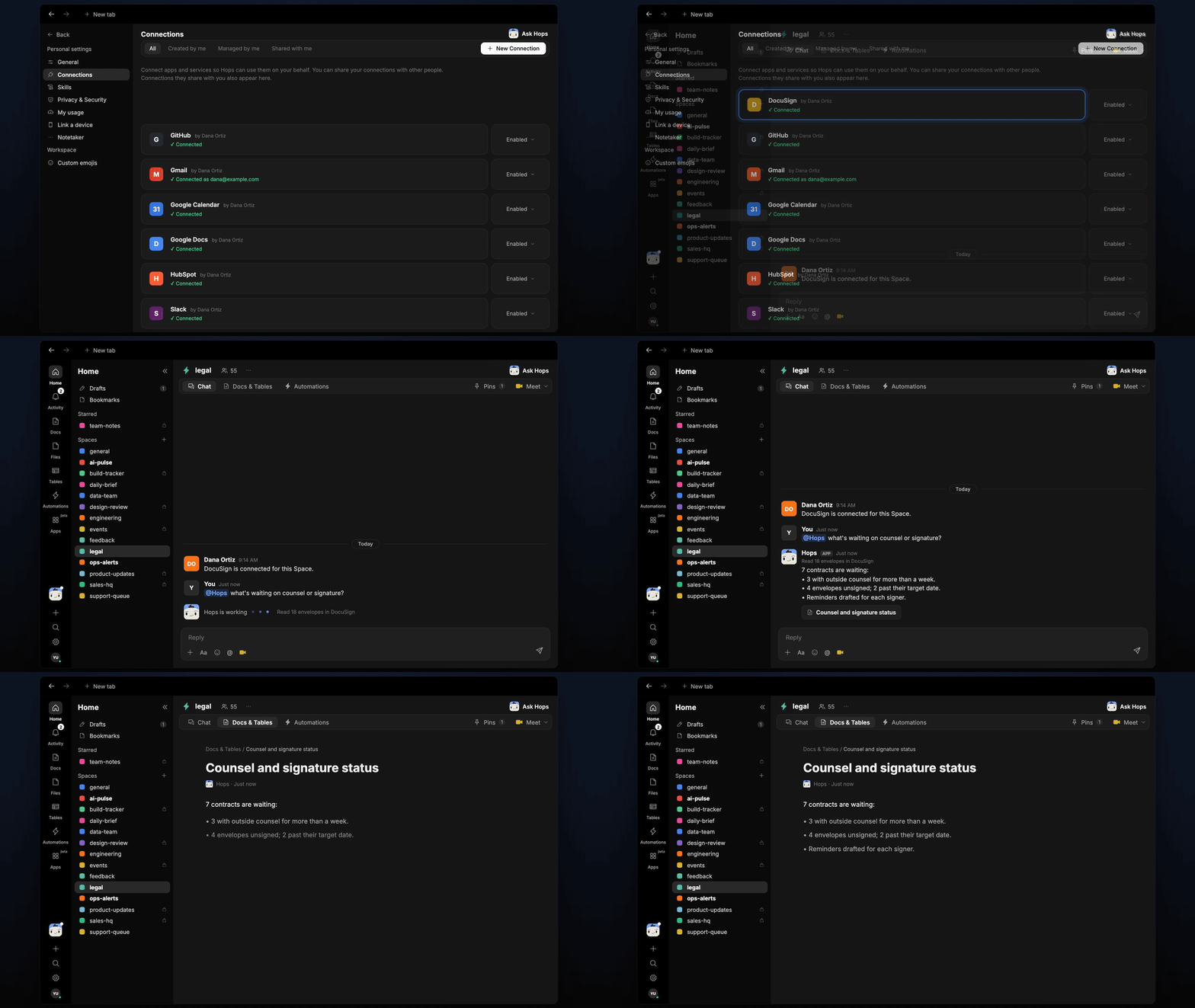
Copy a prompt into any chat with Hops, or mention@Hops in a Space.
7 contracts are waiting:
- 3 with outside counsel for more than a week.
- 4 envelopes unsigned; 2 past their target date.
- Reminders drafted for each signer.
What you get
- A weekly post in the legal Space (or Slack channel) with what is waiting and on whom.
- An updated tracker Table in Tables with each contract, status, days waiting and next owner.
- Reminder drafts for contracts waiting more than 5 days.
- Answers on demand. Ask Hops for the current status in chat.
Connections needed
Connect these apps. Each card opens Connections in the app.DocuSign
Envelope status and signers.
Gmail
Threads with outside counsel.
Slack
Where the weekly status post goes.
Set it up
1
Connect your apps
Connect the apps above in Connections.See Connections.
2
Create the Space
Create a legal Space for contracts in flight.See Spaces and Space context.
3
Add the skill
4
Schedule it
Run it every Thursday at 10:00 AM. It posts the status to the legal Space and updates the tracker in Tables.See Automation.