

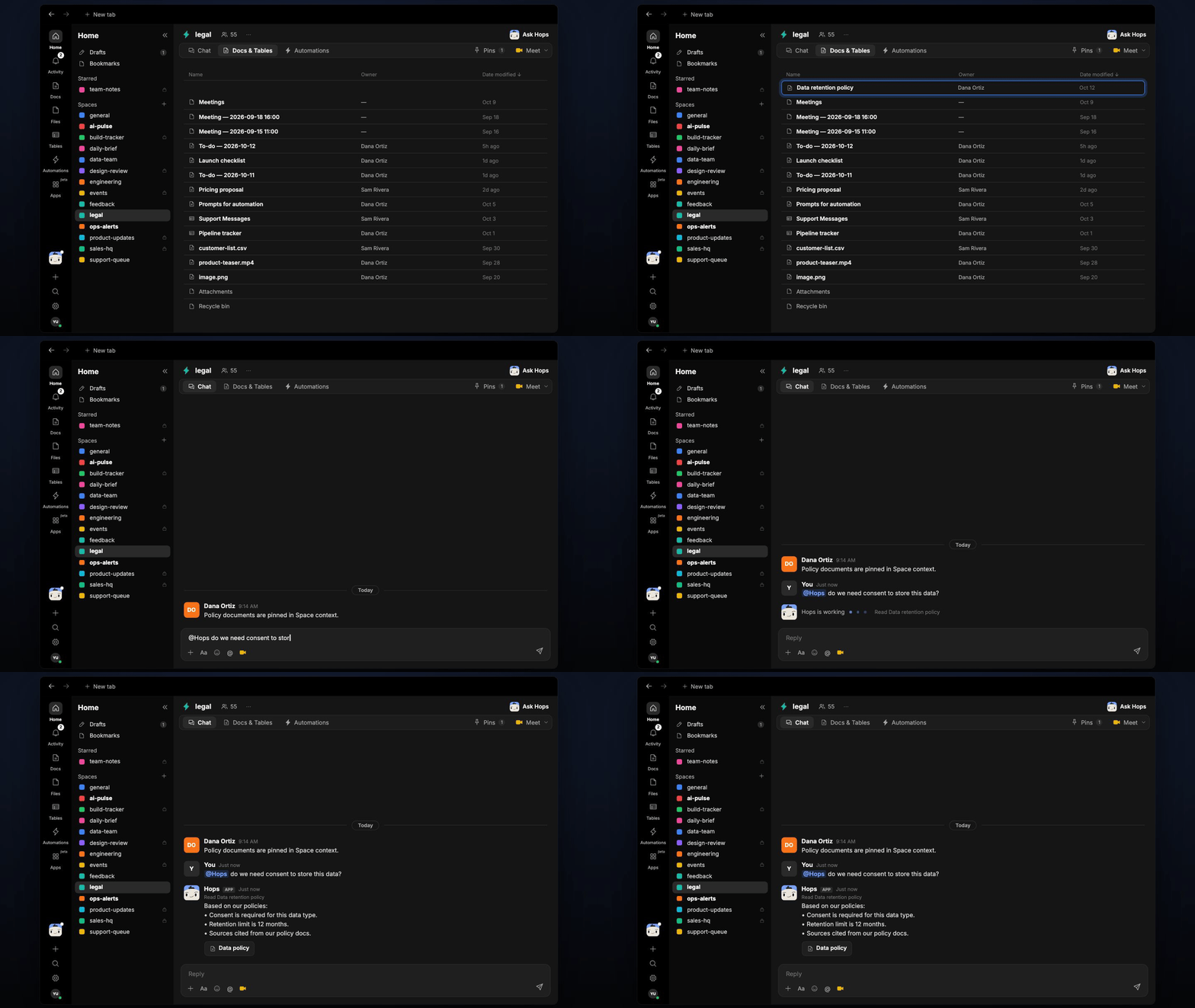
How it runs: Ask Hops. No skill or automation needed. Connect your apps and ask in any chat.
What it does
- Reads your policy docs. Hops searches the compliance docs in Google Drive or SharePoint and the legal wiki in Notion or Confluence.
- Cites the exact section. Every answer names the policy and section it came from, with the doc version date.
- Answers only from your documents. If the policy is unclear or silent, Hops says so and routes the question to the legal team instead of guessing.
- Handles conflicts. When two policies disagree, Hops shows both and tells you which is newer.
- Never gives legal advice. Hops reports what your policies say and flags anything that needs a lawyer.
Ask Hops
Copy a prompt into any chat with Hops, or mention@Hops in a Space.
Based on our policies:
- Consent is required for this data type (Privacy Policy v3, section 4.2).
- Retention limit is 12 months (Data Retention Policy, section 2.1).
- Not covered: transfers outside the EU. Please check with the legal team.
What you get
- An answer in chat, in the same thread, with the policy name and section for every point.
- A saved Doc, when you ask for one. Say “save this as a doc” and Hops writes the answer to Docs in the Space so the team can reuse it.
Connections needed
Connect the apps that hold your policies. Each card opens Connections in the app.Google Drive
Compliance and policy docs (or SharePoint).
Notion
Legal wiki (or Confluence).
Slack
Where teams ask compliance questions.
Set it up
1
Connect your apps
Connect the apps above in Connections. Start with where your policy docs live.See Connections.
2
Pin your policies (optional)
Create a legal Space and pin the policy and compliance docs in Space context, so Hops checks them first.See Spaces and Space context.
3
Ask
Ask Hops a compliance question in chat. That’s it.