

How it runs: Ask Hops, with a skill so the output has the same format every time. No automation needed.
What it does
- Reads every redline. Hops goes through tracked changes and comments in the contract from Google Drive or Docs.
- Compares to your playbook. Each change is checked against your playbook position and fallback.
- Gives a call per change. Each redline is marked accept, negotiate or reject, with the clause quoted.
- Drafts the response. A short reply is written for each change, ready to send to the counterparty.
- Flags what falls outside the playbook. Clauses with no playbook position are listed for legal review.
Ask Hops
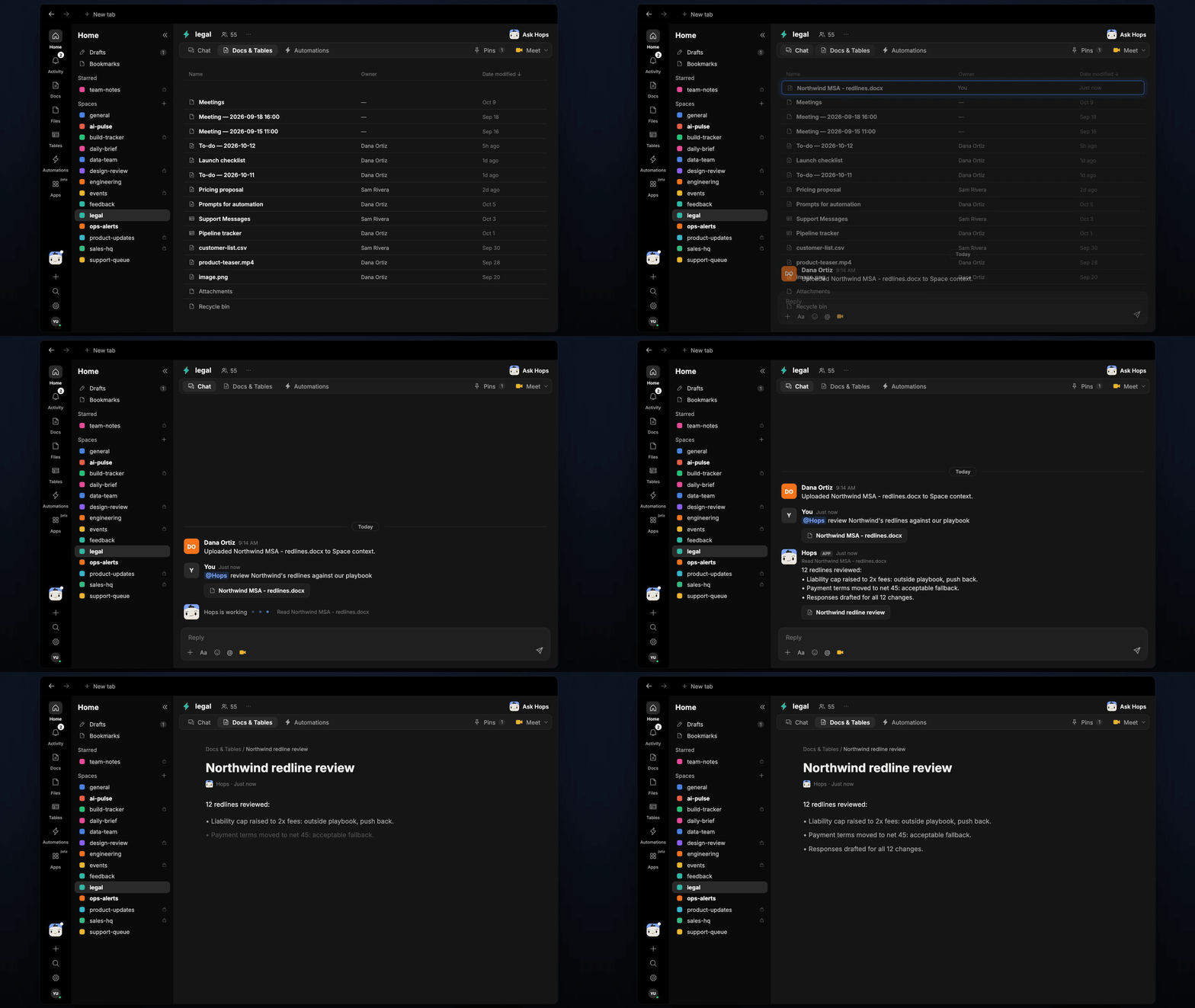
Copy a prompt into any chat with Hops, or mention@Hops in a Space.
12 redlines reviewed:
- Liability cap raised to 2x fees: outside playbook, push back.
- Payment terms moved to net 45: acceptable fallback.
- Responses drafted for all 12 changes.
What you get
- An answer in chat, in the same thread, with each change, the playbook position and the suggested response.
- A saved Doc, when you ask for one. Say “save this as a doc” and Hops writes the review to Docs in the Space.
Connections needed
Connect these apps. Each card opens Connections in the app.Google Drive
Redlined contracts and the playbook (or Google Docs).
DocuSign
Executed and in-flight agreements.
Slack
Share the review with the team.
Set it up
1
Connect your apps
Connect the apps above in Connections.See Connections.
2
Pin your playbook
Create a legal Space and pin your contract playbook in Space context.See Spaces and Space context.
3
Add the skill
4
Ask
Add the redlined contract to the Space and ask Hops in chat.