

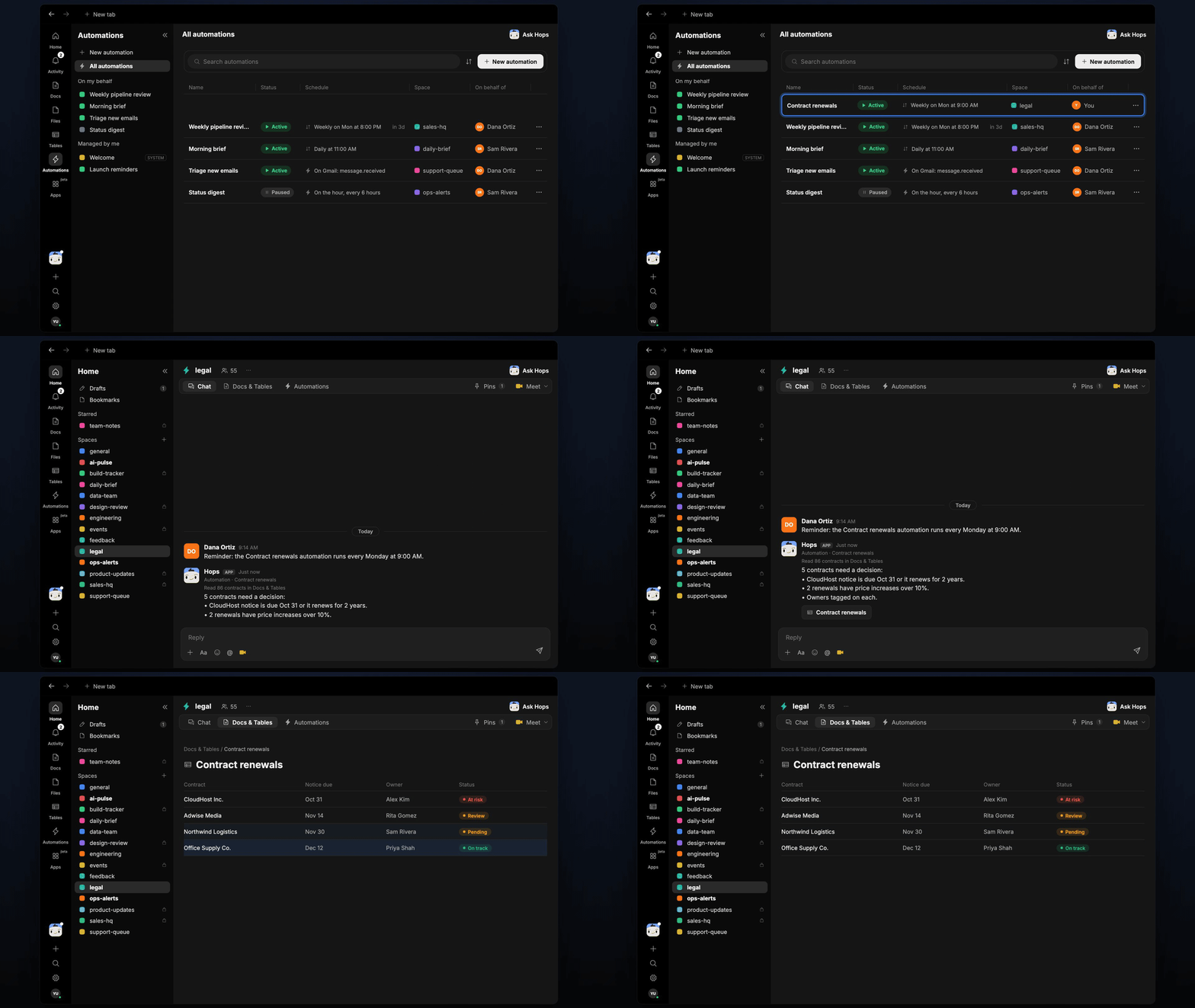
How it runs: Scheduled. An automation runs every Monday at 9:00 AM, posts the contracts that need a decision to the legal Space and saves the renewals table. You can also ask Hops any time.
What it does
- Reads the contract register. Hops uses the register table in the Space and checks contract terms in Google Drive and DocuSign.
- Finds notice deadlines. It lists contracts whose notice date falls in the next 60 days, with the renewal term.
- Flags price changes. Renewals with increases (for example over 10%) are called out with the old and new amount.
- Marks risk. Anything with notice due within 21 days is marked at risk and the owner is tagged.
- Handles gaps. Contracts missing a notice date are listed separately so someone can fill them in.
Ask Hops
Copy a prompt into any chat with Hops, or mention@Hops in a Space.
5 contracts need a decision:
- CloudHost notice is due Oct 31 or it renews for 2 years.
- 2 renewals have price increases over 10%.
- Owners tagged on each.
What you get
- A weekly post in the legal Space (or Slack channel) listing contracts that need a decision, with owners tagged.
- An updated renewals Table in Tables with notice date, term, price change and risk for every contract.
- Answers on demand. Ask Hops about any contract or deadline in chat.
Connections needed
Connect these apps. Each card opens Connections in the app.Google Drive
Contracts and the renewal terms inside them.
DocuSign
Signed agreements and envelope dates.
Slack
Where the weekly renewals post goes.
Set it up
1
Connect your apps
Connect the apps above in Connections.See Connections.
2
Create the Space
Create a legal Space and keep the contract register as a table in Tables.See Spaces and Space context.
3
Add the skill
4
Schedule it
Run it every Monday at 9:00 AM. It posts contracts needing a decision to the legal Space and updates the renewals table in Tables.See Automation.