

How it runs: Scheduled. An automation runs every weekday at 4pm, updates the PO tracker from new emails and posts what changed. You can also ask Hops any time.
What it does
- Adds new POs from email. Hops reads vendor threads in Gmail and adds each new PO to the tracker.
- Updates delivery and invoice status. It matches POs against QuickBooks or Xero as goods arrive and bills come in.
- Lists missing onboarding documents. For example a W-9 or an insurance certificate not yet received.
- Drafts reminders. Anything missing for more than 5 days gets a reminder draft in Gmail.
- Uses your documents. Vendor files in Google Drive are checked against the onboarding checklist.
Ask Hops
Copy a prompt into any chat with Hops, or mention@Hops in a Space.
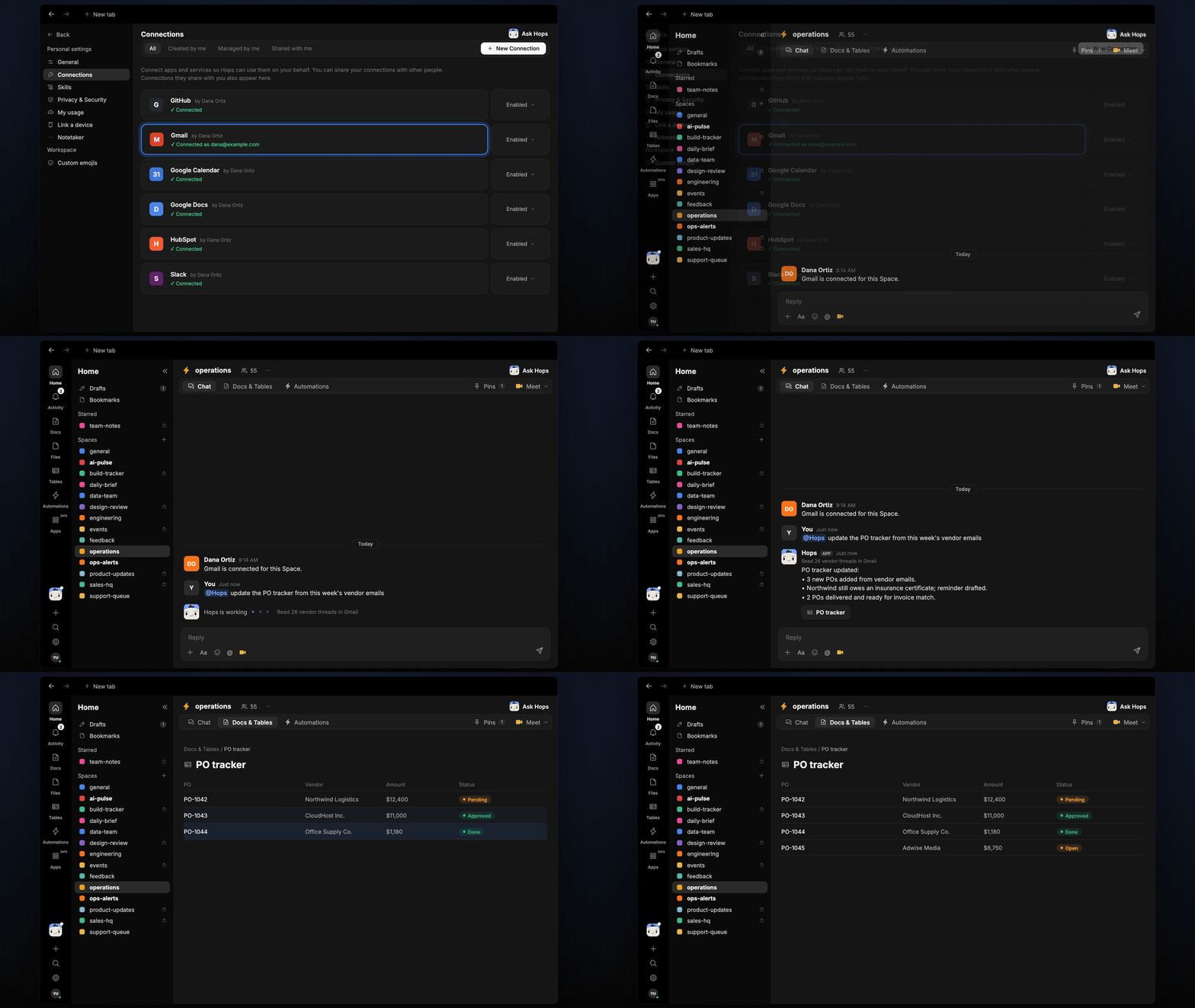
PO tracker updated:
- 3 new POs added from vendor emails.
- Northwind still owes an insurance certificate; reminder drafted.
- 2 POs delivered and ready for invoice match.
What you get
- An answer in chat, in the same thread, whenever you ask.
- A weekday Slack post with what changed in the tracker and which vendors need a nudge.
- An updated PO tracker Table in Tables of the Space, refreshed on every run.
- Reminder email drafts in Gmail for missing documents.
Connections needed
Connect these apps. Each card opens Connections in the app.Gmail
Vendor threads and reminder drafts.
QuickBooks
Purchase orders and bills (or Xero).
Google Drive
Vendor documents.
Slack
Posts tracker updates.
Set it up
1
Create the Space
Create an operations Space. Pin the vendor onboarding checklist in Space context.See Spaces and Space context.
2
Connect your apps
Connect the apps above in Connections.See Connections.
3
Add the skill
4
Schedule it
Every weekday at 4pm Hops updates the PO tracker Table from new emails and posts what changed.See Automation.