

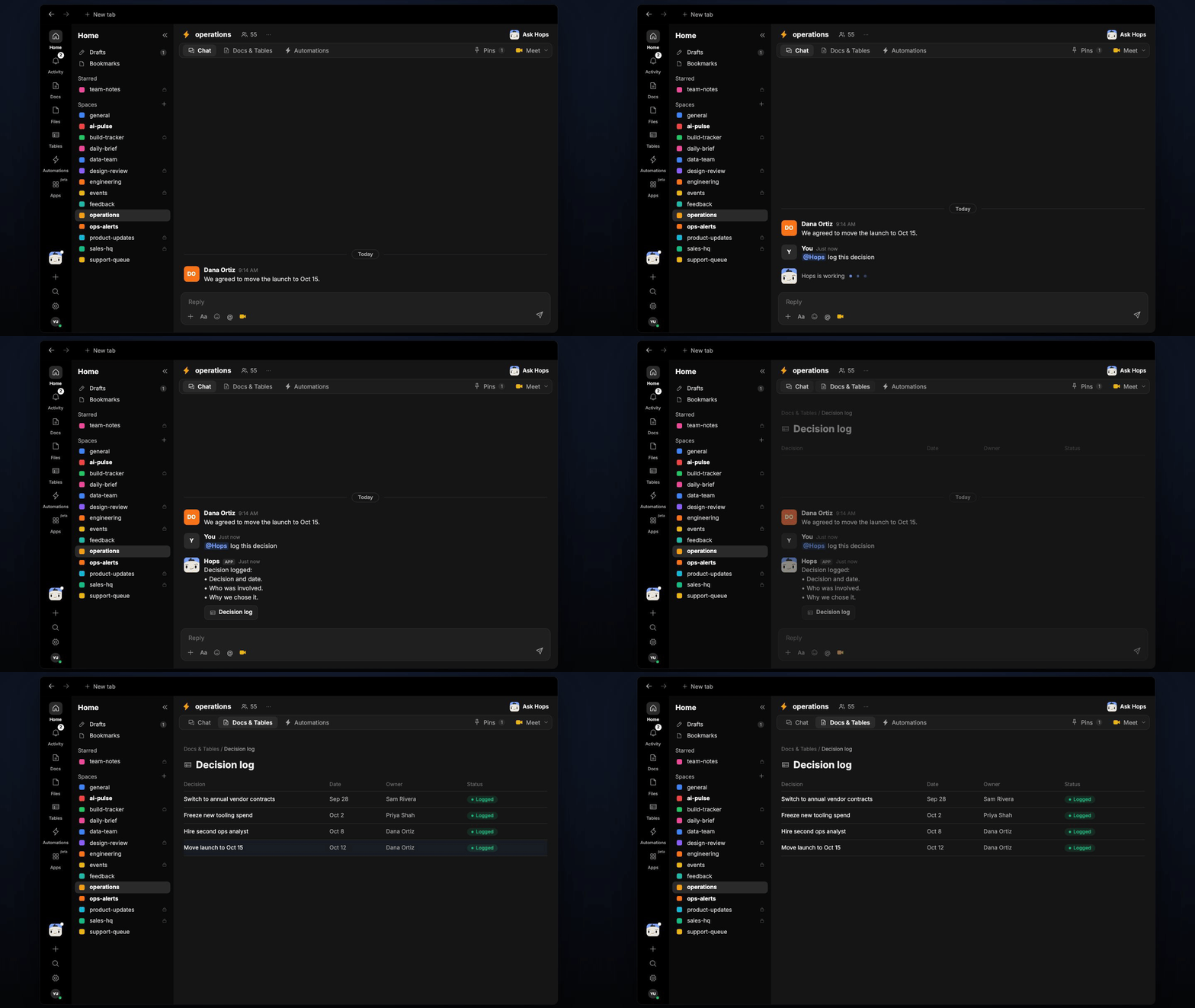
How it runs: Ask Hops, with a skill so the output has the same format every time. No automation needed.
What it does
- Formats every decision the same way. Each record has what was decided, the owner, the deadline and the next step.
- Adds it to the running log. Hops appends the record to the decision log doc in Google Drive or Notion.
- Pulls decisions from notes or threads. Paste meeting notes or point at a Slack thread and Hops extracts each decision.
- Flags gaps. If a decision has no owner or no deadline, Hops asks instead of guessing.
- Finds past decisions. Ask what was decided about a topic and Hops answers from the log.
Ask Hops
Copy a prompt into any chat with Hops, or mention@Hops in a Space.
Logged 2 decisions:
- Move Northwind order to warehouse 2. Owner Priya Nair, due Nov 3.
- Pause the Globex promo until stock arrives. Owner Sam Rivera, no deadline set; please confirm.
What you get
- An answer in chat, in the same thread, with the formatted record.
- An updated decision log in your decision log doc, with the new record appended.
- A saved Doc or Table, when you ask for one. Say “save this as a table” and Hops writes it to Tables in the Space.
Connections needed
Connect these apps. Each card opens Connections in the app.Google Drive
The decision log doc (or Notion).
Slack
Threads where decisions get made.
Set it up
1
Create the Space (optional)
Create one Ops Space and pin the decision log doc in Space context.See Spaces and Space context.
2
Connect your apps
Connect the apps above in Connections.See Connections.
3
Add the skill
4
Ask
Ask Hops in chat after each meeting.