

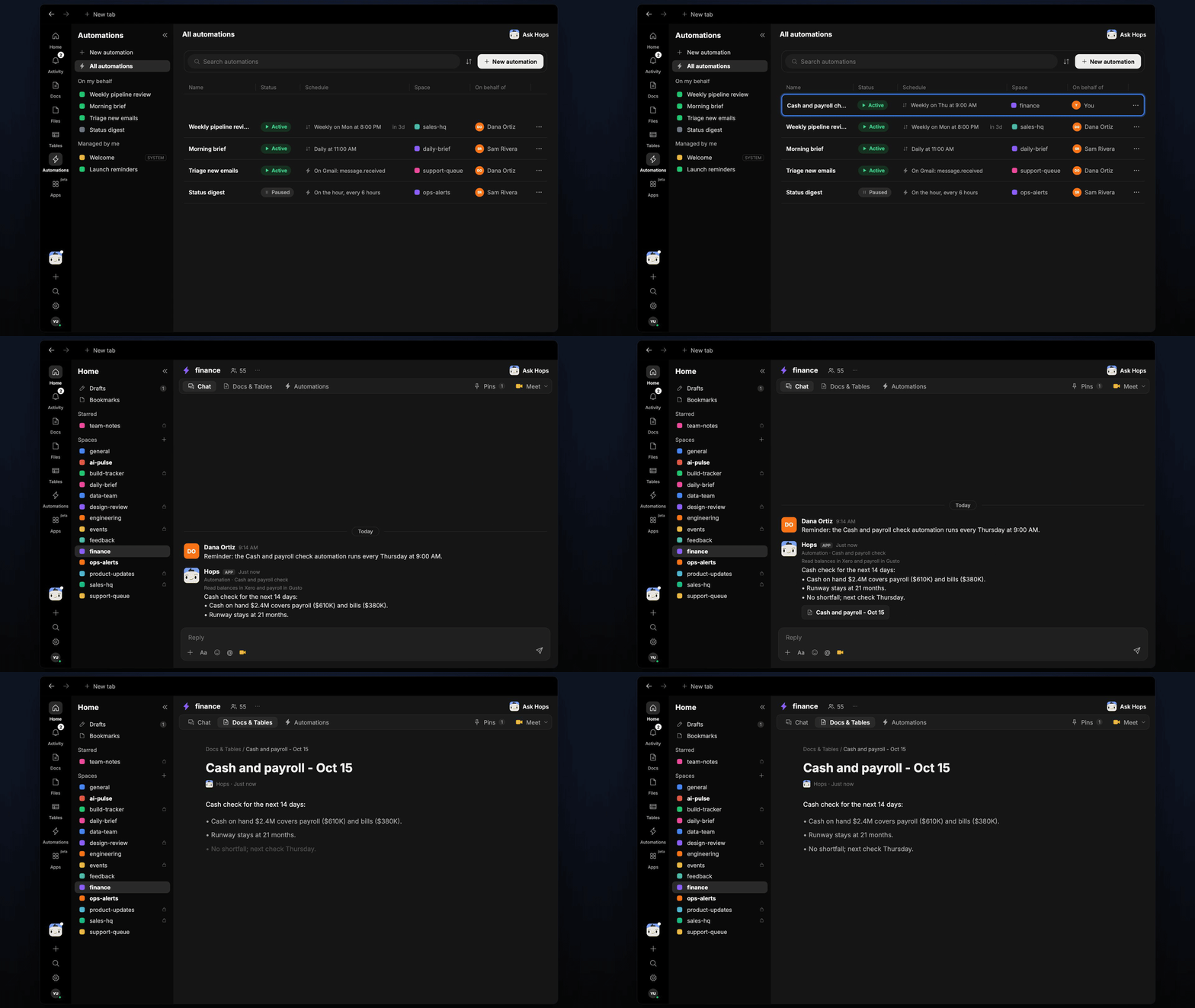
How it runs: Scheduled. An automation runs every Thursday at 9am, posts the cash check to the finance Space and saves it as a dated Doc. You can also ask Hops any time.
What it does
- Reads balances and bills. Hops pulls cash on hand and upcoming bills from Xero or QuickBooks.
- Reads the next payroll. It gets the run amount and date from Gusto or your payroll tool.
- Checks the next 14 days. It compares cash to payroll plus bills due and states the margin and the runway.
- Flags shortfalls early. If cash dips below the minimum balance pinned in Space context, the alert leads the post.
- Keeps it to five lines. The output is short enough to read in Slack and act on.
Ask Hops
Copy a prompt into any chat with Hops, or mention@Hops in a Space.
Cash check for the next 14 days:
- Cash on hand 610K) and bills ($380K).
- Runway stays at 21 months.
- No shortfall; next check Thursday.
What you get
- An answer in chat, in the same thread, whenever you ask.
- A weekly post in the finance Space every Thursday with the margin, runway and any shortfall.
- A dated cash check Doc in Docs of the Space, so you can compare week over week.
Connections needed
Connect these apps. Each card opens Connections in the app.Xero
Balances and bills (or QuickBooks).
Gusto
Payroll runs and dates (or your payroll tool).
Slack
Posts the check to the finance channel.
Set it up
1
Create the Space
Create a finance Space. Pin the minimum cash balance in Space context.See Spaces and Space context.
2
Connect your apps
Connect the apps above in Connections.See Connections.
3
Add the skill
4
Schedule it
Every Thursday at 9am Hops posts the cash check to the finance Space and saves it as a dated Doc.See Automation.