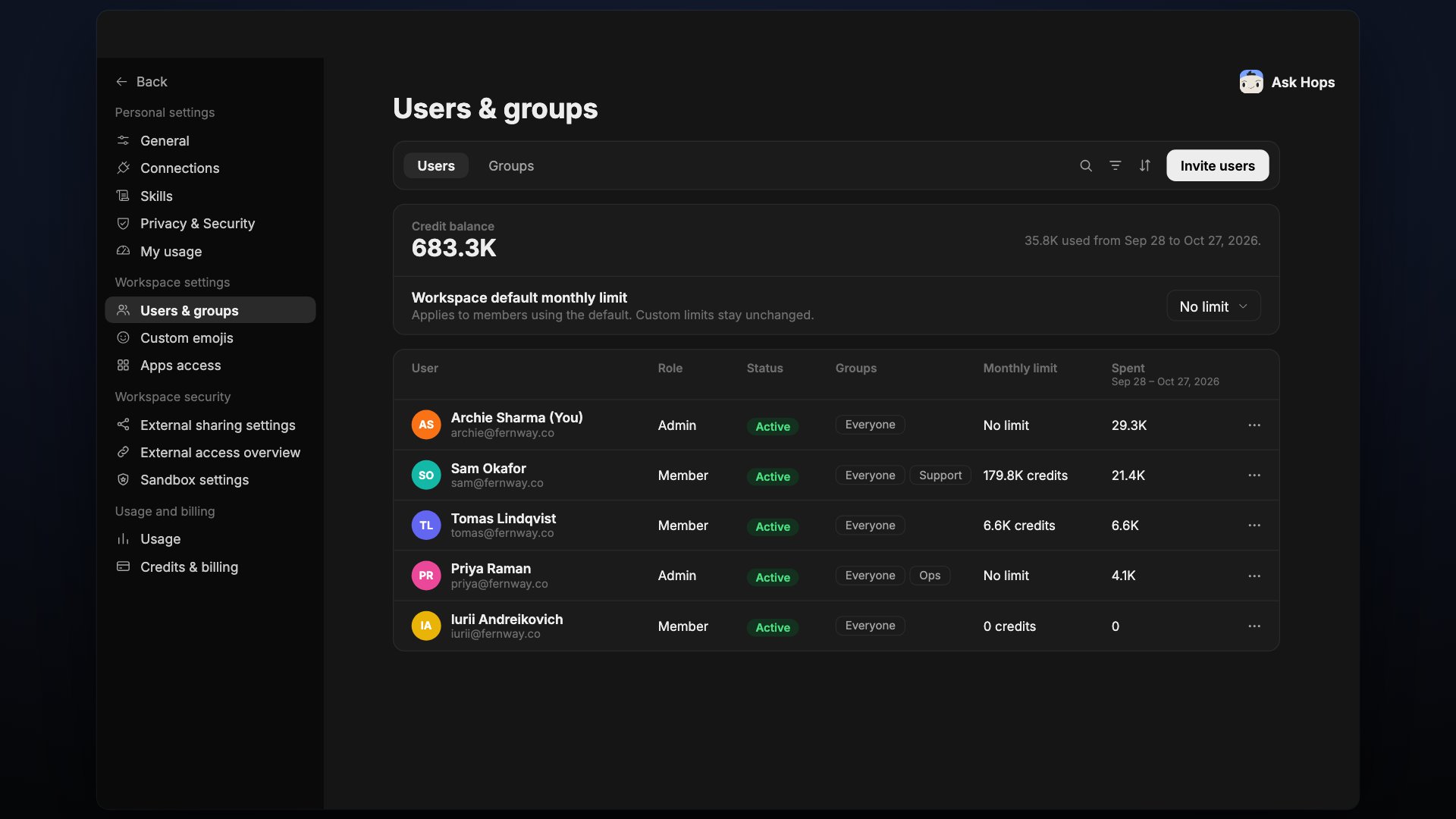
Users & groups lives under Workspace settings. It has two tabs: Users and Groups. Use the search, filter and sort icons in the toolbar to find people quickly.

Users

Users tab showing credit balance, workspace default monthly limit and a table of members.
The top of the page shows the workspace Credit balance and how much was used in the current billing period. Workspace default monthly limit sets a monthly credit limit for members who use the default. The default is No limit. Custom limits you set for individual members stay unchanged when you change the default. The table lists each person with: Use the … menu at the end of a row for actions on that person. Select Invite users to add people to the workspace.

Groups
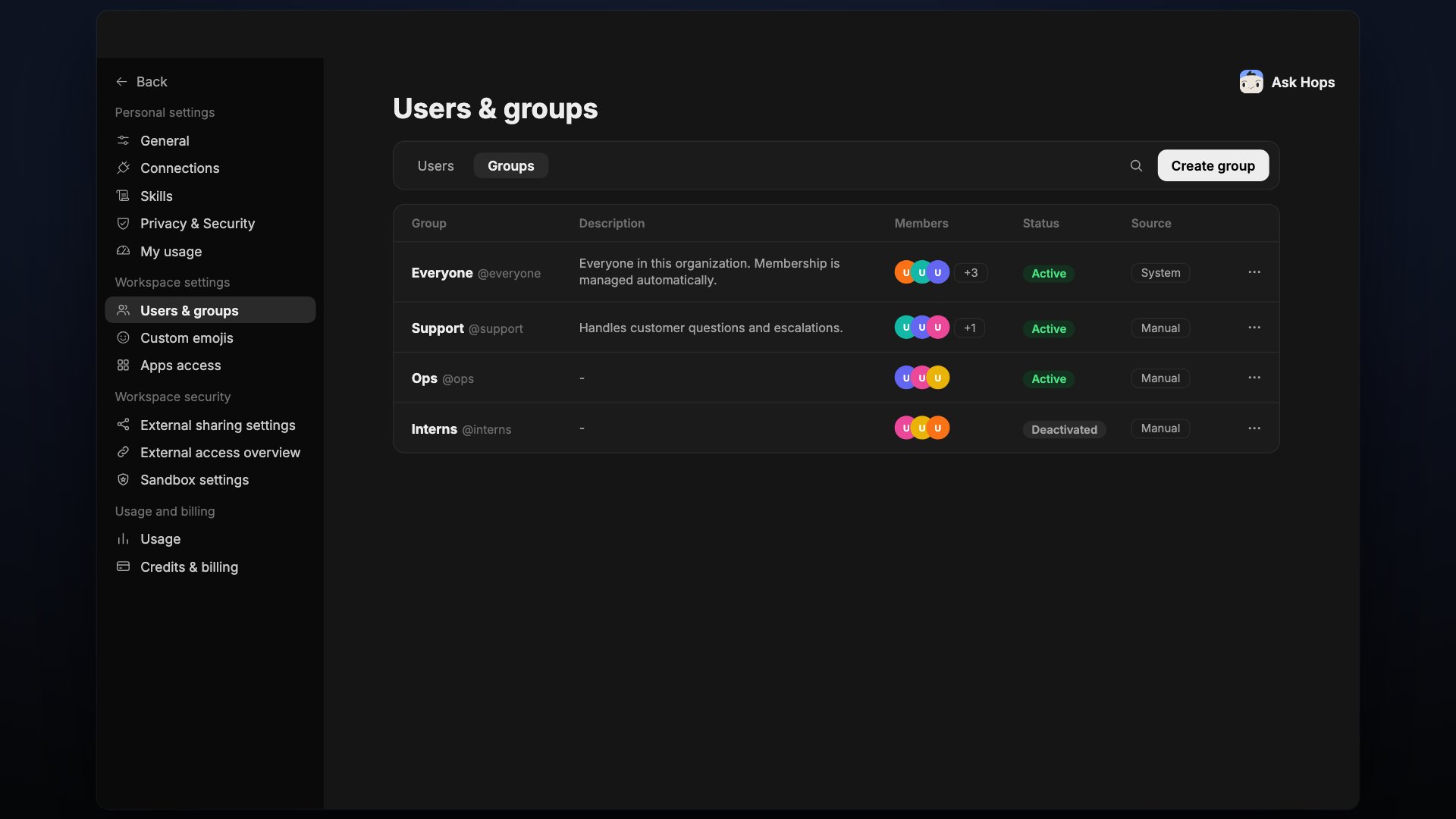
Groups tab listing groups with description, members, status and source.
Select Create group to add a group. Each group shows:
  • Group: the name and its @handle
  • Description
  • Members: avatars and a count of additional members
  • Status: Active or Deactivated
  • Source: System for groups Hops manages, or Manual for groups you create
The Everyone group is a system group. Everyone in the organization belongs to it, and membership is managed automatically.