

How it runs: Triggered. An automation runs when new files are uploaded to the data room, and you can also ask Hops directly.
What it does
- Maps files to the checklist. Every document is matched to an item on your diligence checklist.
- Lists what is missing. Open items are listed, such as cap table history or IP assignments.
- Flags red flags. Customer concentration, related-party deals and unusual terms are called out.
- Cites the file. Every finding names the document it came from.
- Only reports what changed. After the first pass, new uploads update the review instead of repeating it.
Ask Hops
Copy a prompt into any chat with Hops, or mention@Hops in a Space.
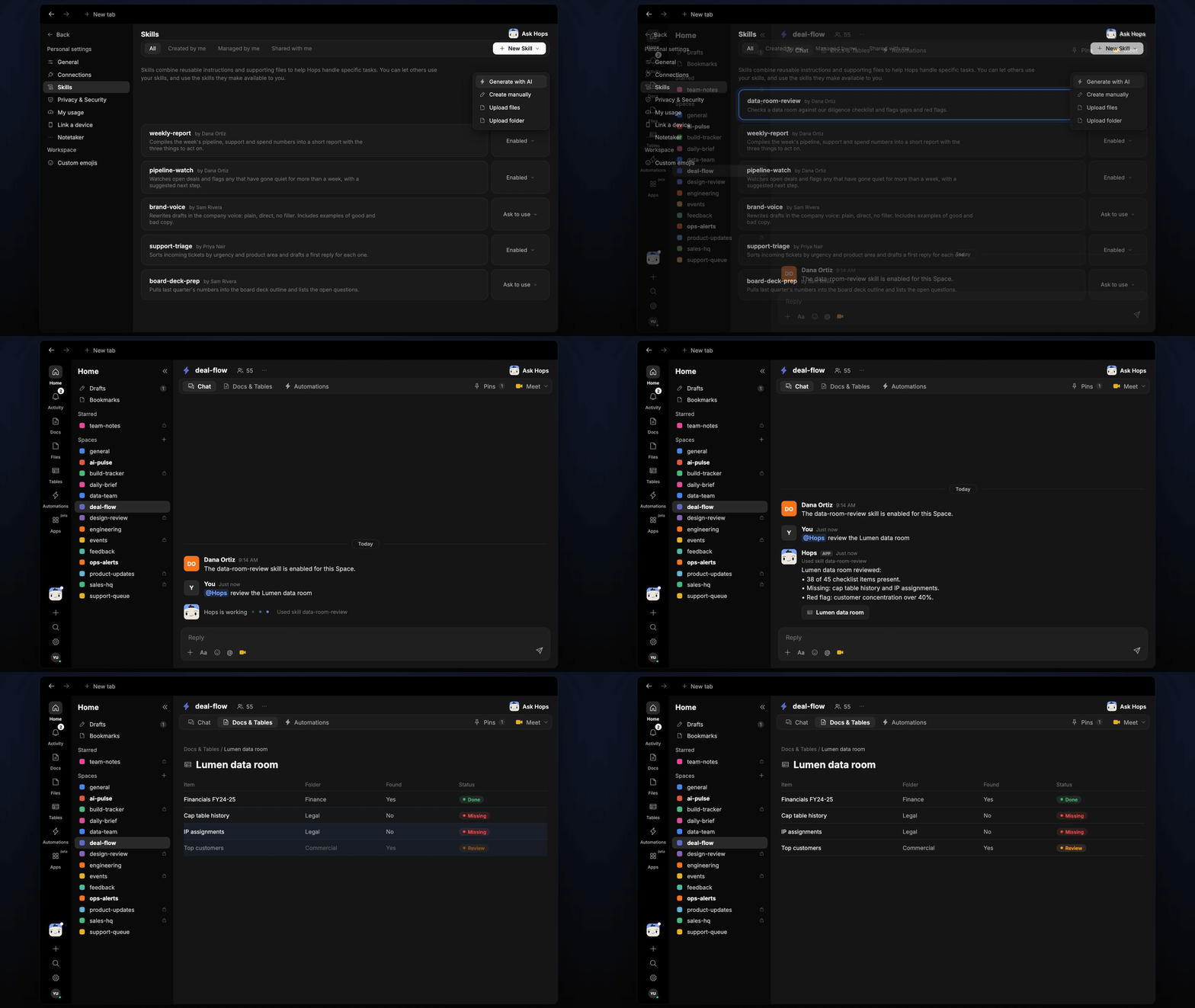
Lumen data room reviewed:
- 38 of 45 checklist items present.
- Missing: cap table history and IP assignments.
- Red flag: customer concentration over 40%.
What you get
- A post in the deal Space (or Slack channel) when new uploads change the picture.
- A saved Doc in Docs with the review and a checklist Table in Tables, updated with each run.
- Answers on demand. Ask Hops about any item or file in chat.
Connections needed
Connect these apps. Each card opens Connections in the app.Google Drive
The data room folder (or Dropbox).
Slack
Where review updates are posted.
Set it up
1
Connect your apps
Connect the apps above in Connections.See Connections.
2
Create the Space
Create a deal-flow Space per deal and pin the diligence checklist in Space context.See Spaces and Space context.
3
Add the skill
4
Trigger it
Run it when new files are uploaded to the data room. It posts what changed to the deal Space and updates the review Doc and checklist Table.See Automation.