> ## Documentation Index
> Fetch the complete documentation index at: https://hopsdocs.mintlify.site/llms.txt
> Use this file to discover all available pages before exploring further.
# Chat
> Threaded conversations between your team and your agents. Includes pins and meetings from the same tab bar.
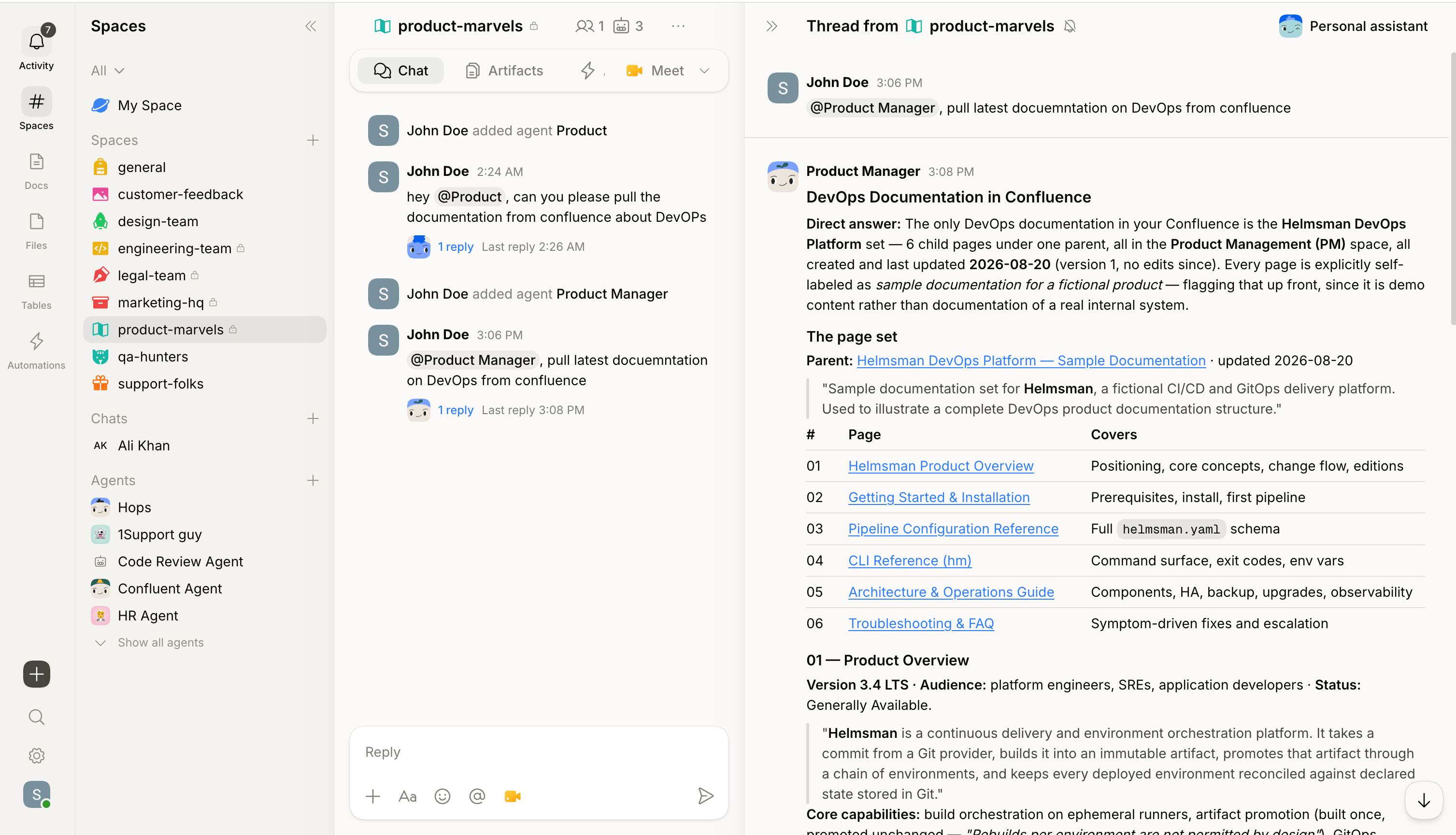
Chat is where your team and your agents have conversations in a Space. It's a shared thread history — everything said, decided, and done is visible to everyone in the Space.
 ## How chat works
**Start a thread.** Write a message in the Space. Teammates reply, and agents can be brought into the conversation with `@`.
**Tag an agent.** Type `@` followed by the name (`@Hops` for the default agent, `@[name]` for a custom one). The agent responds from the context in this Space.
**Tag multiple agents.** A Space can have multiple agents. Tag different ones in the same conversation and each responds from its own specialization.
**Agents show their work.** Every response shows what it used and what it did. Expand any response to see the full trace.
## Reactions, replies, and pins
* **React** to any message with an emoji.
* **Reply** to a specific message to keep context tight.
* **Pin** a message with the pin icon on hover to make it easy to find later.
### Pins
Pins flag an important message in a Space so it's easy to find. Your agents already read every message in the Space, so pinning doesn't change what an agent can see — pins are for your team, a quick way to surface a key decision.
## How chat works
**Start a thread.** Write a message in the Space. Teammates reply, and agents can be brought into the conversation with `@`.
**Tag an agent.** Type `@` followed by the name (`@Hops` for the default agent, `@[name]` for a custom one). The agent responds from the context in this Space.
**Tag multiple agents.** A Space can have multiple agents. Tag different ones in the same conversation and each responds from its own specialization.
**Agents show their work.** Every response shows what it used and what it did. Expand any response to see the full trace.
## Reactions, replies, and pins
* **React** to any message with an emoji.
* **Reply** to a specific message to keep context tight.
* **Pin** a message with the pin icon on hover to make it easy to find later.
### Pins
Pins flag an important message in a Space so it's easy to find. Your agents already read every message in the Space, so pinning doesn't change what an agent can see — pins are for your team, a quick way to surface a key decision.
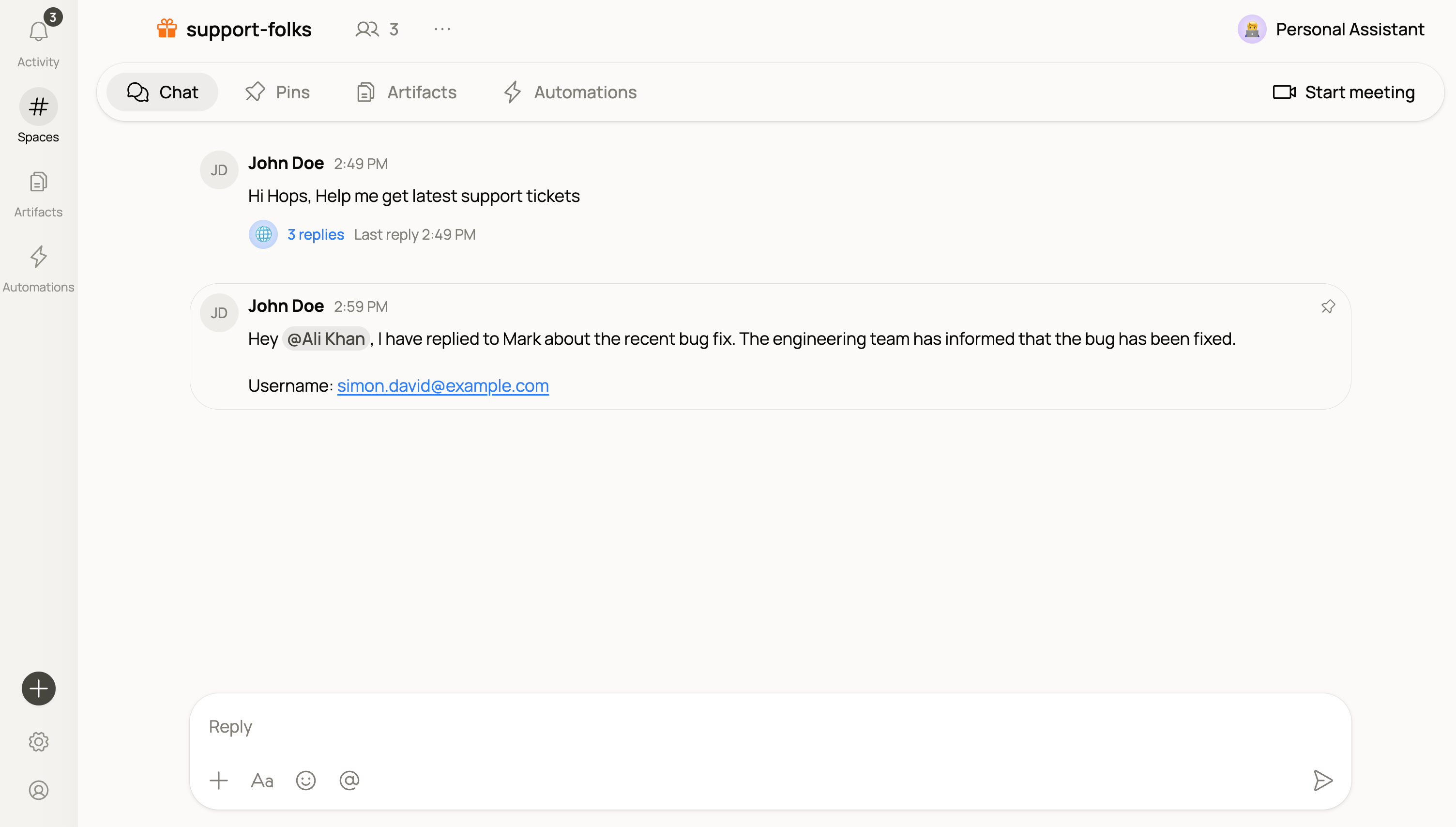 View every pin in a Space from the **Pins** tab in the Space sidebar. Removing a pin doesn't delete the original message.
Keep pins focused. A Space with dozens of pinned messages is harder to scan than one with just the essentials.
## Meetings
When a thread needs a call, create one from the Space and drop the link into chat. Hops supports **Google Meet** and **Zoom**.
**Before you start**, connect at least one provider from **Settings → Connections**:
| Provider | Requires |
| --------------- | ------------------------------------------------------------------------------------------------------------------ |
| **Google Meet** | A connected Google Calendar account with Read & Write access — Hops creates a calendar event to generate the link. |
| **Zoom** | A connected Zoom account. |
**Start a meeting** in one of two ways:
* **From the tab bar** — the meeting control at the right end of the tab bar posts a new message with the join link.
* **From the composer** — the meeting icon in the composer inserts a link into the message you're already writing so you can add an agenda first.
Meeting links posted in chat render as a join card.
Meetings are a shared-Space feature. The controls don't appear in **My Space**.
## Schedule from a chat
Any useful agent output (a summary, a report, a check-in) can be scheduled to repeat right from the conversation. See [Automation](/docs/spaces/automation).
## Tips
Give your agent a clear, specific ask. "Summarize the last two weeks of this thread" gets a better result than "catch everyone up."
Chat history is part of the Space's shared context. Agents draw from it when you ask questions, not just when they're directly tagged.
View every pin in a Space from the **Pins** tab in the Space sidebar. Removing a pin doesn't delete the original message.
Keep pins focused. A Space with dozens of pinned messages is harder to scan than one with just the essentials.
## Meetings
When a thread needs a call, create one from the Space and drop the link into chat. Hops supports **Google Meet** and **Zoom**.
**Before you start**, connect at least one provider from **Settings → Connections**:
| Provider | Requires |
| --------------- | ------------------------------------------------------------------------------------------------------------------ |
| **Google Meet** | A connected Google Calendar account with Read & Write access — Hops creates a calendar event to generate the link. |
| **Zoom** | A connected Zoom account. |
**Start a meeting** in one of two ways:
* **From the tab bar** — the meeting control at the right end of the tab bar posts a new message with the join link.
* **From the composer** — the meeting icon in the composer inserts a link into the message you're already writing so you can add an agenda first.
Meeting links posted in chat render as a join card.
Meetings are a shared-Space feature. The controls don't appear in **My Space**.
## Schedule from a chat
Any useful agent output (a summary, a report, a check-in) can be scheduled to repeat right from the conversation. See [Automation](/docs/spaces/automation).
## Tips
Give your agent a clear, specific ask. "Summarize the last two weeks of this thread" gets a better result than "catch everyone up."
Chat history is part of the Space's shared context. Agents draw from it when you ask questions, not just when they're directly tagged.