> ## Documentation Index
> Fetch the complete documentation index at: https://hopsdocs.mintlify.site/llms.txt
> Use this file to discover all available pages before exploring further.
# My usage
> See how many credits you've used and where they went.
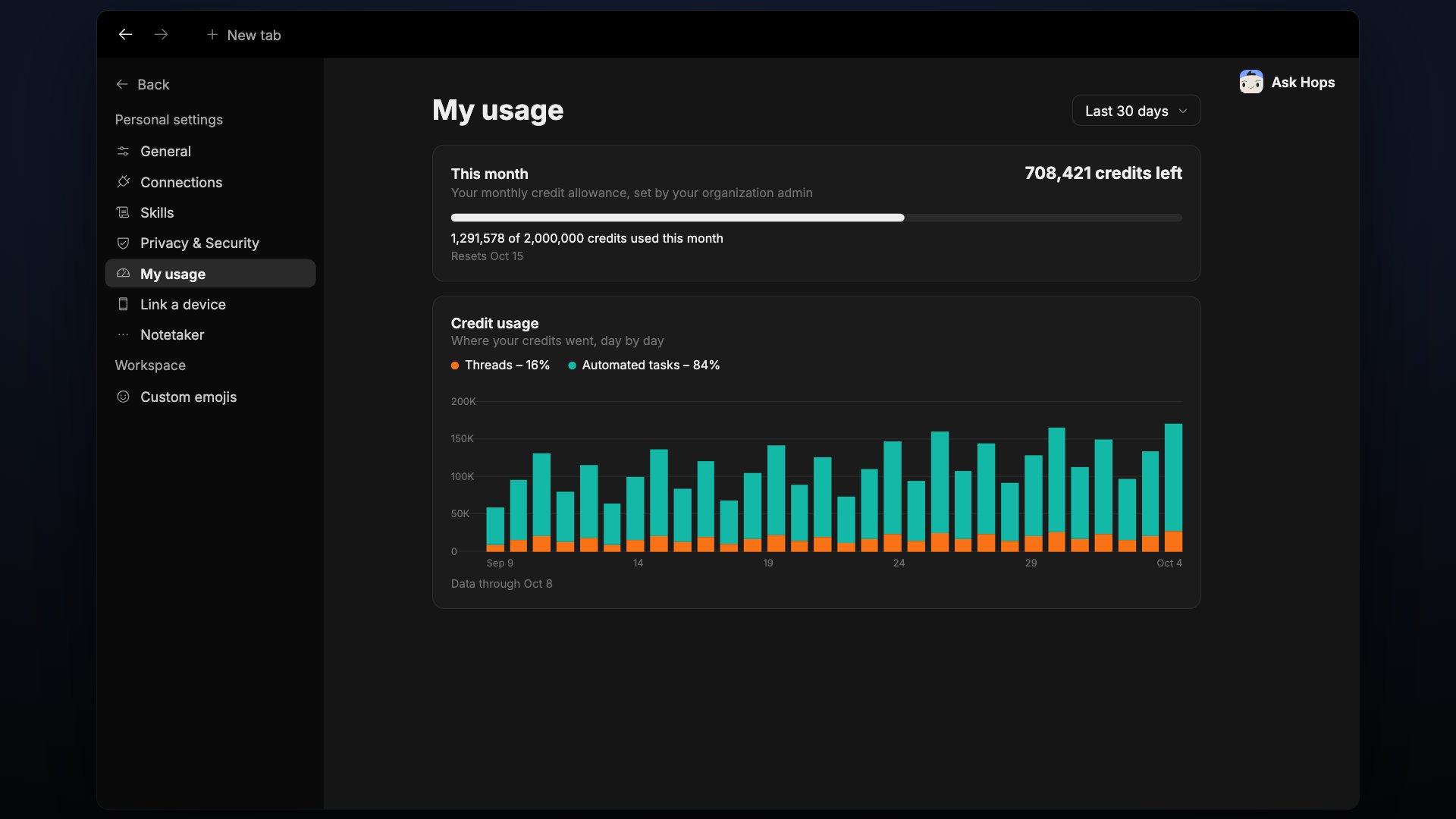
My usage shows your own credit spend. Open **Settings**, then **My usage**. Use the period dropdown at the top right (default **Last 30 days**) to change the range.
 ## This month
Your monthly credit allowance, set by your organization admin. The card shows how many credits you have left, a progress bar, and a line such as **X of 2,000,000 credits used this month**.
It also shows when the allowance resets. This follows your billing month, not the period selected at the top, and is read live from billing, so it doesn't lag like the sections below.
## Credit usage
A daily stacked bar chart of where your credits went:
* **Threads** — conversations with Hops.
* **Automated tasks** — runs of automations.
The footer shows the date the data runs through. An accessible table with the same numbers is available under the chart (Day, Threads credits, Automated tasks credits, Total credits).
## Your automations
Runs of automations you own count toward your spend, whoever triggers them. The table shows:
| Column | Meaning |
| - | - |
| **Automation** | Name, with a failed-run count when there are failures |
| **Agent** | Which agent runs it |
| **Frequency** | The trigger, such as a schedule or a Gmail event |
| **Runs** | Number of runs in the period |
| **Credits** | Credits spent |
| **Share of spend** | Share of your total |
The last row, **Other**, covers deleted automations and background spend.
## Recommendations
Suggestions computed from your own numbers. Each names what it's based on, for example an automation whose runs keep failing. Failed runs still spend credits, so reviewing or pausing the automation stops the waste. Use **Review automation** to jump to it.
Click **Ask Hops** at the bottom to have Hops open this page's numbers as an editable draft.
## Related
* [Billing](/docs/settings/billing)
* [Automations](/docs/spaces/automation)
## Related topics
- [Automation](/spaces/automation.md)
- [General](/settings/general.md)
- [Slipping partner usage](/teams/support/use-cases/slipping-partners.md)
- [FAQ](/help/faq.md)
- [Tables](/artifacts/tables.md)
This documentation is built and hosted on [Mintlify](https://mintlify.com), a developer documentation platform.
## This month
Your monthly credit allowance, set by your organization admin. The card shows how many credits you have left, a progress bar, and a line such as **X of 2,000,000 credits used this month**.
It also shows when the allowance resets. This follows your billing month, not the period selected at the top, and is read live from billing, so it doesn't lag like the sections below.
## Credit usage
A daily stacked bar chart of where your credits went:
* **Threads** — conversations with Hops.
* **Automated tasks** — runs of automations.
The footer shows the date the data runs through. An accessible table with the same numbers is available under the chart (Day, Threads credits, Automated tasks credits, Total credits).
## Your automations
Runs of automations you own count toward your spend, whoever triggers them. The table shows:
| Column | Meaning |
| - | - |
| **Automation** | Name, with a failed-run count when there are failures |
| **Agent** | Which agent runs it |
| **Frequency** | The trigger, such as a schedule or a Gmail event |
| **Runs** | Number of runs in the period |
| **Credits** | Credits spent |
| **Share of spend** | Share of your total |
The last row, **Other**, covers deleted automations and background spend.
## Recommendations
Suggestions computed from your own numbers. Each names what it's based on, for example an automation whose runs keep failing. Failed runs still spend credits, so reviewing or pausing the automation stops the waste. Use **Review automation** to jump to it.
Click **Ask Hops** at the bottom to have Hops open this page's numbers as an editable draft.
## Related
* [Billing](/docs/settings/billing)
* [Automations](/docs/spaces/automation)
## Related topics
- [Automation](/spaces/automation.md)
- [General](/settings/general.md)
- [Slipping partner usage](/teams/support/use-cases/slipping-partners.md)
- [FAQ](/help/faq.md)
- [Tables](/artifacts/tables.md)
This documentation is built and hosted on [Mintlify](https://mintlify.com), a developer documentation platform.