> ## Documentation Index
> Fetch the complete documentation index at: https://hopsdocs.mintlify.site/llms.txt
> Use this file to discover all available pages before exploring further.
# Agents overview
> Agents are AI teammates that live in your Spaces, work from shared context, and show every step.
An agent is an AI teammate that works in your team's Spaces. It's built for a specific job and works from the context your team has already built up.
## The three kinds of agent
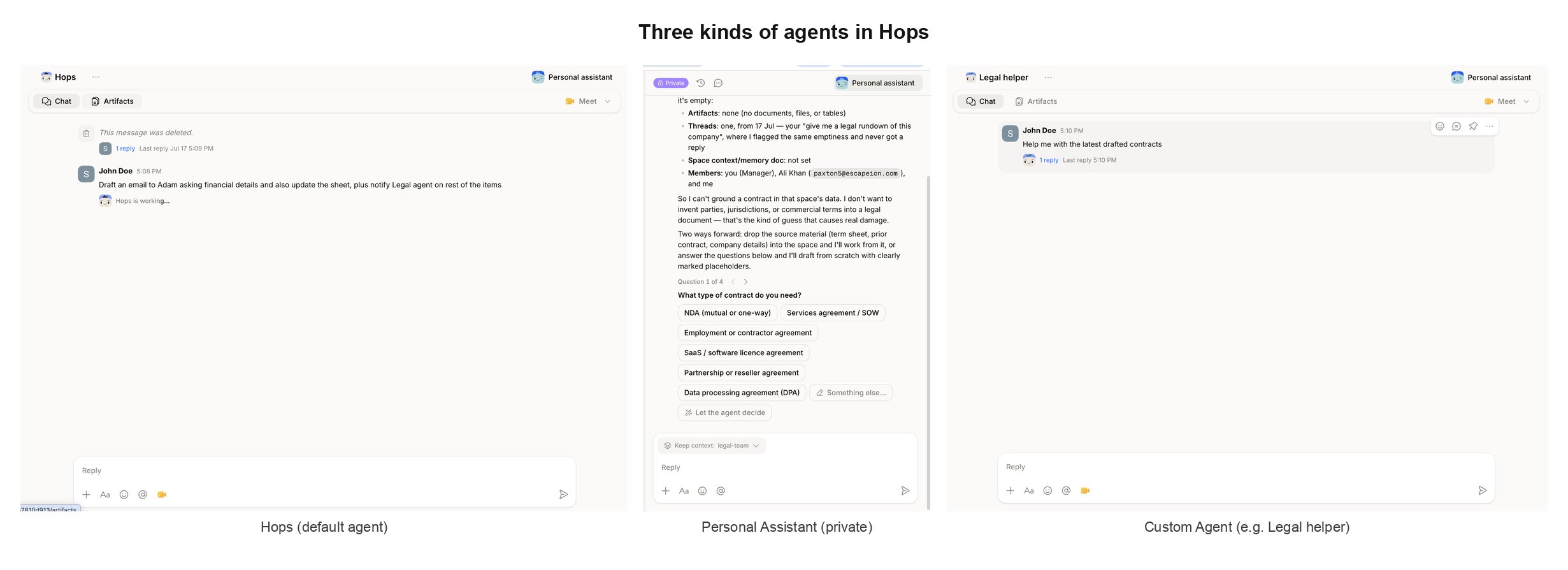 Hops gives you three kinds of agent, each with a different scope and job.
| Type | What it is | Connections |
| ---------------------- | -------------------------------------------------------------- | ------------------------------------------- |
| **Default (`@Hops`)** | Available in every Space. Handles general tasks. | Admin-added, plus your personal connections |
| **Personal Assistant** | Private to you, opens from the sidebar or top-right. | Only your personal connections |
| **Custom** | Built by your team for a specific role. Tagged with `@[name]`. | Whatever the agent manager assigns |
A Space can have **multiple agents**. Tag different ones in the same conversation and each responds from its own instructions and connections.
## Hops (default agent)
Hops gives you three kinds of agent, each with a different scope and job.
| Type | What it is | Connections |
| ---------------------- | -------------------------------------------------------------- | ------------------------------------------- |
| **Default (`@Hops`)** | Available in every Space. Handles general tasks. | Admin-added, plus your personal connections |
| **Personal Assistant** | Private to you, opens from the sidebar or top-right. | Only your personal connections |
| **Custom** | Built by your team for a specific role. Tagged with `@[name]`. | Whatever the agent manager assigns |
A Space can have **multiple agents**. Tag different ones in the same conversation and each responds from its own instructions and connections.
## Hops (default agent)
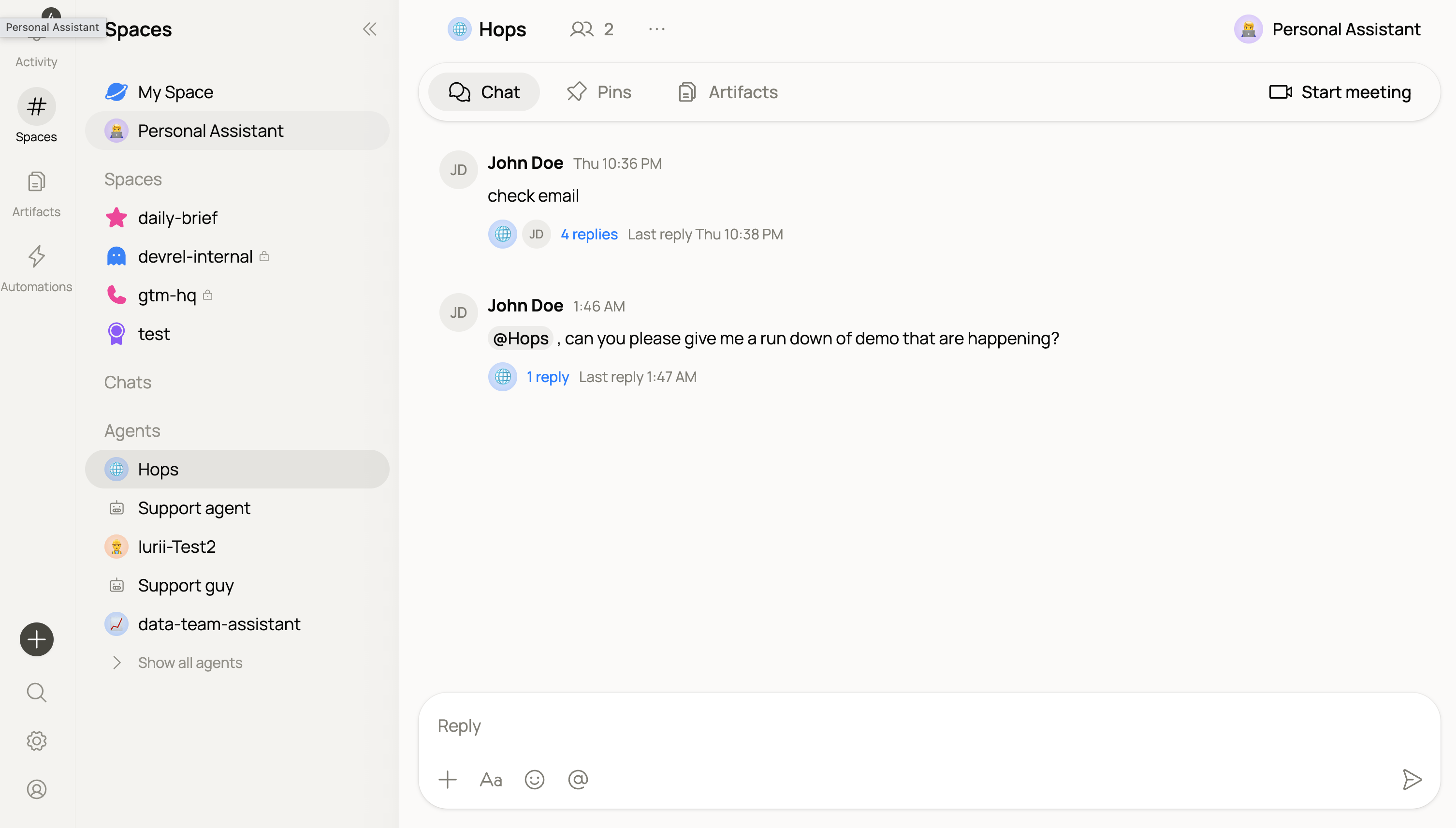 Every workspace comes with **`@Hops`**, the default agent, available in every Space without any setup. Use it for general tasks that don't need a specialist:
* Summarize a thread, doc, or Space
* Draft a quick reply, note, or brief
* Answer questions using the Space's shared context
* Kick off work you'll hand to a custom agent later
`@Hops` uses admin-added workspace connections plus your personal connections, so it can already reach the tools your team has connected.
If you're new to Hops, start here. Tag `@Hops` in any Space and describe what you need — no configuration required.
## Personal Assistant
Every workspace comes with **`@Hops`**, the default agent, available in every Space without any setup. Use it for general tasks that don't need a specialist:
* Summarize a thread, doc, or Space
* Draft a quick reply, note, or brief
* Answer questions using the Space's shared context
* Kick off work you'll hand to a custom agent later
`@Hops` uses admin-added workspace connections plus your personal connections, so it can already reach the tools your team has connected.
If you're new to Hops, start here. Tag `@Hops` in any Space and describe what you need — no configuration required.
## Personal Assistant
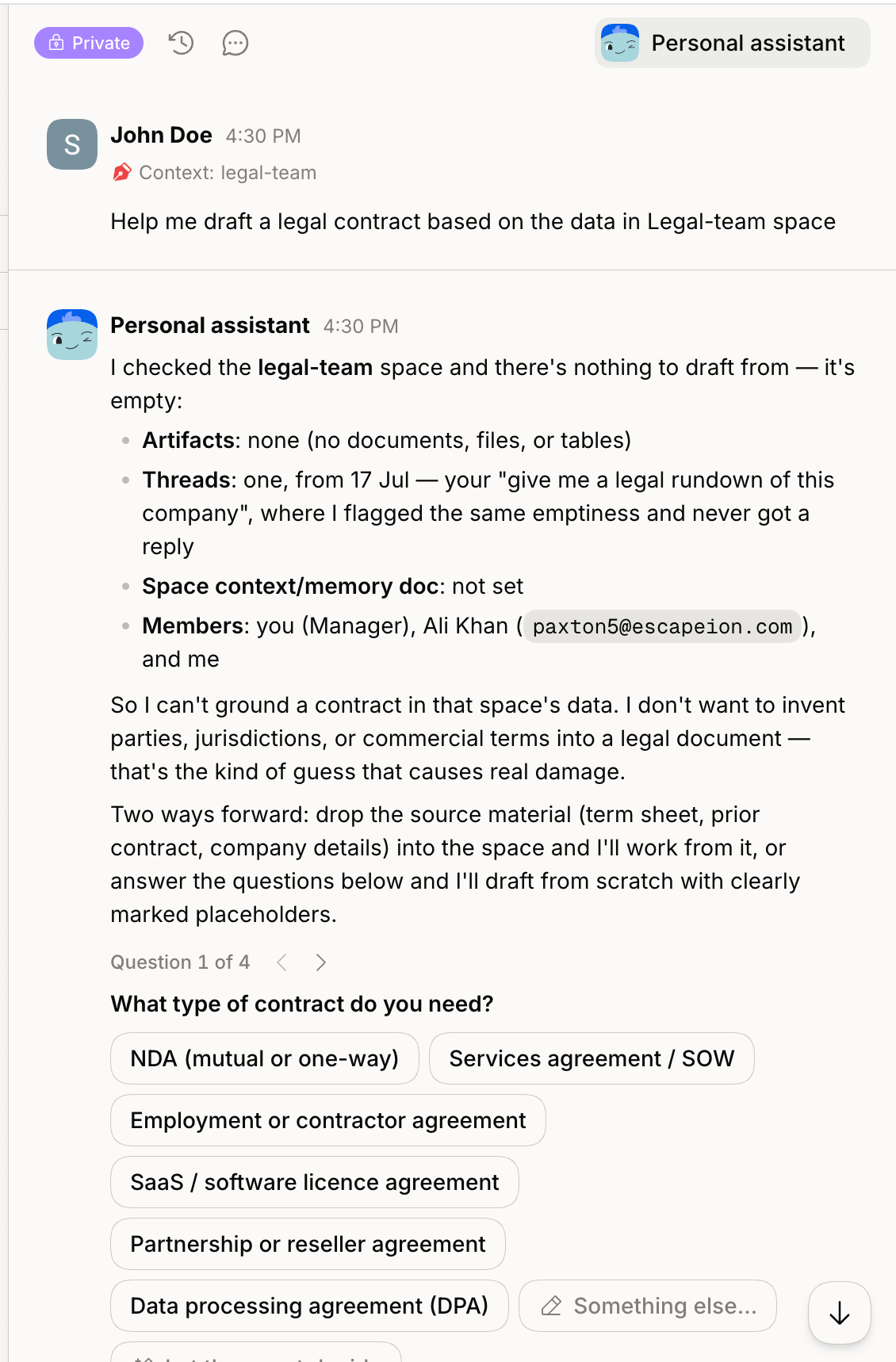 Click **Personal Assistant** in the left sidebar (or the top-right of any page) for a **private** conversation scoped just to you.
* Uses **only your personal connections** — nothing from your teammates.
* Great for personal drafts, reminders, and questions you don't want to share with the workspace.
* Set a Space as **Context** to ask questions about it without posting into the Space itself.
Think of it as your own quiet room next to the team's shared Spaces.
## Custom agents
For anything role-specific — a Legal helper, a Researcher, an SDR — build a **custom agent** with its own instructions and connections. Custom agents can be invited into any Space and tagged with `@[name]`.
Give it a name, instructions, and its own tools. Ready in minutes.
Invite your custom agents into any Space from the Agents panel.
## What makes agents in Hops different
* **They know what the team knows.** Agents read from your threads, docs, and connected tools — no re-explaining.
* **They show their work.** Every response includes what it used and what it did.
* **They wait for approval on risky actions.** Before sending an external message or updating a record, they ask.
* **They hand off cleanly.** One agent can pick up where another left off with the full context intact.
## Next
Build an agent for a specific role, with its own instructions and connections.
Give agents access to the tools your team uses.
Click **Personal Assistant** in the left sidebar (or the top-right of any page) for a **private** conversation scoped just to you.
* Uses **only your personal connections** — nothing from your teammates.
* Great for personal drafts, reminders, and questions you don't want to share with the workspace.
* Set a Space as **Context** to ask questions about it without posting into the Space itself.
Think of it as your own quiet room next to the team's shared Spaces.
## Custom agents
For anything role-specific — a Legal helper, a Researcher, an SDR — build a **custom agent** with its own instructions and connections. Custom agents can be invited into any Space and tagged with `@[name]`.
Give it a name, instructions, and its own tools. Ready in minutes.
Invite your custom agents into any Space from the Agents panel.
## What makes agents in Hops different
* **They know what the team knows.** Agents read from your threads, docs, and connected tools — no re-explaining.
* **They show their work.** Every response includes what it used and what it did.
* **They wait for approval on risky actions.** Before sending an external message or updating a record, they ask.
* **They hand off cleanly.** One agent can pick up where another left off with the full context intact.
## Next
Build an agent for a specific role, with its own instructions and connections.
Give agents access to the tools your team uses.